Explains how LSP loadshare optimization automates the balancing of traffic across parallel LSPs and helps prevent congestion in the network.
Run LSP loadshare optimization
Procedure
-
Specify the relevant optimization settings. For field descriptions, refer to LSP loadshare optimization settings.
Figure 1. LSP loadshare optimization options 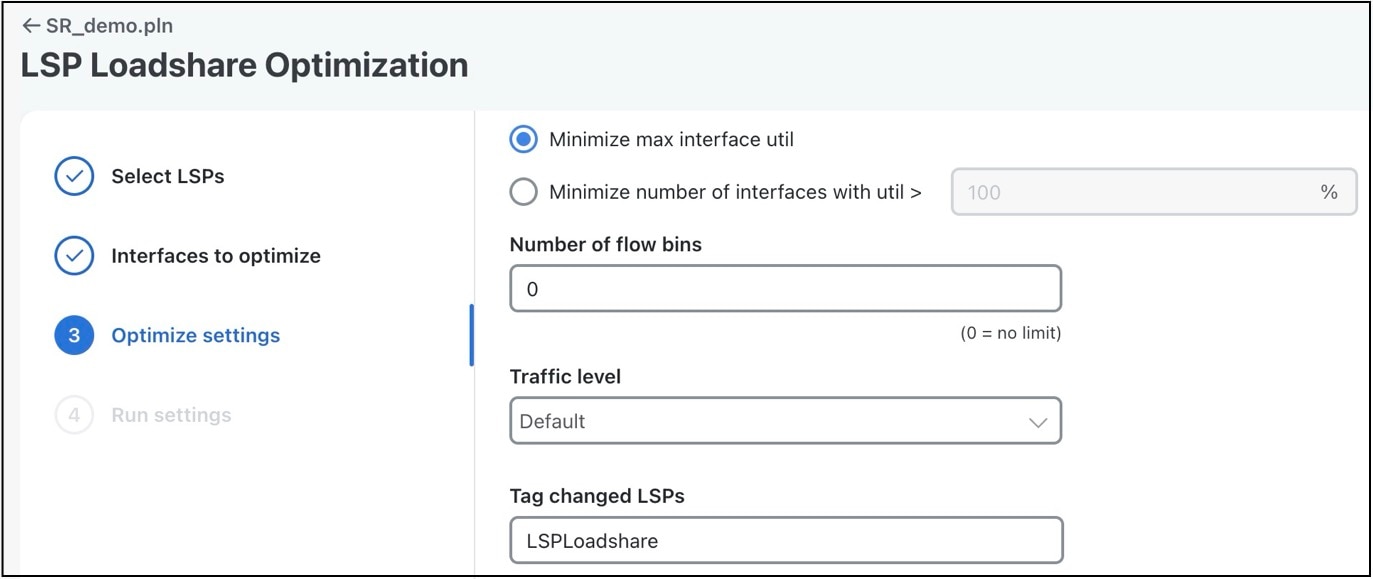
LSP loadshare optimization settings
Minimization strategies for interface utilization
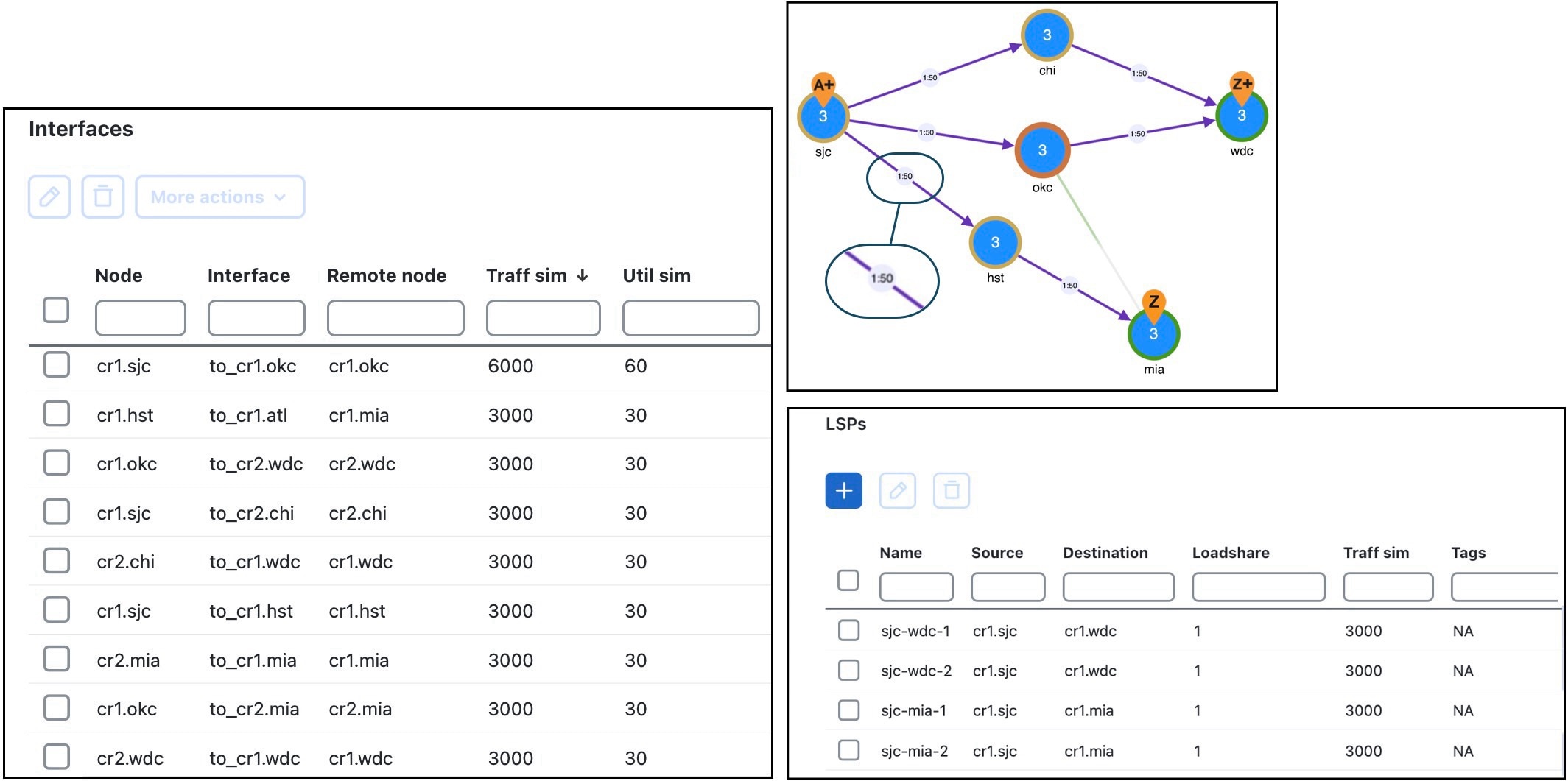
The base plan for this example, Acme_Network, contains two sets of parallel LSPs, each with a Loadshare value of 1 and each using strict hops on named paths to reach its destination. All of these LSPs have a Traff sim of 3000 Mbps. The interfaces to which these LSPs filter all have a Traff sim value of 3000 Mbps, except for sjc-to-okc, which has 6000 Mbps of simulated traffic (Figure 1).
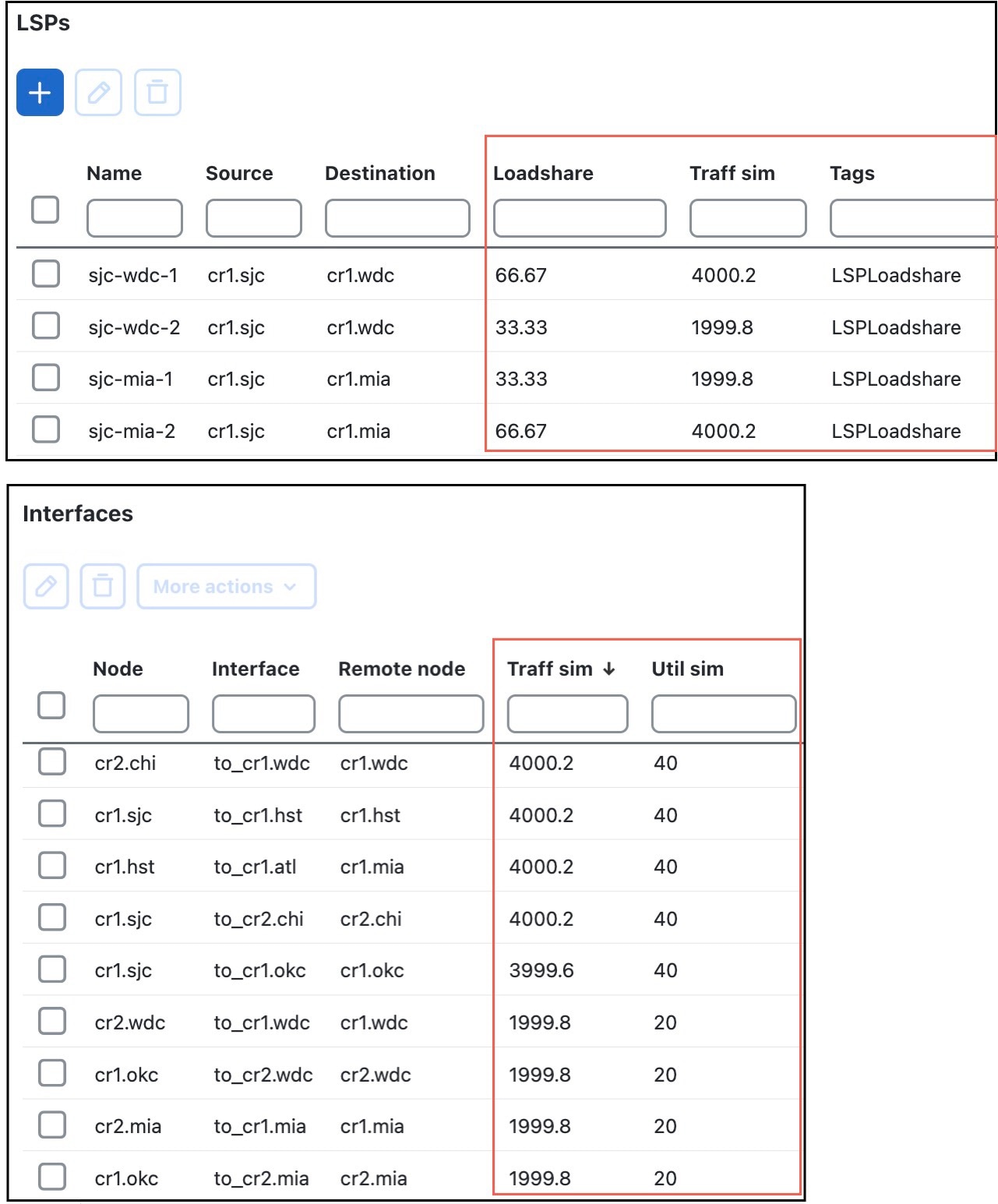
Using the Acme_Network plan file, if you minimize the maximum interface utilization across all LSPs, all four Loadshare parameters change, and the maximum interface utilization is 40% (Figure 2). The default LSP tags are used, thus naming the tags as LSPLoadshare. If you select the Display results in a new plan file option, then a new plan file Plan-file-1.pln is created by default.
Traffic allocation minimization for LSP bins
The optimization divides the traffic into 32 bins, each with the same amount of traffic in them. So, each bin has 3.125% of the traffic (100% of the traffic divided by 32). The optimization also determines how the node should split the traffic. In this case, the split is to give 43.75% (which is 14 bins of 3.125% each) to LSP A and 56.25% (which is 18 bins of 3.125% each) to LSP B. Thus, it optimizes and distributes 32 (14+18) bins of traffic. This is as close as possible to the optimal 45%/55% split using 32 bins.