Cisco Crosswork Planning Design 7.2.x User Guide

PDF

Cisco Crosswork Planning Design 7.2.x User Guide

Run the changeover tool

Want to summarize with AI?

Log in

Explains how to configure the Changeover tool to compare initial and final plan files and execute changeover operations. This process helps you analyze network changes and monitor interface utilization during the changeover sequence.


Complete these steps to run the Changeover tool.

Use the Changeover tool to analyze differences between two plan files. This tool is useful when you need to evaluate the impact of network changes and ensure optimal utilization during the changeover sequence.

Procedure

1.

Open both the initial and final plan files (refer to Open plan files), and choose the desired plan to view.

2.

From the toolbar, choose Actions > Tools > Changeover.

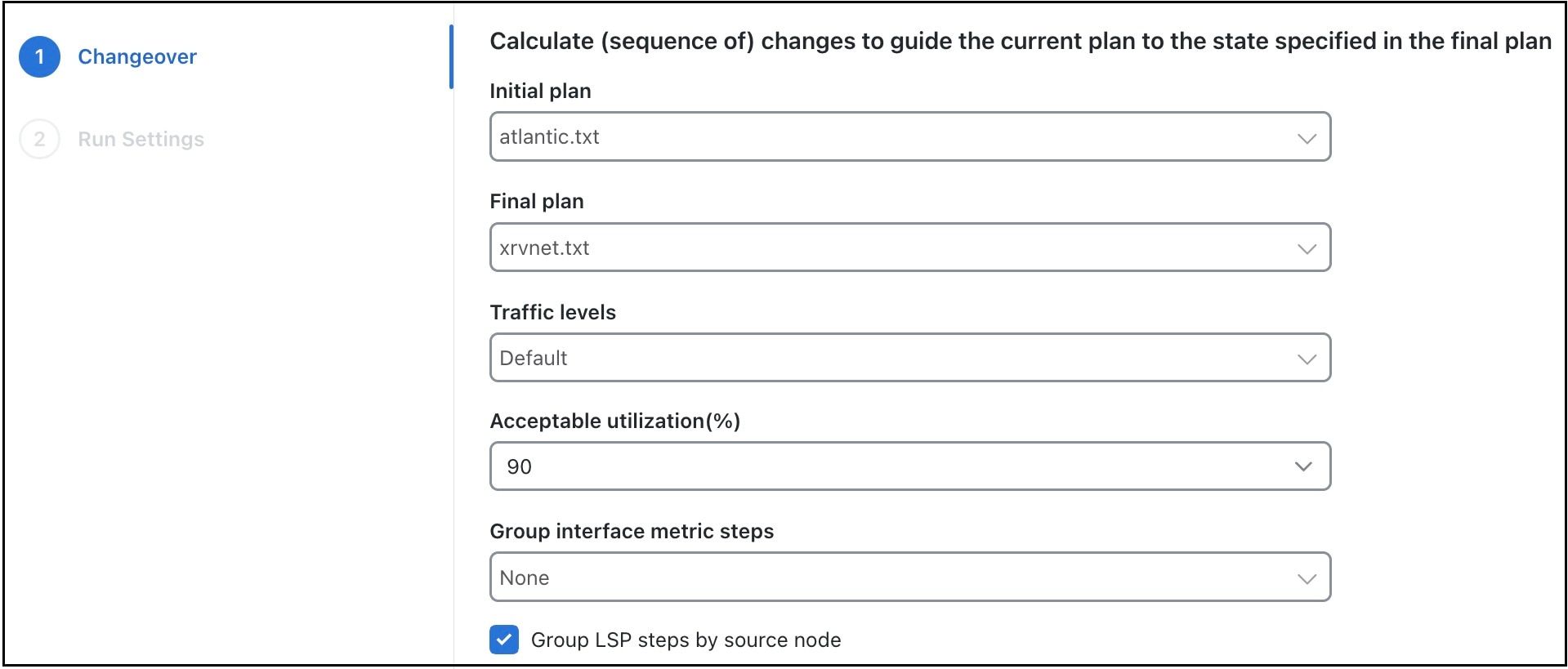
Figure 1. Changeover options
Changeover options
3.

Decide on the changeover options to use. For field descriptions, refer to Table 1

4.

Click Next.

5.

On the Run Settings page, under Execute, choose either of these options:

  • Now: Choose this option to run the tool immediately. Upon completion, a report of the results opens automatically.

  • As a scheduled job: Choose this option to run the tool at a scheduled time. Set these options:

    • Priority: Select the priority of the task.

    • Engine profiles: Select the engine profile as per your requirement. This section lists all the available asynchronous engine profiles.

    • Schedule: Set the time at which you want to run the tool. This option is available only for scheduled jobs.

    The job runs at the scheduled time and using the selected engine profile. You can track the status of the job from the Job Manager page (from the main menu, choose Job Manager).

    Note
    Ensure that you save the plan file before you schedule the job. Any unsaved changes in the plan file are not considered when you run the tool as a scheduled job.
Table 1. Changeover options

Field

Description

Initial plan

Name of the initial plan, selected from opened plan files.

Final plan

Name of the final plan, selected from opened plan files.

Traffic levels

Changeover monitors maximum interface utilization levels for all steps in the sequence. The utilizations are calculated using this traffic level.

Acceptable utilization (%)

The percentage of maximum acceptable utilization of any interface at any step during the changeover sequence. Changeover tries to keep utilizations below this level, although it is not always possible. Often the utilization spikes upward during the last few steps of the sequence, if, for example, new ECMP paths must be put in place. Cisco Crosswork Planning tries to keep the number of high-utilization steps to a minimum.

Group interface metric steps

The Changeover tool allows you to group Interface Metric changes together into steps. You can choose from these options:

  • None: Each Interface Metric change is treated as a single step.

  • Parallel: Parallel Interfaces are grouped into a single step.

  • Source Node: Interfaces sourced from the same node are grouped into a single step if there is no impact on maximum utilization.

Group LSP steps by source node

Specify whether to group the LSP steps by source node.