Configure VLAN SETTINGS to connect the access point to a VLAN that is part of the local wireless network.
Configure VLAN SETTINGS to enable the access point to connect to VLANs within the local wireless network using specific management and native VLAN identifiers.
Default VLAN configuration parameters for the access point are:
| Parameter |
Default value |
|---|---|
| Management VLAN ID (MVID) |
1 |
| Native VLAN ID (NVID) |
1 |
Procedure
| 1. | In the ADVANCED SETTINGS, click VLAN SETTINGS. The VLAN SETTINGS window appears. 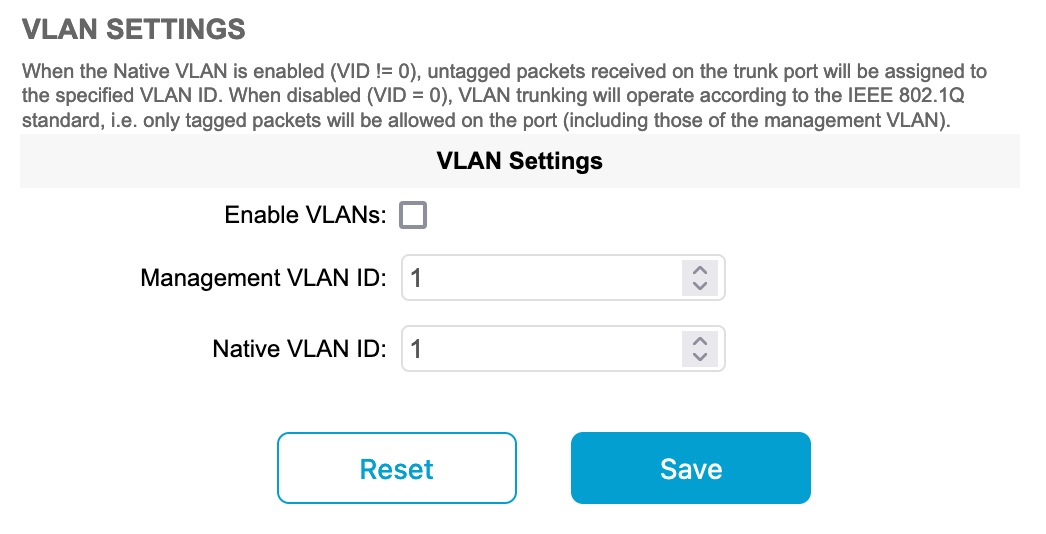
|
|
| 2. | Check the Enable VLANs checkbox to connect the access point to a VLAN that is part of the local wireless network. |
|
| 3. | Enter the management identification number of the VLAN in the Management VLAN ID field. For detailed info about VLAN SETTINGS and packet management, see Rules for Packet Management.
|
|
| 4. | Enter the native identification number of the VLAN in the Native VLAN ID field. |
|
| 5. | Click Save. |