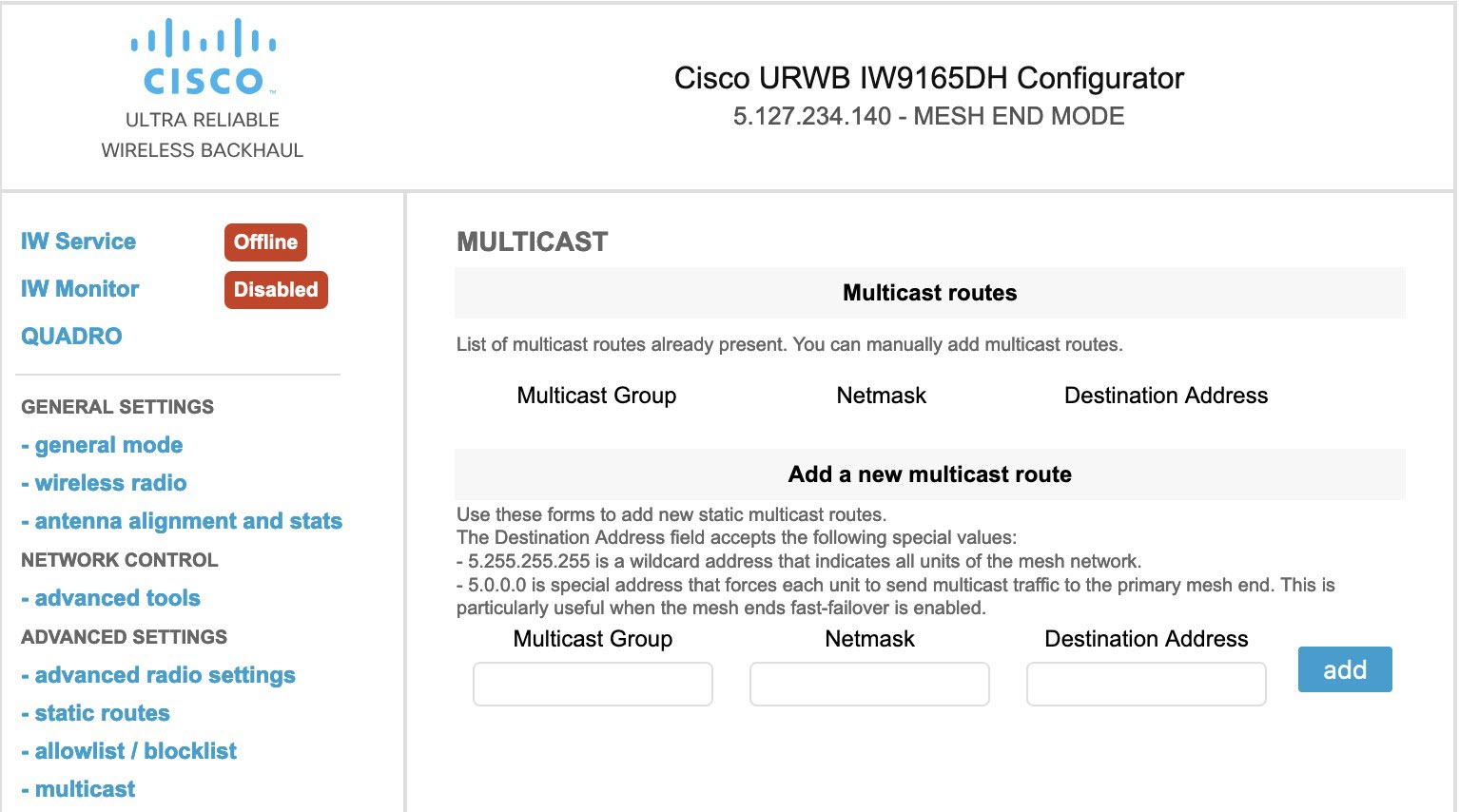
Configure Multicast routing on mesh end devices using the web-based GUI configurator.
This task allows you to set up Multicast routing to efficiently distribute data across mesh networks by defining Multicast groups, netmasks, and destination addresses.
Multicast routing enables efficient data distribution in mesh networks by sending data to multiple destinations simultaneously. This configuration is essential for optimizing network traffic and bandwidth usage in mesh topologies.
Before you begin
-
You can configure Multicast only on the mesh end device.
-
Ensure that you have a valid Multicast group, netmask, and destination IP addresses.
-
Ensure that you have a supported mesh end device to configure Multicast.
Follow these steps to configure Multicast using GUI:
Procedure
| 1. | Launch your computer's web browser and enter the URL to open the configurator login page. |
|
| 2. | Enter your username and password in the respective Username and Enable Password fields. |
|
| 3. | Click Login.
Once you have successfully logged into the GUI, the URWB configurator appears.
|
|
| 4. | In the ADVANCED SETTINGS, click MULTICAST to open the MULTICAST window. |
|
| 5. | In the Add a new MULTICAST route section, enter these details:
|
|
| 6. | Click add.
Once you have successfully added a rule, the new Multicast route appears in the
MULTICAST routes section.
|
|
| 7. | Click Apply to update the configuration.
AP reboots to apply the changes.
|