Configure the device to restart its operating system using the GUI interface.
Reboot the device's operating system to restart all system processes and apply configuration changes.
Use this procedure when you need to restart the device after making configuration changes or when troubleshooting system issues.
Procedure
| 1. | In the MANAGEMENT SETTINGS, click reboot. 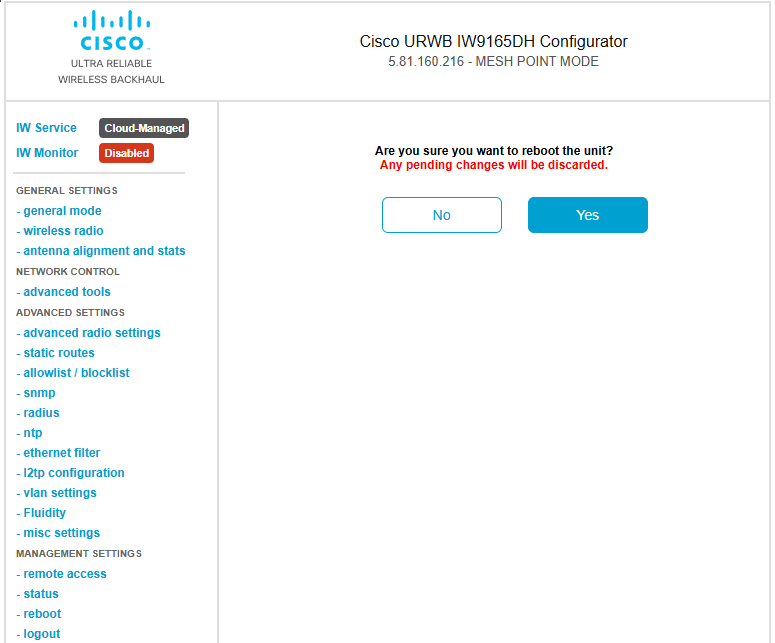
|
|
| 2. | In the confirmation pop-up window, click Yes. To abort the reboot, click No. |
|
| 3. | To perform reboot using CLI, use the following command: Example:Enter confirm in the CLI command to start the device reboot process. |