Configure radio channel and bandwidth using the GUI by setting the operating channel ID, radio mode, and frequency range.
Configure Radio channel and bandwidth to set the operating channel ID, Radio mode as Fluidity or fixed infrastructure and set the Radio frequency range and bandwidth.
Use this configuration to optimize wireless network performance by properly setting radio parameters for your environment.
Procedure
| 1. | Configure Radio channel and bandwidth to set the operating channel ID, Radio mode as Fluidity or fixed infrastructure and set the Radio frequency range and bandwidth. The following image shows the configuration of Radio channel and bandwidth: 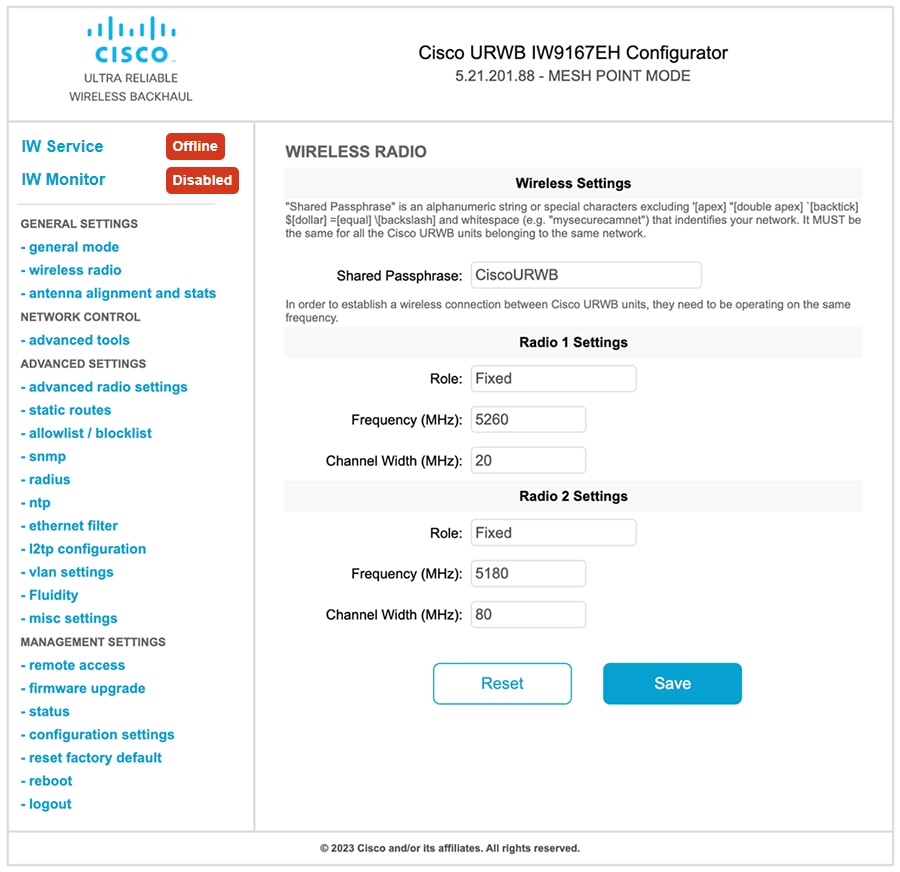
|
|
| 2. | Following image shows the status of Radio channel and bandwidth configuration and specific information of each wireless interface. 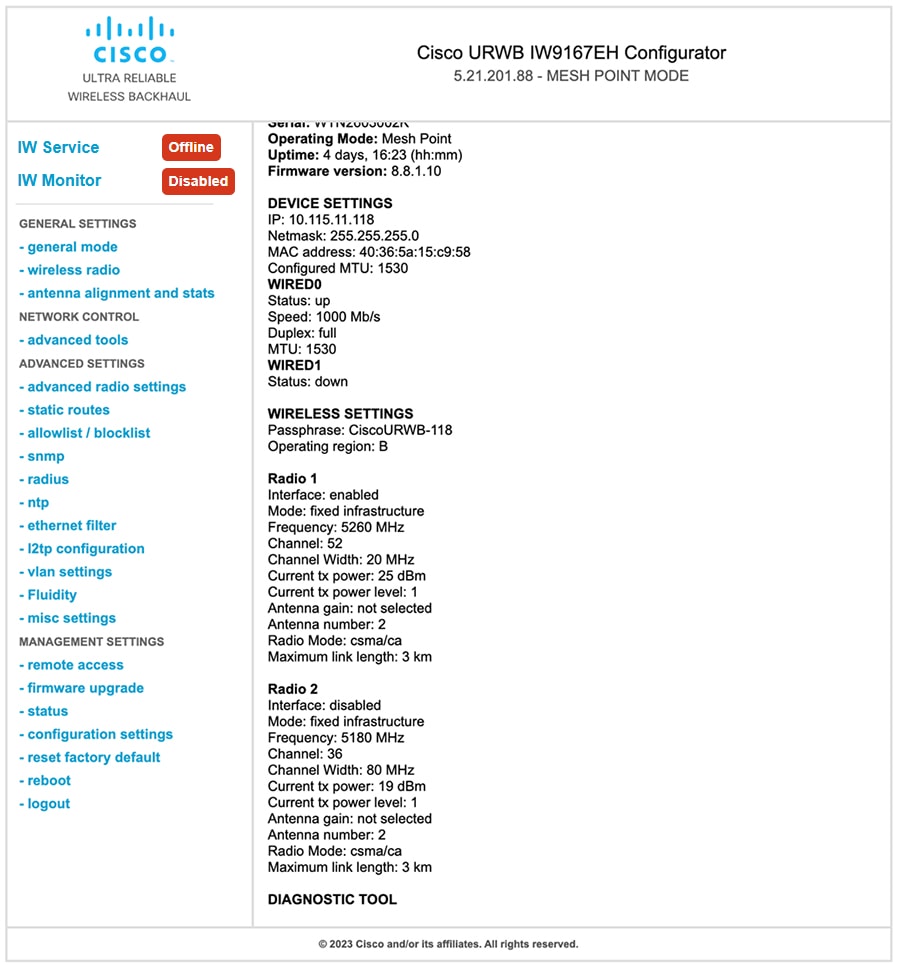
|