Configure device SETTINGS MANAGEMENT by saving current configurations as backup files and restoring saved configurations to devices.
The LOAD OR RESTORE SETTINGS window allows you to perform the following tasks:
-
Save the device's existing software configuration as a configuration (*.conf) file.
-
Upload and apply a saved configuration file to the current device.
Device software configuration (*.conf) files are not interchangeable with IW Service configuration setup (*.iwconf) files.
Saved configuration files are reused for all devices of the same type. These saved configuration files act as configuration backup files to speed up redeployment if you need to replace the damaged device with a new device of the same type.
Procedure
| 1. | In the MANAGEMENT SETTINGS, click configuration SETTINGS. The LOAD OR RESTORE SETTINGS window appears. 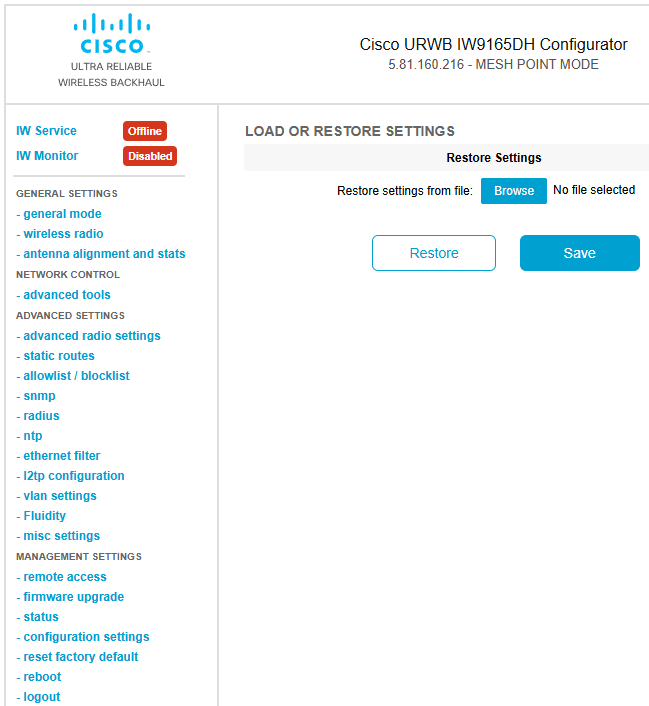
|
|
| 2. | To download the device's existing configuration SETTINGS to your computer, click Save to download the device configuration (*.conf). |
|
| 3. | To upload a saved configuration file to the device, click Browse to upload the configuration (*.conf) file to the device. |
|
| 4. | Click RESTORE to apply the configuration SETTINGS to the device. |