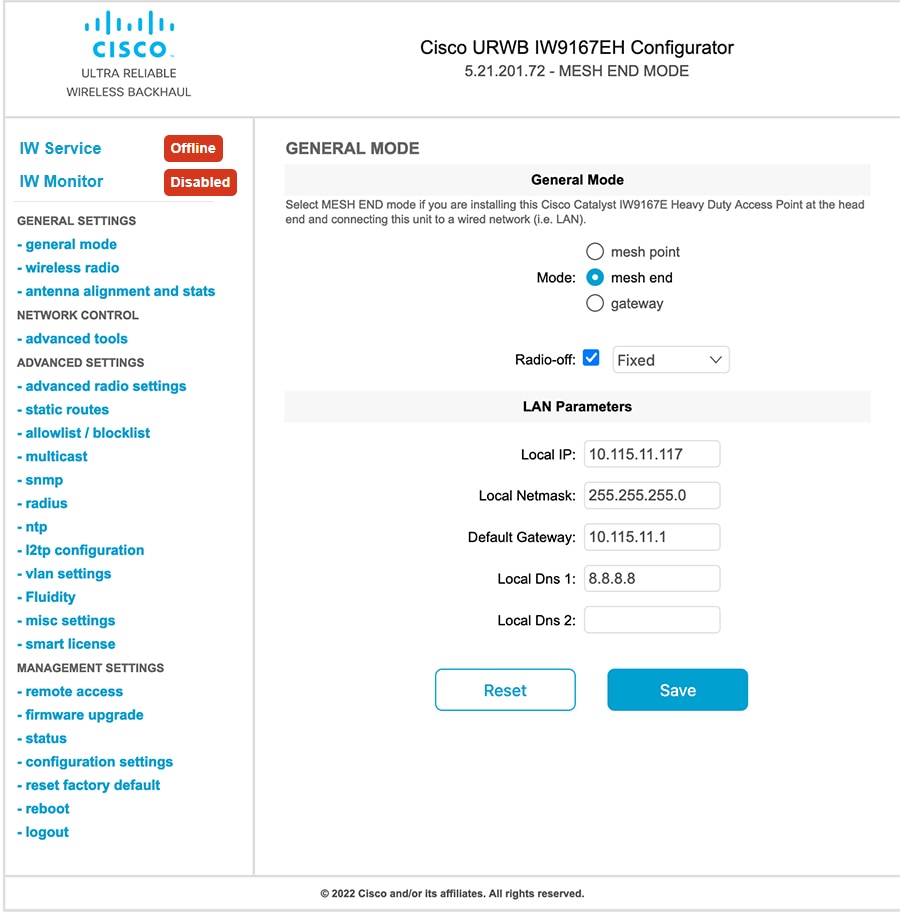
Configure Radio-off mode by choosing either Fixed or Fluidity mode and selecting mesh end mode for Catalyst IW9167E access points at the head end.
This task configures Radio-off mode to optimize wireless network performance.
Use this procedure when setting up Catalyst IW9167E access points at the head end that will be connected to a wired network such as LAN.
Procedure
| 1. | Choose either Fixed or Fluidity mode for Radio-off configuration.
|
|
| 2. | Select mode as mesh end when installing the Catalyst IW9167E access point at the head end and connecting this device to a wired network such as LAN. |