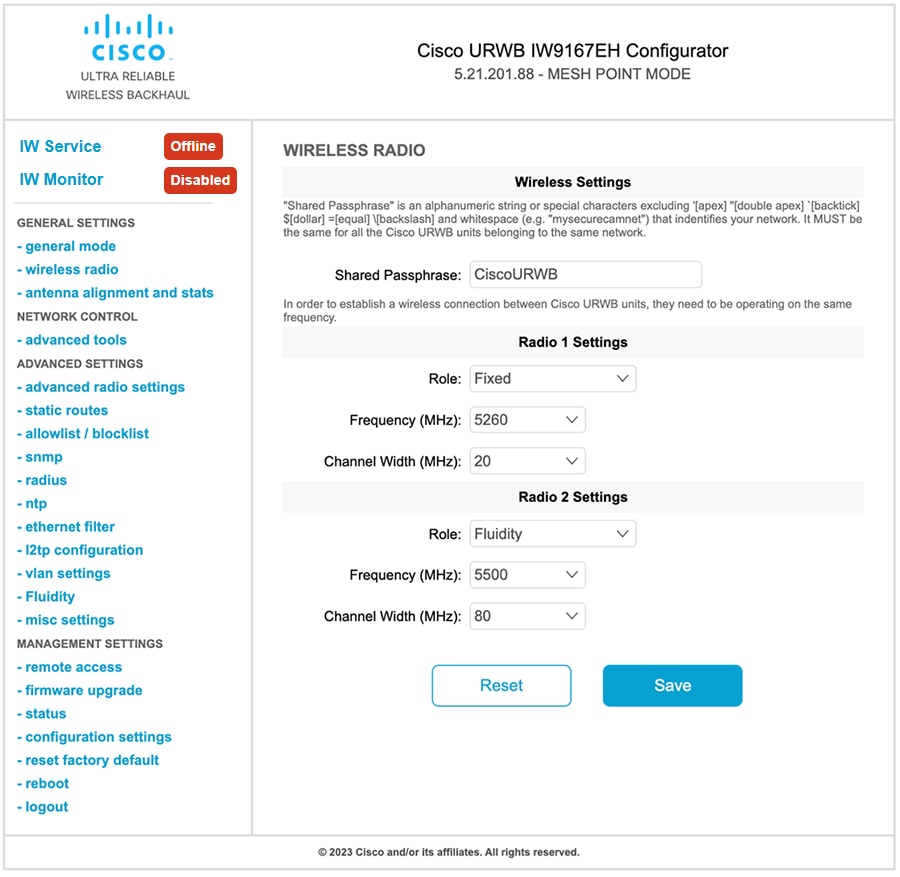
Configures Fluidity mode on a wireless radio using the GUI. This procedure enables specific unit roles and settings for infrastructure or vehicle-based wireless communication.
Procedure
| 1. | In the GENERAL SETTINGS , click wireless radio . The WIRELESS RADIO window appears. 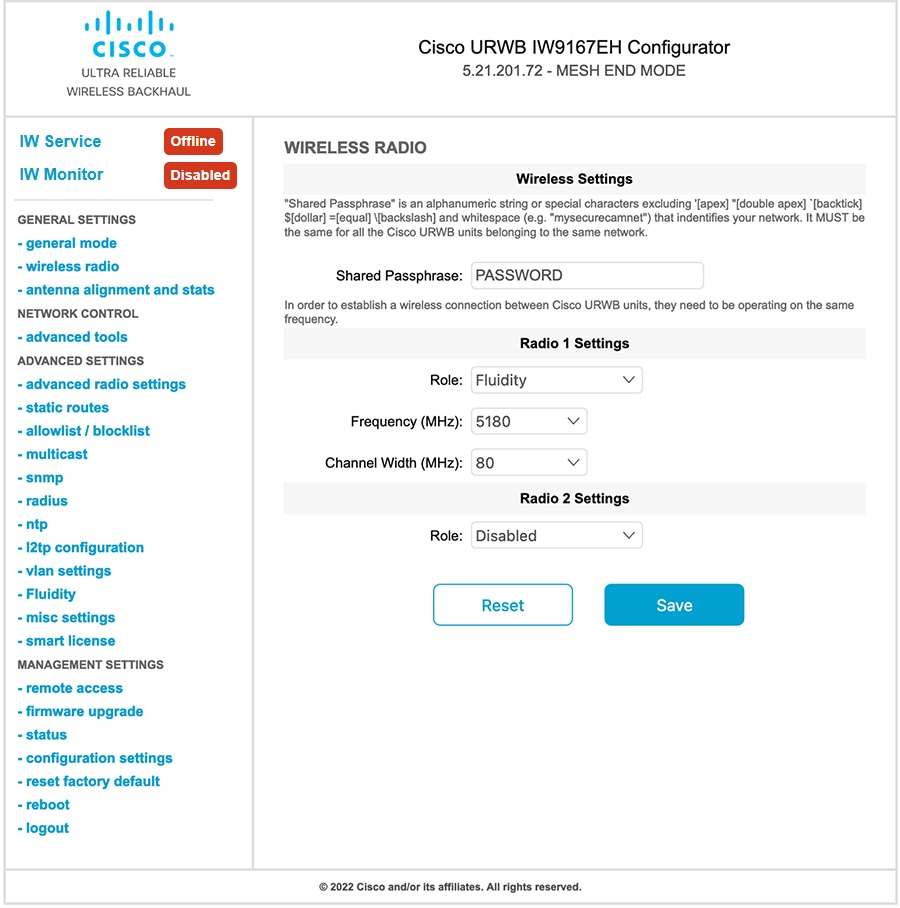
|
|
| 2. | Choose Fluidity from the Role drop-down list. |
|
| 3. | In the ADVACED SETTINGS , click Fluidity . The FLUIDITY window appears. |
|
| 4. | In the Fluidity Settings , choose a Unit Role from the drop-down list:
|
|
| 5. | Check the Automatic Vehicle ID check box to automatically set the Vehicle ID for mobile units. 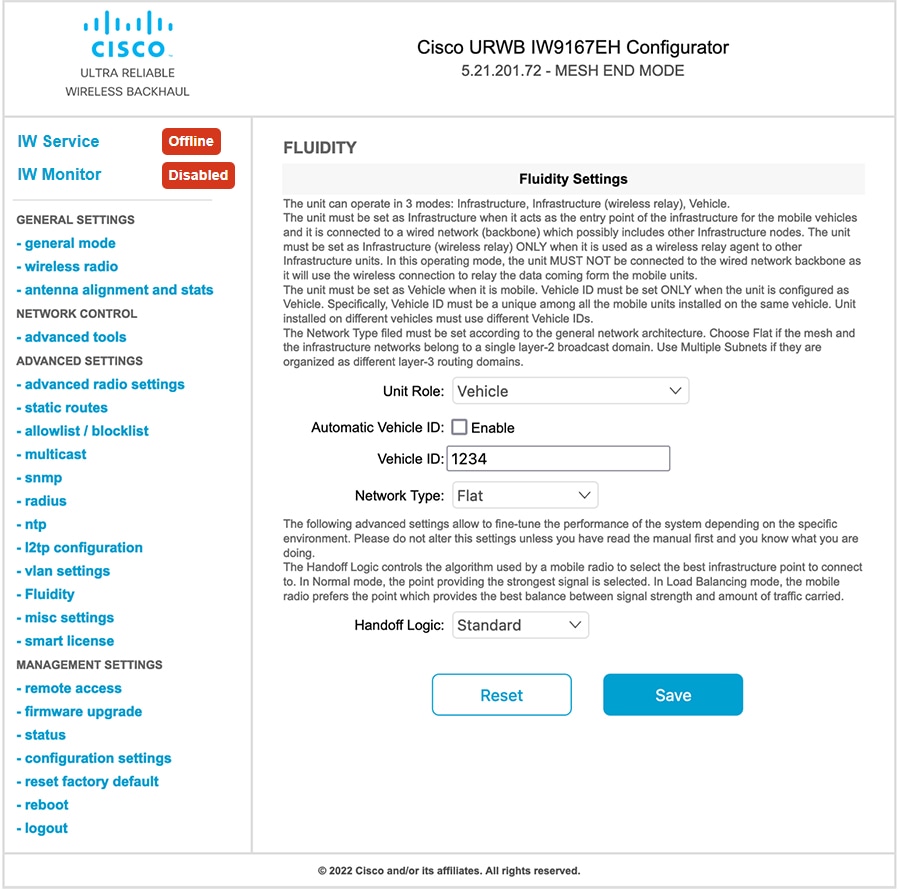
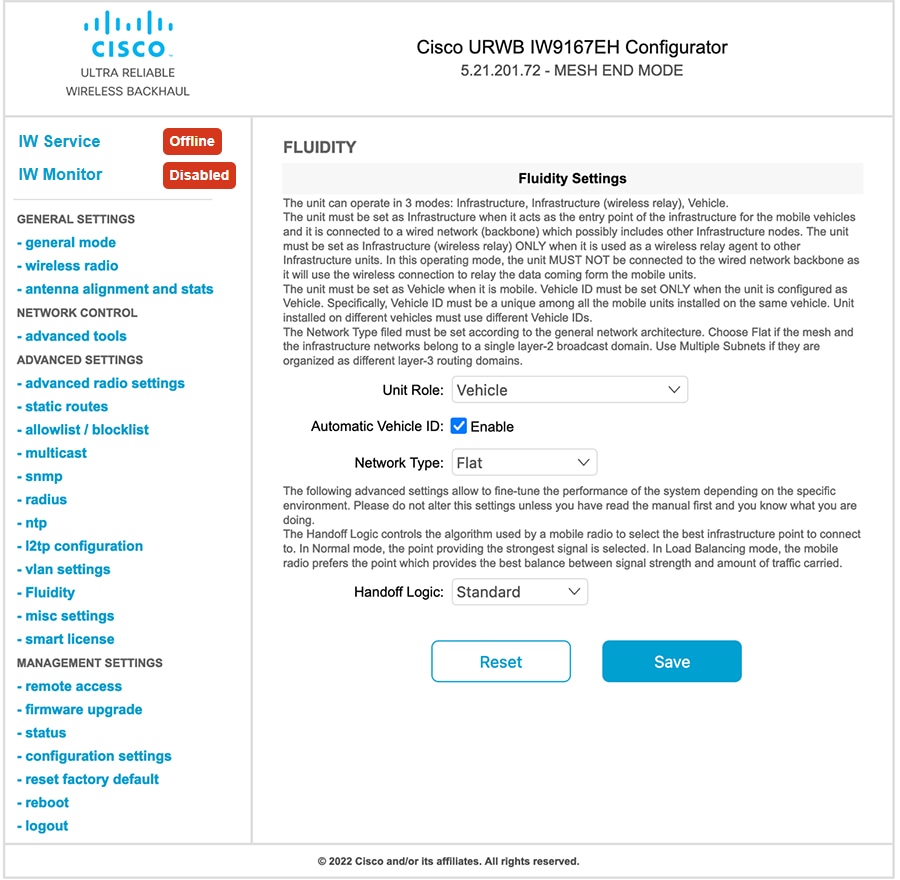
|
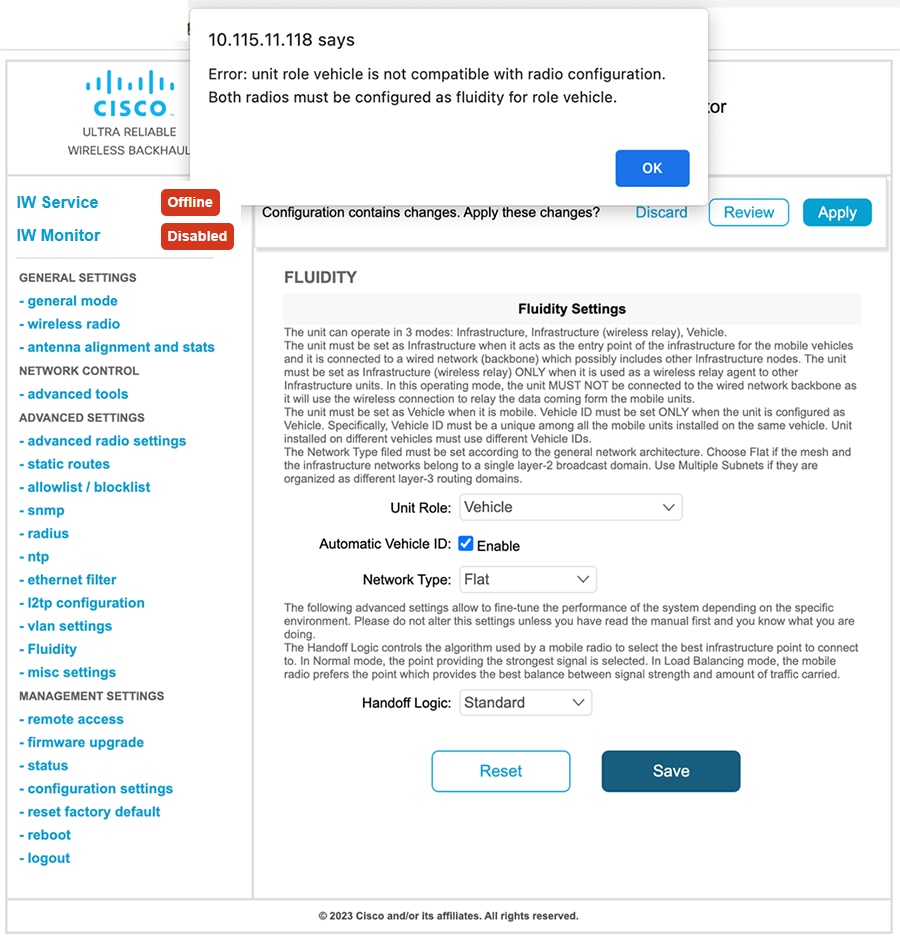
The Fluidity configuration is applied. The following images illustrate the wireless interface configured in infrastructure mode and the requirement that both radios must be configured as Fluidity when the role is set to Vehicle.
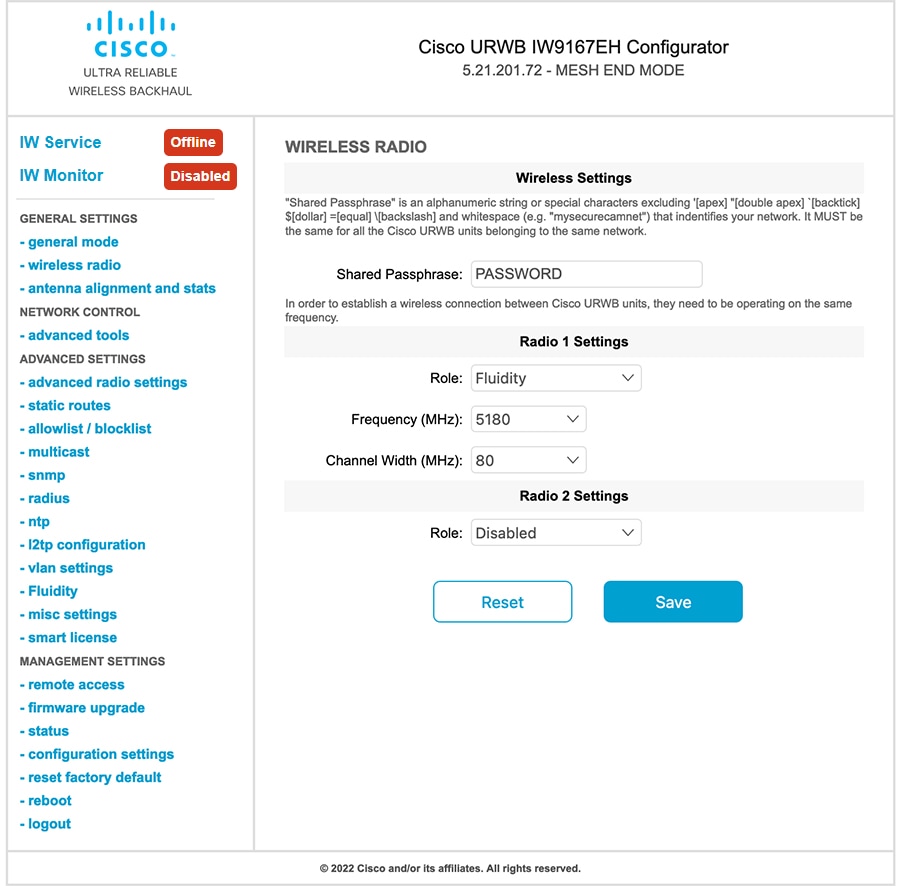
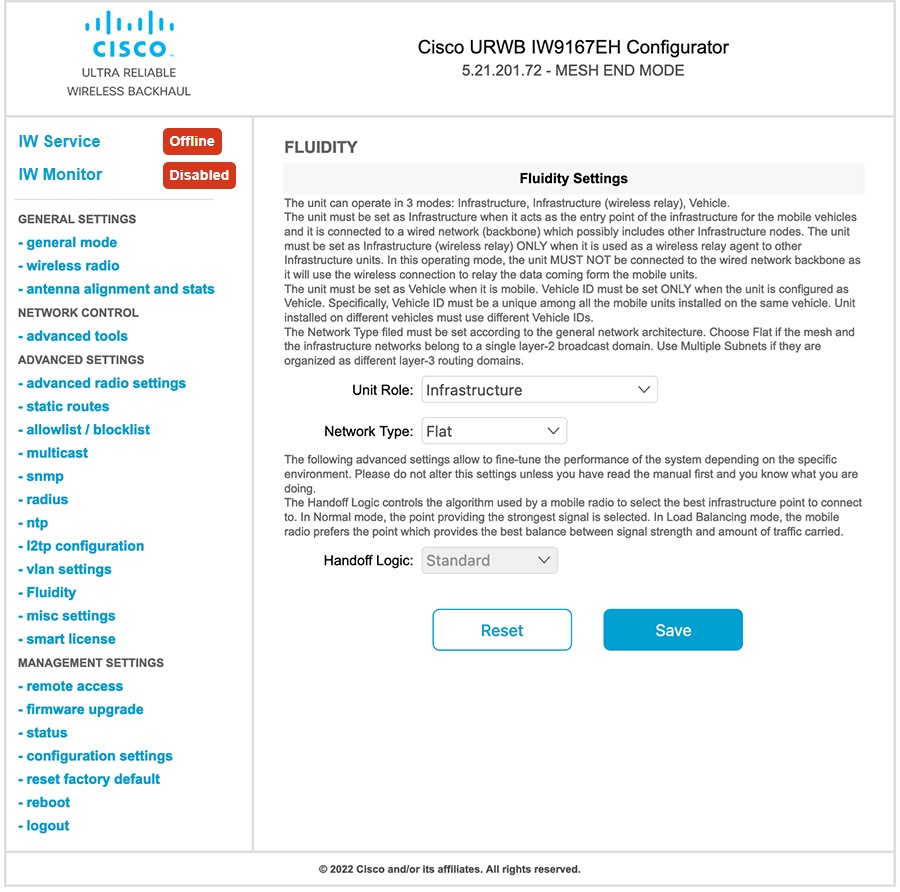
The following image shows, both radios must be configured as Fluidity for role Vehicle. if one wireless interface is configured in fixed mode and the other one is configured in Fluidity mode then unit role Vehicle cannot be selected.