Configure SR-MPLS global block (GB) if you have an SR network between the border leaf switch in the ACI fabric and the DC-PE.
Configure SR-MPLS global block (GB) if you have an SR network between the border leaf switch in the ACI fabric and the DC-PE, as shown in the following figure.
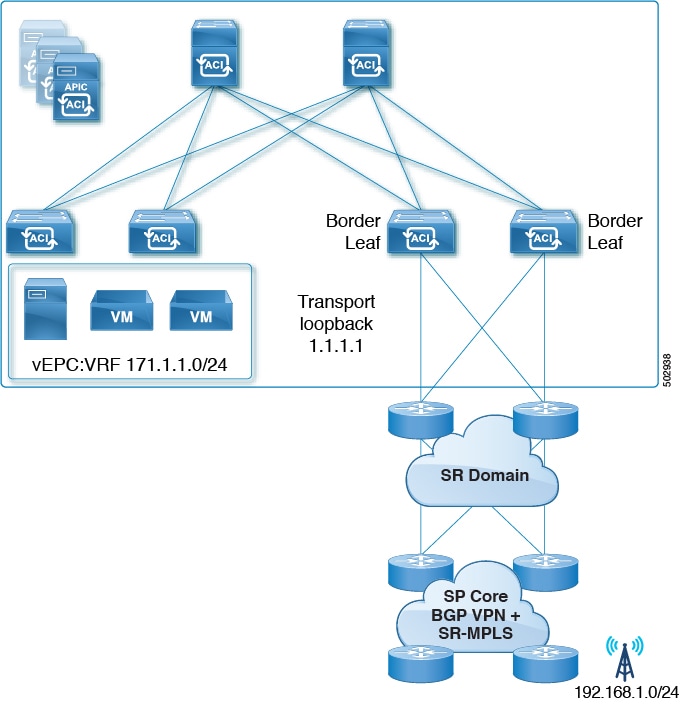
We recommend that all nodes in an SR domain have the same SR-GB configuration.
Following are important guidelines to consider when configuring SR-MPLS global block:
-
The allowed configurable SR-GB range is 16000-471804.
-
The default SR-GB range in the ACI fabric is 16000-23999.
-
ACI always advertises implicit null for the underlay label (transport loopback).
Procedure
| 1. | Navigate to the SR-MPLS Global Configurations window.
|
|
| 2. | Access the default MPLS Global Configurations screen by double-clicking on default in the main SR-MPLS Global Configurations screen or by clicking on default in the left nav bar, under MPLS Global Configurations. The default SR-MPLS Global Configurations window appears. 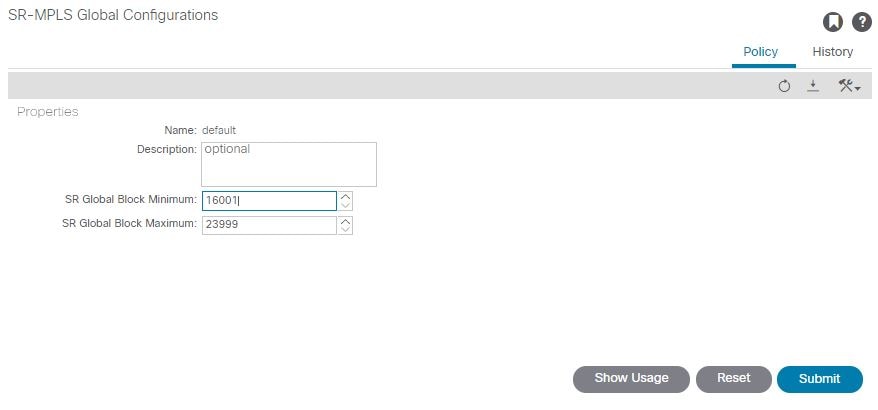
|
|
| 3. | In the SR Global Block Minimum field, enter the minimum value for the SR-GB range. The lowest allowable value in this field is 16000. |
|
| 4. | In the SR Global Block Maximum field, enter the maximum value for the SR-GB range. The highest allowable value in this field is 471804. |
|
| 5. | Click Submit. |