This section provides details about node functional view in Cisco Optical Site Manager. Use it to review overview of NFV panels.
NFV icons
This reference provides information about Node Functional View (NFV) icons.
NFV common icons
This table describes the action icons used in the NFV.
|
Icon |
Description |
|---|---|
 |
Resets the zoomed view to normal view. |
 |
Refreshes the map view with current information. |
  |
Expands or collapses the rack or Detailed view. |
 |
Displays or hides the alarms icon in the map and detailed view.
|
 |
Sets the user preferences. For more details, see Customize NFV layout. |
 |
Zooms in the rack or map view. |
 |
Zooms out the rack or map view. |
 |
Navigates to the default view in the map view. |
 |
Navigates to the previous page in the map View. |
 |
Expands or collapses the bottom panel that contains the Alarms, OCM, or OTDR tabs. |
 |
Magnifies the selected area of the map view, providing a closer and more detailed view of that specific section. |
Map view icons
This table describes the icons available on the Map view.
|
Icon |
Description |
|---|---|
 |
Remote site |
 |
PP mesh |
 |
TXP/MXP |
 |
amplifier |
 |
Amplifier with Raman |
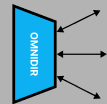 |
Omnidir |
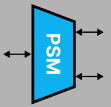 |
PSM |
 |
Roadm Raman amplifier |
 |
Roadm amplifier |