Configuration Guide for Cisco Optical Site Manager, IOS XR Release 26.x.x

PDF

Configuration Guide for Cisco Optical Site Manager, IOS XR Release 26.x.x

SVO-LC device onboard in R25.1.1

Want to summarize with AI?

Log in

This section explains SVO-LC device onboard in R25.1.1. Each Cisco Optical Site Manager instance created in the SVO-LC supports on boarding both NCS 2000 and NCS 1000 devices.


Each Cisco Optical Site Manager instance created in the SVO-LC supports on boarding both NCS 2000 and NCS 1000 devices. Communication with these devices is through the bridge interface ( br-devices ) as output interface.

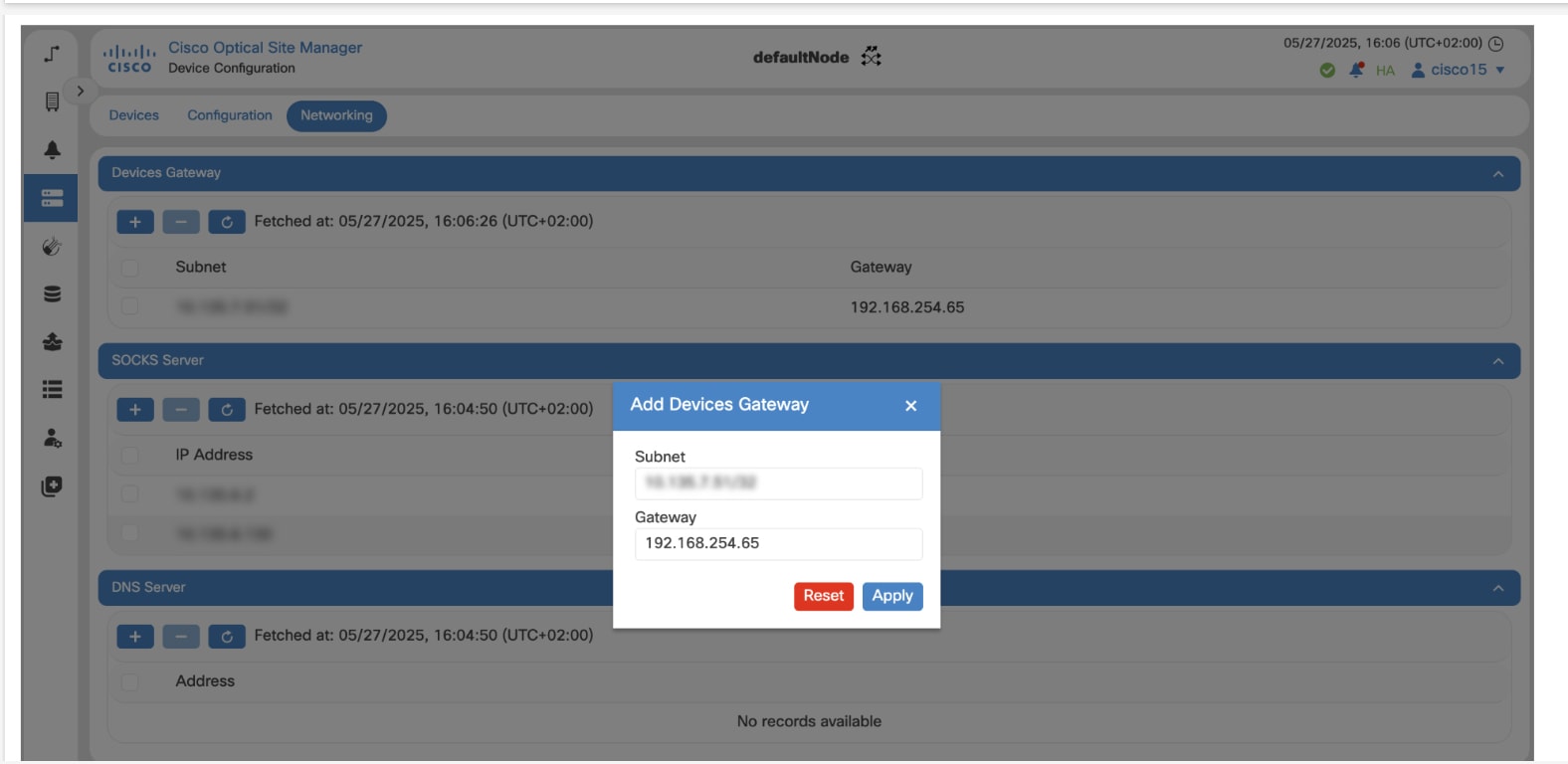
SVO-LC utilizes a SOCKS server to facilitate communication with NCS 2000 devices. For NCS 1000 devices, communication is handled through a local bridge integrated into the SVO-LC, which serves as a gateway with the IP address 192.168.254.65/26. This address should be configured as the Gateway IP when adding a new route to access the NCS 1000 device.

Configure additional route for NCS 1000 device

Use this task to configure additional route for NCS 1000 device.

Use this task to establish communication with the NCS 1000 device.

Before you begin

Follow these steps to configure additional route for NCS 1000 device.

Procedure

  1. Click Devices in the left panel.

    The Device Configuration page appears.
  2. Click the Networking tab.

  3. Click the Add Devices Gateway icon under Devices Gateway.

    The Add Devices Gateway dialog box appears.
  4. Enter the Subnet and Gateway IP address, and click Apply.

    The default Gateway IP address is 192.168.254.65

    The SVO-LC establishes connection with the NCS 1000 device.
    Figure 1. Add Devices Gateway

The configure additional route for NCS 1000 device task is complete.