This chapter covers provisioning line cards in Cisco Optical Site Manager. Use it to find related concepts, procedures, and reference information.
This chapter describes the tasks related to provisioning the Cisco NCS 1000 line cards in Cisco Optical Site Manager.
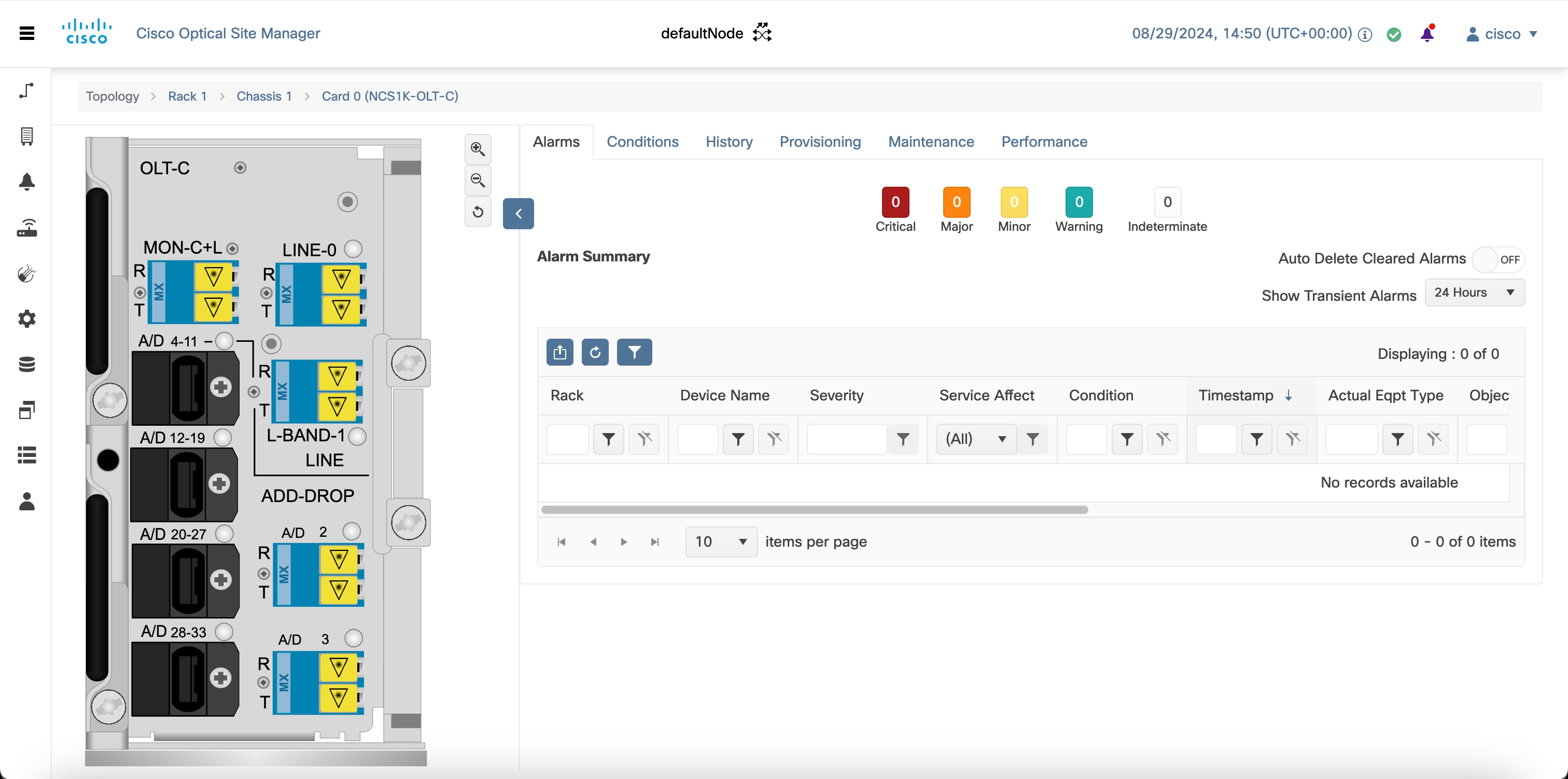
Supported NCS 1000 line cards
This section provides details about supported NCS 1000 line cards, including facts, fields, or requirements that help you use the related Cisco Optical Site Manager workflow.
Configure the administrative state of Pluggable Port Modules and line cards
Use this procedure to configure the administrative state of Pluggable Port Modules and line cards in Cisco Optical Site Manager. It helps you complete the required configuration, verification, or management action and confirm the result.
Open the card view
Use this procedure to open the card view. This task helps you complete the required configuration, verification, or management action in Cisco Optical Site Manager.
Provision an NCS 1000 or NCS 2000 card
Use this procedure to provision a Cisco NCS 1000 or Cisco NCS 2000 card in an empty chassis slot and start the card-mode workflow when the card requires an operating mode.
Add card mode for NCS 1000 cards
This section explains adding card mode for NCS 1000 cards. Cisco Optical Site Manager allows you to configure NCS 1000 line cards in various modes, including Muxponder and Slice configurations.
Configuring card modes for NCS 2000 line cards
This section describes how configuring card modes for NCS 2000 line cards works in Cisco Optical Site Manager. It explains the sequence, context, and expected outcome of the related workflow.
Reset a line card
Use this procedure to reset a line card in Cisco Optical Site Manager. It helps you complete the required configuration, verification, or management action and confirm the result.
Provision SONET or SDH trace monitoring
Use this procedure to provision SONET or SDH trace monitoring. This task helps you complete the required configuration, verification, or management action in Cisco Optical Site Manager.
Provision trail trace monitoring
Use this procedure to provision trail trace monitoring. This task helps you complete the required configuration, verification, or management action in Cisco Optical Site Manager.
Provision ODU interfaces
Use this procedure to provision ODU interfaces. This task helps you complete the required configuration, verification, or management action in Cisco Optical Site Manager.
Provision OTU interfaces
Use this procedure to provision OTU interfaces. This task helps you complete the required configuration, verification, or management action in Cisco Optical Site Manager.
Provision Ethernet interfaces
Use this procedure to provision Ethernet interfaces. This task helps you complete the required configuration, verification, or management action in Cisco Optical Site Manager.
Provision SONET or SDH Interfaces
Use this procedure to provision SONET or SDH Interfaces. This task helps you complete the required configuration, verification, or management action in Cisco Optical Site Manager.
Provision optical channels
Use this procedure to provision optical channels in Cisco Optical Site Manager. You can configure optical channel parameters, including application codes for supported optics.
Change Trunk Port Parameters
Use this procedure to change Trunk Port Parameters. This task helps you complete the required configuration, verification, or management action in Cisco Optical Site Manager.
Provision optical threshold settings
Use this procedure to provision optical threshold settings. This task helps you complete the required configuration, verification, or management action in Cisco Optical Site Manager.
Configure G.709 thresholds
Use this procedure to configure G.709 thresholds. This task helps you complete the required configuration, verification, or management action in Cisco Optical Site Manager.
Provision FEC thresholds
Use this procedure to provision FEC thresholds. This task helps you complete the required configuration, verification, or management action in Cisco Optical Site Manager.
Configure RMON thresholds
Use this procedure to configure RMON thresholds. This task helps you complete the required configuration, verification, or management action in Cisco Optical Site Manager.
Configure loopback interfaces
Use this procedure to configure loopback interfaces. This task helps you complete the required configuration, verification, or management action in Cisco Optical Site Manager.
Configure optical safety
Use this procedure to configure optical safety. This task helps you complete the required configuration, verification, or management action in Cisco Optical Site Manager.
Configure thresholds for SONET or SDH
Use this procedure to configure thresholds for SONET or SDH. This task helps you complete the required configuration, verification, or management action in Cisco Optical Site Manager.
Enable attention LED
Use this procedure to enable attention LED. This task helps you complete the required configuration, verification, or management action in Cisco Optical Site Manager.
PSM card protection mechanism
This section explains pSM card protection mechanism, including key behavior and operational context that help you understand when to use the feature in Cisco Optical Site Manager.
View performance monitoring parameters
Use this procedure to view performance monitoring parameters in Cisco Optical Site Manager. It helps you complete the required configuration, verification, or management action and confirm the result.
SVO cards
This section explains SVO cards in Cisco NCS 2000 shelves. Use it to understand the card role, supported shelf slots, pluggables, and management features.
View UDC details
Use this procedure to view UDC channel details for a control card in Cisco Optical Site Manager. The UDC section displays the port and service type for the configured channel.
View insertion loss parameters
Use this procedure to view insertion loss parameters in Cisco Optical Site Manager. Use it to complete the workflow and verify the result in the related Cisco Optical Site Manager page.
Manage the protection group
Use this procedure to manage the protection group in Cisco Optical Site Manager. You can also perform a switch operation on the interfaces.
Provisioning optical amplifier cards
This section provides details about provisioning Optical Amplifier Cards in Cisco Optical Site Manager. Use it to find related fields, values, capabilities, or requirements for the workflow.
Retrieve MAC addresses through lldp
Use this procedure to retrieve MAC addresses through LLDP in Cisco Optical Site Manager. Use it to complete the workflow and verify the result in the related Cisco Optical Site Manager page.
Provision FPD upgrade for the ports
Use this procedure to provision FPD upgrade for the ports in Cisco Optical Site Manager. Each trunk port has separate upgrade alarm.
Provision FPD upgrade for mr-mxp card
Use this procedure to provision FPD upgrade for mr-mxp card in Cisco Optical Site Manager. You can view the running firmware version and the NCS 2000 package firmware version under the Maintenance FPD upgrade tabs.
Enable proactive protection
Use this procedure to enable proactive protection for transponder and muxponder cards in Cisco Optical Site Manager. The settings define BER thresholds and monitoring windows that trigger or remove proactive protection.
Provision odu circuit
Use this procedure to provision ODU circuit in Cisco Optical Site Manager. Both unprotected and protected ODU connections or OTNXC circuits that are created in CTC will be available in the Cisco Optical Site Manager.
Functional Module Group
Use the Functional Module Group (FMG) stepper to configure the operating mode of a card and its supported pluggables while adding the card to the chassis.
Provision zr plus interfaces
Use this procedure to provision ZR plus interfaces in Cisco Optical Site Manager. Use it to complete the workflow and verify the result in the related Cisco Optical Site Manager page.
Provision zr plus trail trace monitoring
Use this procedure to provision ZR plus trail trace monitoring in Cisco Optical Site Manager. This task provisions the trail trace monitoring parameters that are supported for the ZR plus payloads on the 1.2T-MXP card.
Provision Pluggable Ports
Use this procedure to provision Pluggable Ports in Cisco Optical Site Manager. Use it to complete the related configuration, verification, or management task and confirm the expected result.
View circuit protection parameters
Use this procedure to view circuit protection parameters in Cisco Optical Site Manager. The protection parameters are defined when a protected ODU circuit is created through NETCONF client.
NCS 2000 Cards
This section provides details about nCS 2000 Cards in Cisco Optical Site Manager. Use it to find related fields, values, capabilities, or requirements for the workflow.