Provides instructions to verify device onboarding and status of SD‑WAN VPN tunnels to ensure branch connectivity and proper network operation.
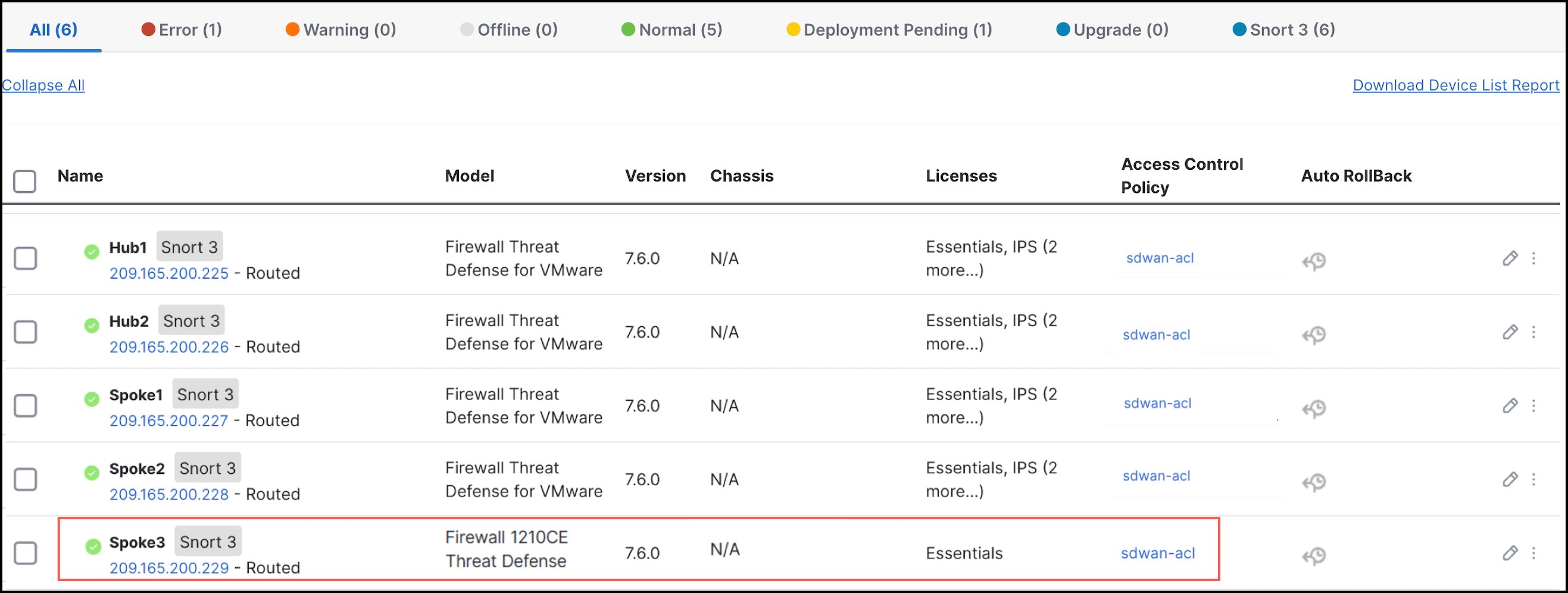
View the Onboarded Device in the Device Management Page
After the device template is successfully applied on the device, you can view the Cisco Secure Firewall 1210CE device (Spoke 3) in the Device Management page.
Verify Tunnel Statuses in the Site-to-Site VPN Summary Page
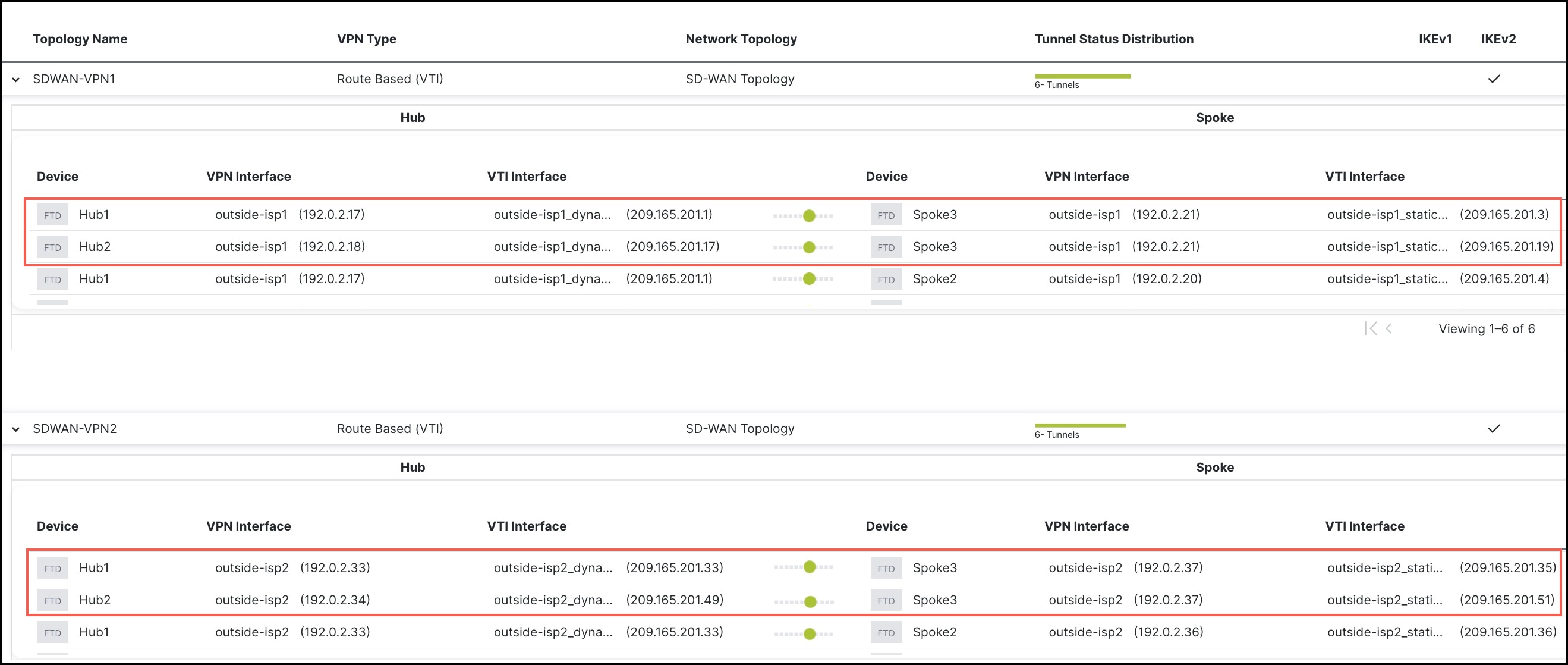
To verify the statuses of the VPN tunnels, choose Device > VPN > Site To Site.
After the device template is successfully applied on the device, the device (Spoke3) gets added to the SD-WAN topologies. You can view the VPN tunnels between the hubs and the spokes, and also the VPN tunnels between the hubs and the onboarded device, Spoke3.
You can also view details of the SD-WAN VPN tunnels in the Site-to-Site VPN dashboard. For more information, see Verify Tunnel Statuses in the Site-to-Site VPN Dashboard.
Monitor SD-WAN Topologies Using SD-WAN Summary Dashboard
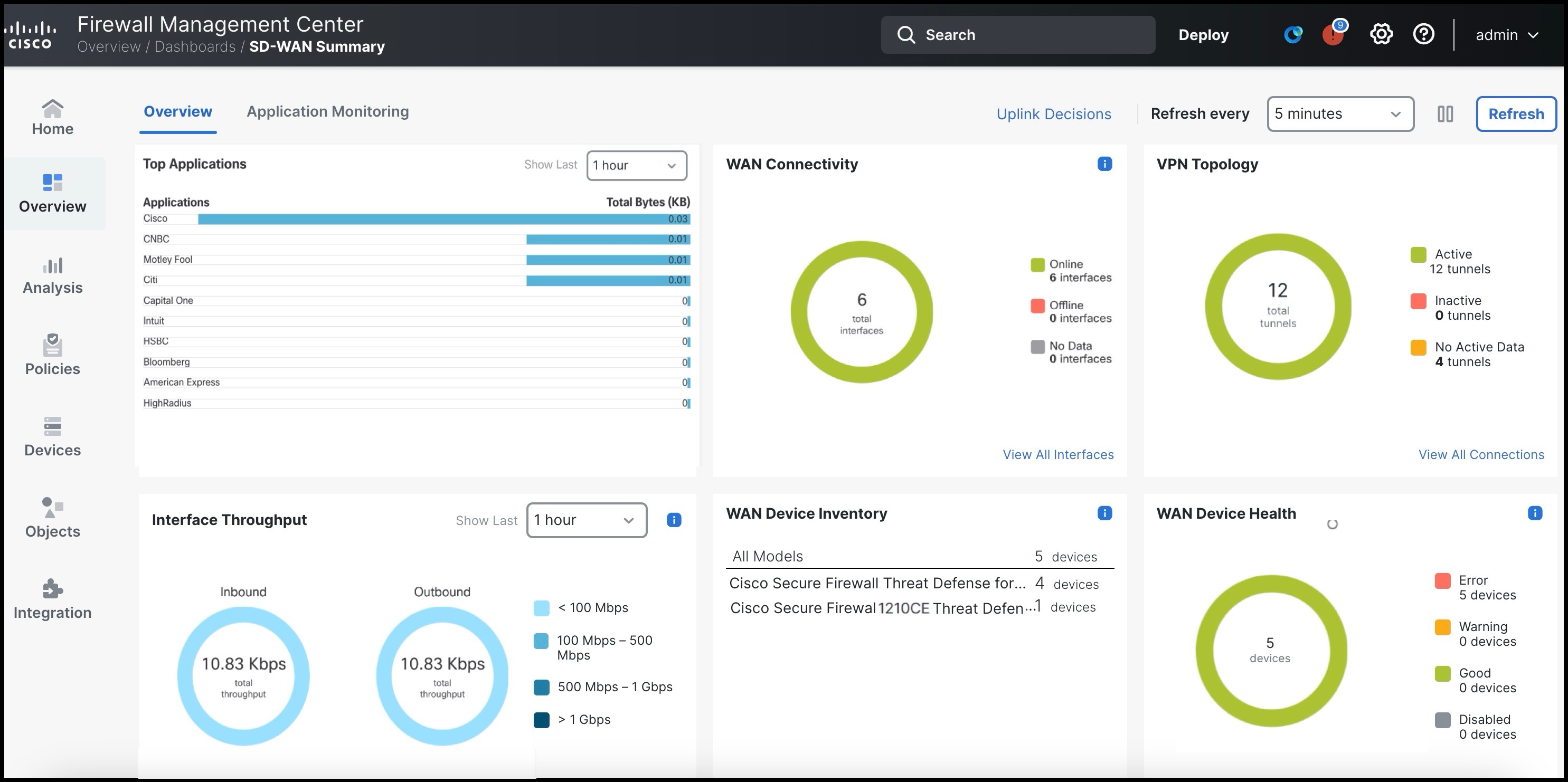
To monitor your SD-WAN devices and their interfaces, choose Overview > Dashboards > SD-WAN Summary.
This dashboard helps you to:
-
Identify issues with the underlay and overlay topologies.
-
Troubleshoot VPN issues using the existing Health Monitoring, Device Management, and Site-to-Site Monitoring pages.
-
Monitor application performance metrics of WAN interfaces. The threat defense steers application traffic based on these metrics.
Ensure that you review Prerequisites for Using SD-WAN Summary Dashboard to set up the dashboard.