Use Cases for SD-WAN Capabilities in Cisco Secure Firewall

PDF

Verify Application Traffic Flow

Updated: February 5, 2026

Overview

Provides instructions to verify WebEx and YouTube traffic flow in Firewall Management Center (FMC).

Procedure

1.

Choose Analysis > Unified Events.

2.

Customize the columns using the column picker by selecting the Web Application and Egress Interface and click Apply.

3.

Reorder the columns for ease of verification.

4.

Within the Web Application filter, enter the name WebEx and click Apply .

5.

Within the Web Application filter, enter the name YouTube and click Apply .

6.

Initiate traffic for the YouTube and WebEx applications on a host behind the Secure Firewall.

In our scenario, launch the Google Chrome browser and navigate to https://youtube.com and https://webex.com in different tabs on the branch workstation WKST BR1.

7.

In the Management Center, verify the traffic flow for both the applications.

  1. For DIA:

    • WebEx application traffic is sent out through the outside3 interface as per the configuration as seen in the figure below.
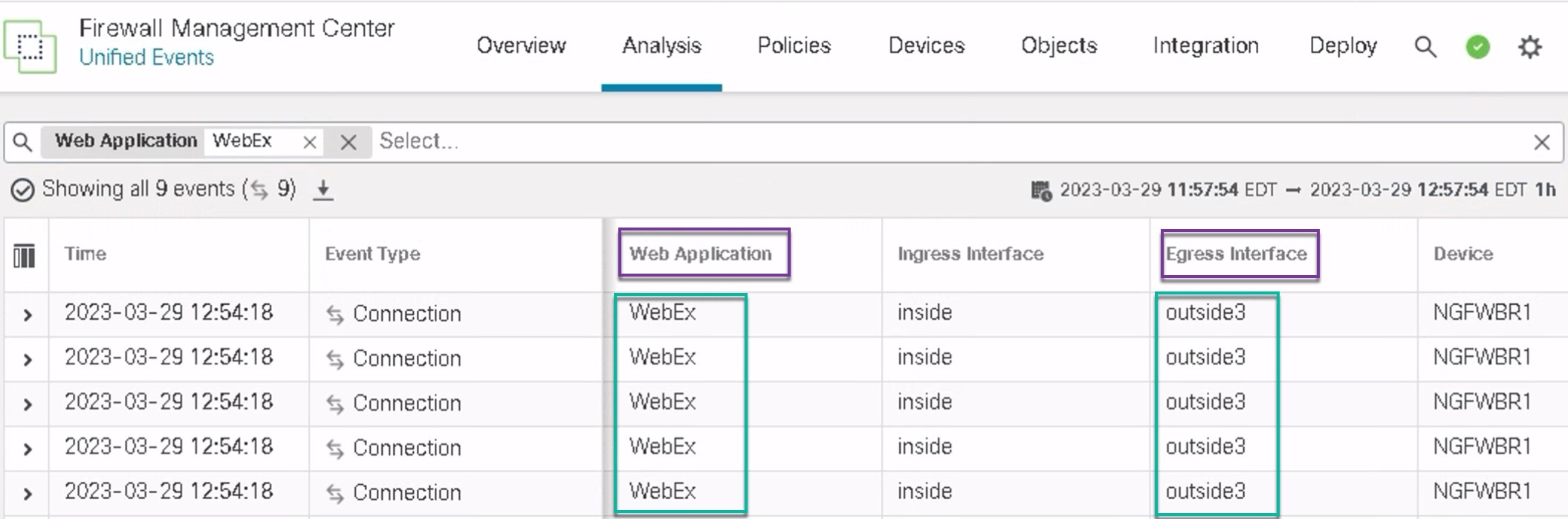
      In the image, WebEx application traffic is sent out through the outside3 interface as seen on the Unified events page.
    • YouTube application traffic is load balanced between the outside and outside2 interfaces as per the configuration as seen in the figure below.
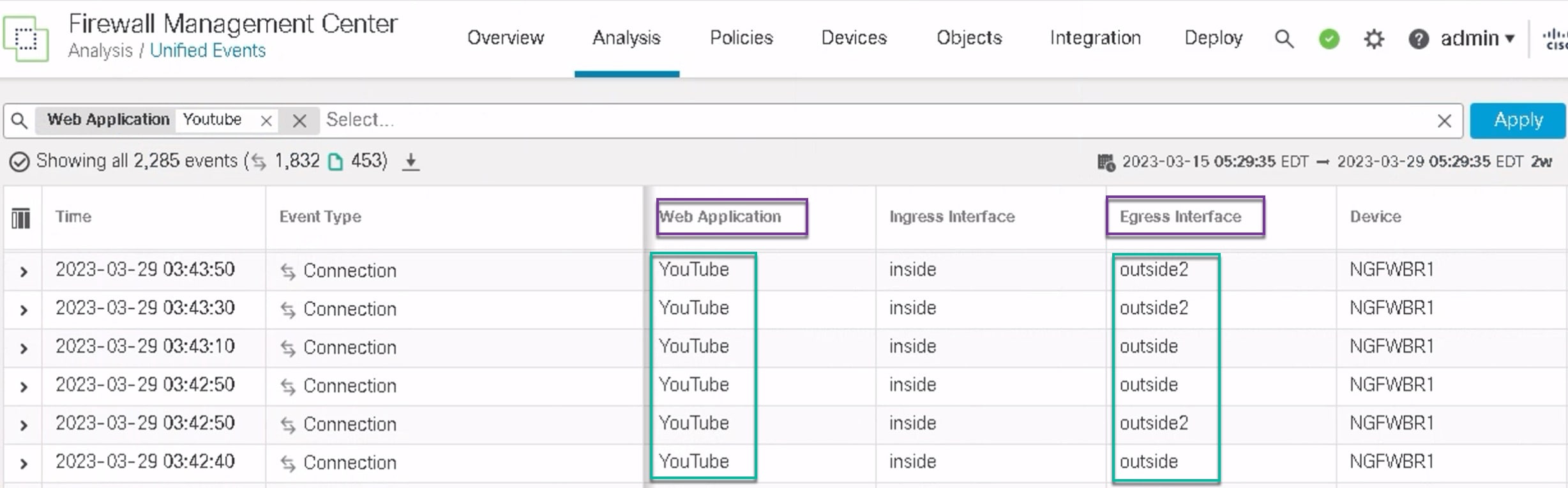
      In the image, YouTube application traffic is load balanced between the outside and outside2 interfaces as seen on the Unified events page.
  2. For DIA with path monitoring:

    WebEx application traffic is sent out through the outside2 interface as there is packet loss on the outside3 interface as seen in the figure below.
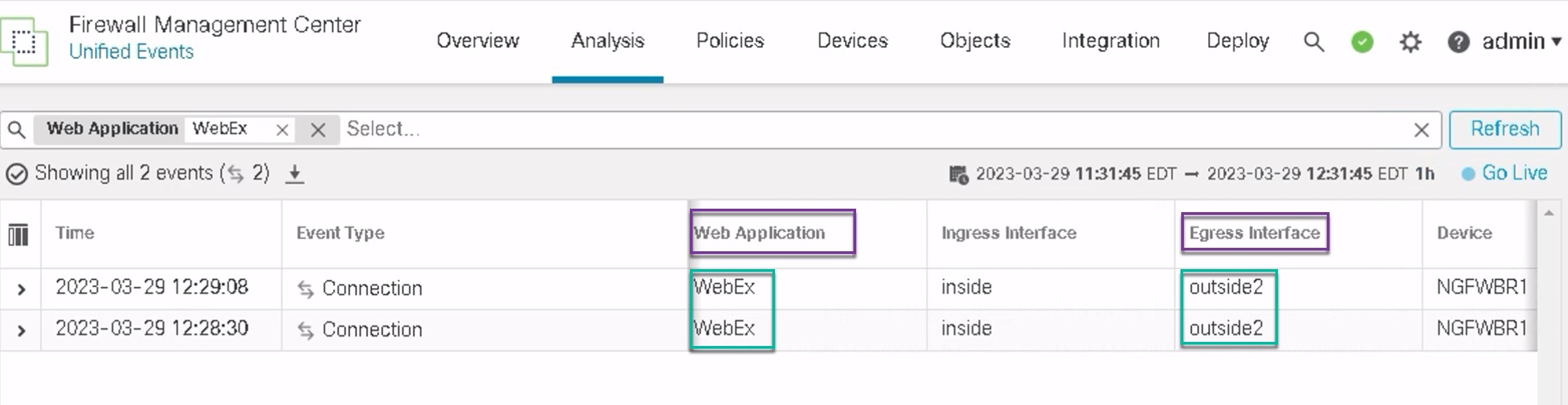
    In the image, WebEx application traffic is sent out through the outside2 interface as there is packet loss on the outside3 interface as seen on the Unified events page.