Provides instructions to configure a policy-based routing policy in Firewall Management Center (FMC) to steer Threat Defense (FTD) DNS and web traffic to the Cisco Umbrella SIG tunnel.
You can configure the PBR policy in the Policy Based Routing page by specifying the ingress interfaces, match criteria (extended access control list), and egress interfaces to route DNS and web traffic.
Procedure
-
In the Add Forwarding Actions dialog box, do the following:
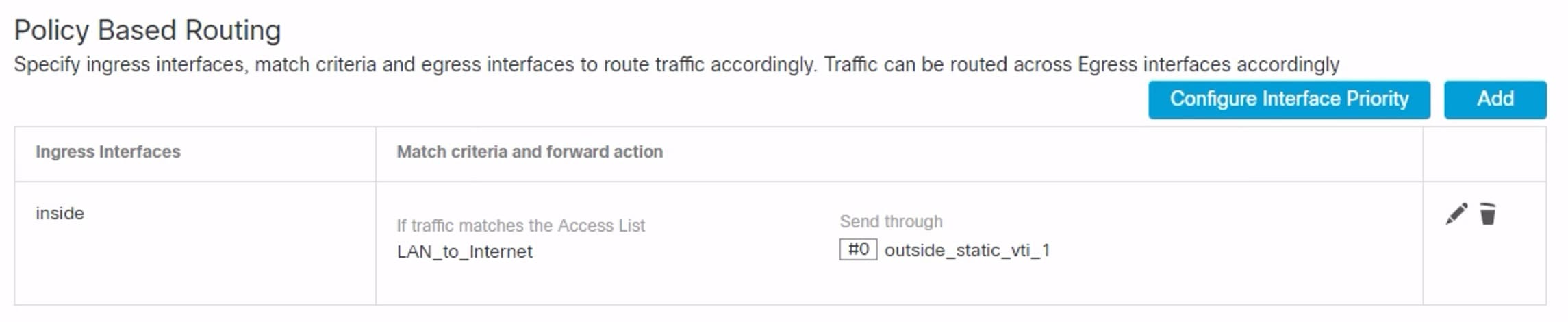
- From the Match ACL drop-down, choose LAN_to_Internet.
- To select the configured interfaces, choose Egress Interfaces from the Send To drop-down list.
- From Available Interfaces, click the Add (
 ) icon adjacent to Outside_static_vti_1 interface to move it to Selected Egress Interfaces.
 - Click Save to write the changes for the match criteria.
- Review the configuration and click Save to write all the configuration changes for policy based routing.
-
Click Save.
The PBR policy is created as seen in the figure below.