Provides instructions for configuring OSPF on a Threat Defense (FTD) spoke to route traffic across a route-based site-to-site VPN using Firewall Management Center (FMC).
Procedure
-
To edit the spoke node, choose Devices > Device Management and click the Edit (
 ) icon for the NGFWBR1 node.
 -
Click +Add. The Add Area dialog box appears. Modify the following fields:
-
OSPF Process—Choose the process ID as 1.
-
Area ID—Ensure the value is 1.
The rest of the fields use default values.
-
Available Network— To add networks to be advertised over the tunnel:
-
To add a new network object, click
 . Enter these details:
-
Name—enter the name as Spoke_Tunnel_IP.
-
Network—Select the Host option and enter the host IP as 169.254.20.1.
-
Click Save.
-
-
Enter Spoke in the search area of the Available Network field. The newly added network object ( Spoke_Tunnel_IP) is listed. Select the object and click Add to add it to the Selected Network list.
-
Enter Branch in the search area of the Available Network field. The Branch_LAN network object is listed. Select the object and click Add to add it to the Selected Network list.
-
-
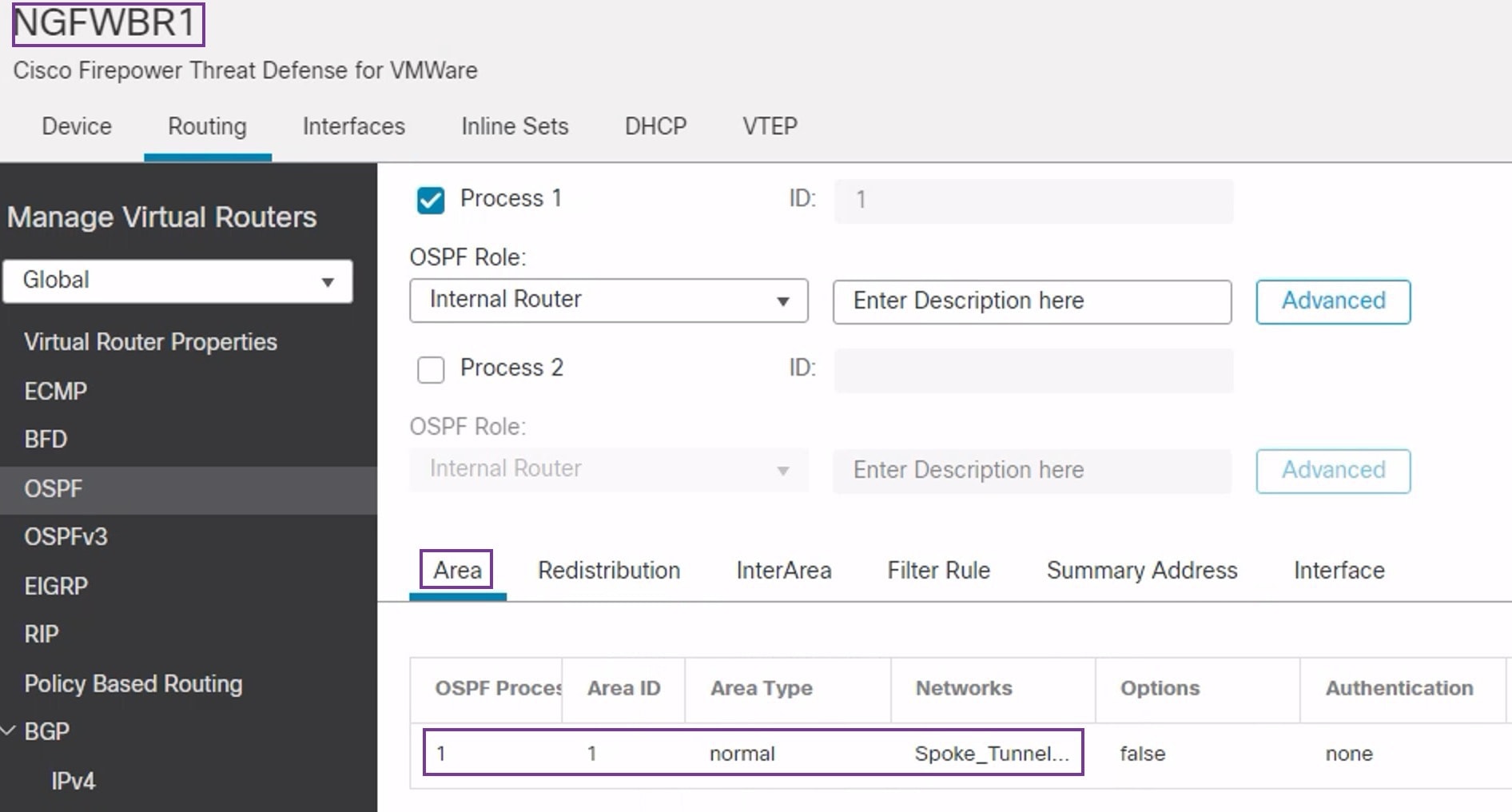
Click OK.
A row is added in the Area tab.
-