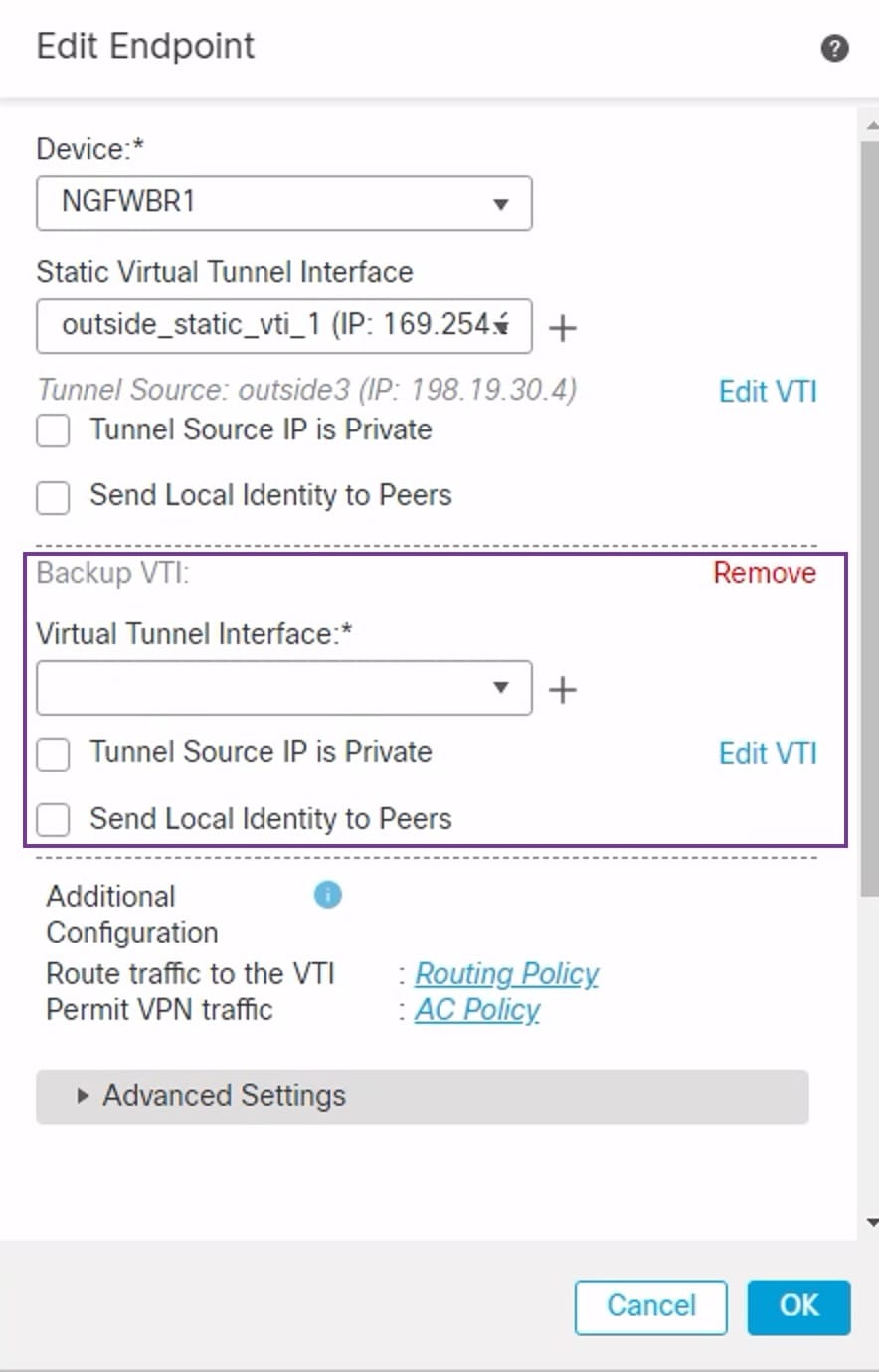
Provides instructions for configuring a backup static VTI for spoke devices to maintain VPN connectivity with the hub and ensure continuous traffic flow.
Firewall Threat Defense supports the configuration of a backup tunnel for the route-based (VTI) VPN. When the primary VTI is unable to route the traffic, the traffic in the VPN is tunneled through the backup VTI.
Procedure
-
Choose Devices > Site-to-site VPN to view the configured Corporate-VPN VPN topology and click the Edit (
 ) icon. The Edit VPN Topology window appears.
 -
In the Spoke Nodes section, click the Edit (
) icon for the NGFWBR1 node. The Edit Endpoint dialog box appears. -
Click the Add Backup VTI link to add the secondary VTI tunnel. The link displays the Backup VTI section.