Learn how to use Direct Internet Access (DIA) to route branch application traffic directly to the internet using policy-based routing for improved performance and reduced latency using Cisco Secure Firewall.
Digital innovation is transforming the way businesses operate, communicate, and interact with customers. It has led to the creation of new applications and technologies to improve collaboration and customer experience and require high bandwidth and low latency connections.
Challenges with Traditional Networks
Traditionally, network deployments leverage a perimeter firewall on a central site to provide secure access to local and branch users. This architecture provides the desired connectivity, though it transports all internet traffic to the central site as encrypted traffic through a VPN tunnel resulting in packet latency, drops, and jitter. In addition, the network is constantly challenged with high costs and bandwidth utilization that is associated with deployment and complex network management.
Solution
One of the ways to overcome these challenges is to use Direct Internet Access (DIA). DIA is a component of the Simplified Branch feature of the Cisco Secure Firewall. DIA uses Policy Based Routing (PBR). DIA is also referred to as application aware routing.
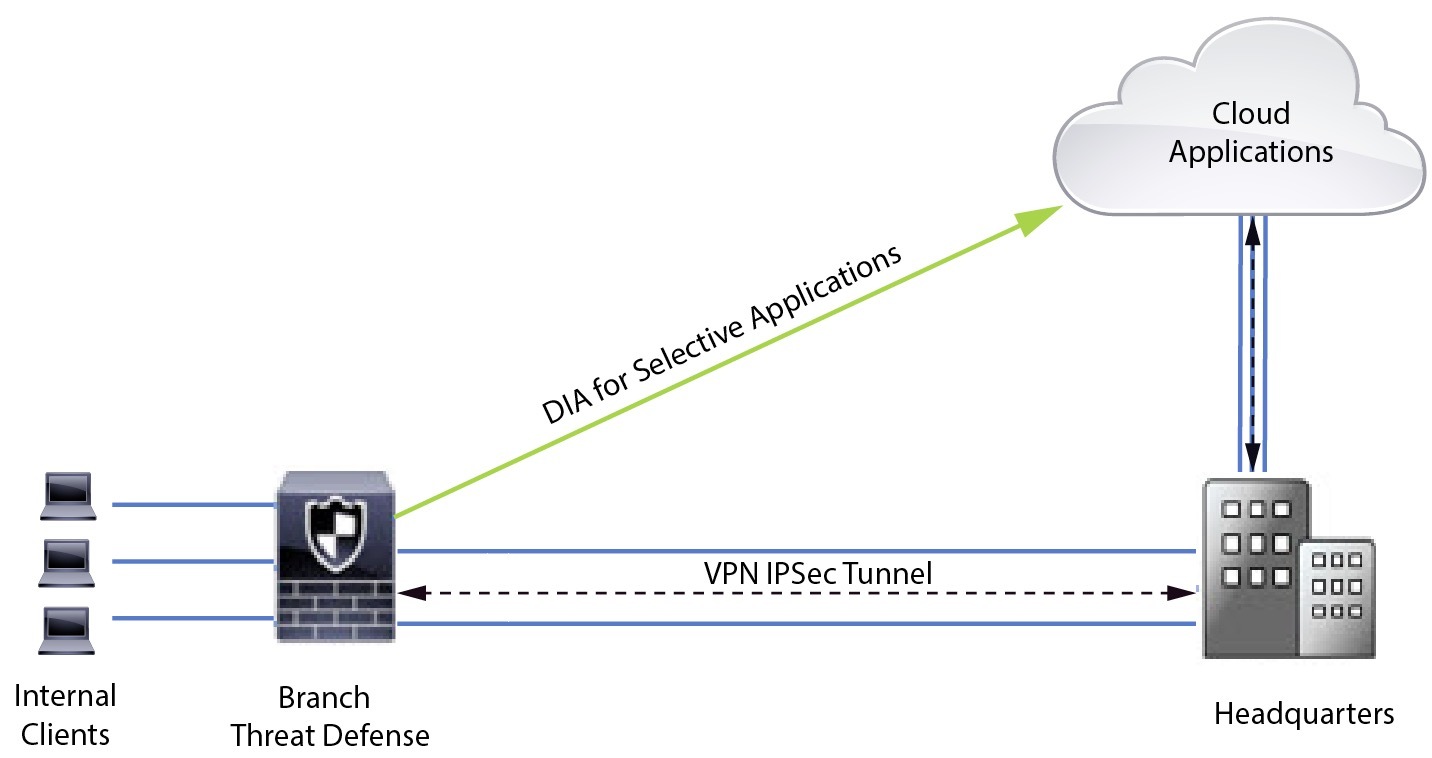
In a DIA topology, application traffic from the branch office is routed directly to the internet thereby bypassing the latency of tunneling internet-bound traffic to the headquarters. The branch Secure Firewall Threat Defense is configured with an internet exit point. The PBR policy is applied on the ingress interface to identify the traffic based on the applications defined in the extended access control list. Correspondingly, the traffic is forwarded through the egress interfaces directly to the internet.
Why Policy-based Routing?
You can use PBR to classify and securely break out traffic for specified applications. It also allows you to specify a path for certain traffic. You can configure a PBR policy in the Secure Firewall Management Center user interface to allow the applications to be directly accessed.
PBR and Path Monitoring
Typically, in PBR, traffic is forwarded through egress interfaces based on the priority value (interface cost) configured on them. In Secure Firewall Management Center version 7.2 and later versions, PBR uses path monitoring to collect performance metrics such as round trip time (RTT), jitter, packet loss, and mean opinion score (MOS) of the egress interfaces. PBR uses these metrics to determine the best path (egress interface) for forwarding the traffic. Path monitoring periodically notifies PBR about the monitored interface when the metrics get modified. PBR retrieves the latest metric values for the monitored interfaces from the path monitoring database and updates the data path.
You must enable path monitoring for the interface, configure the monitoring type for the egress interface, and configure the application traffic to leverage path monitoring that uses the metrics values.
To understand path monitoring, see Scenario 2: Direct Internet Access With Path Monitoring.