Provides instructions to verify traffic flow across the VPN tunnel to confirm routing, tunnel status, and end-to-end connectivity between hub and spoke devices.
Perform the following verifications for the VPN tunnel.
-
Verify Tunnel Status on the Site-to-site VPN Dashboard
-
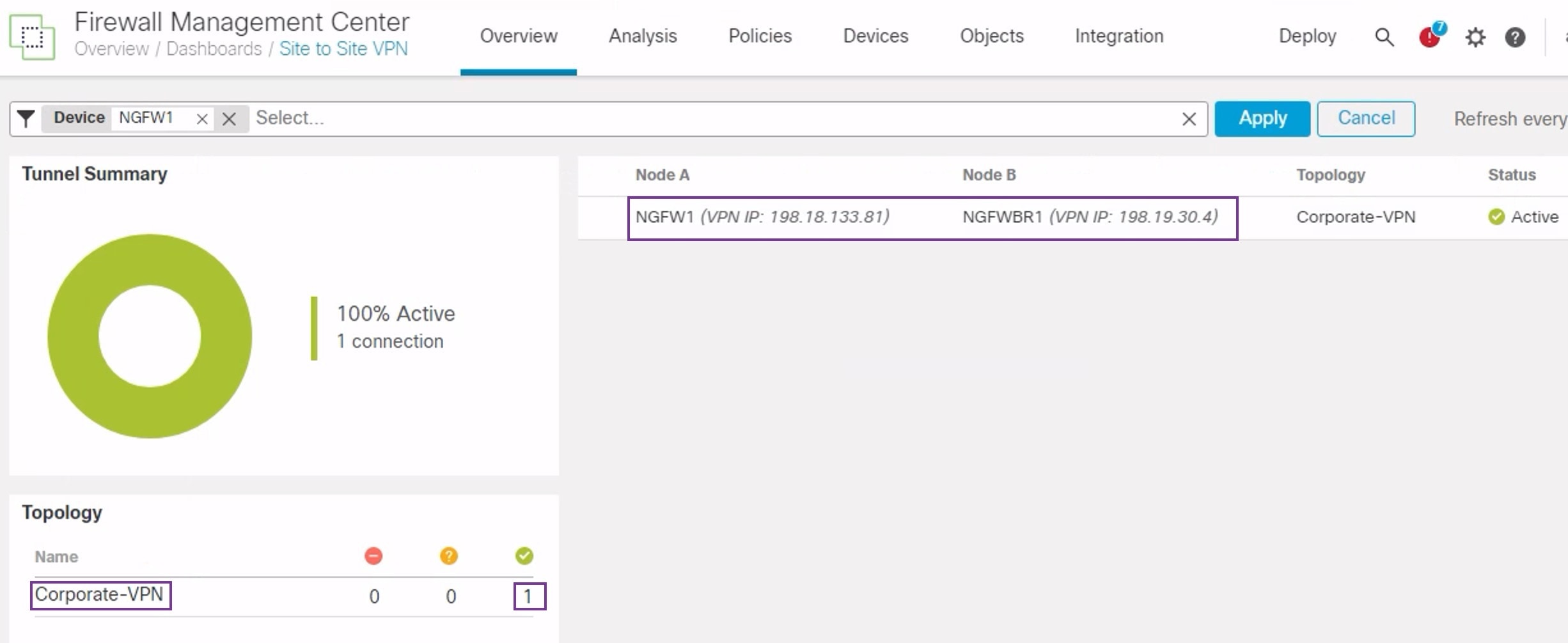
To verify that the VPN tunnel is up and green, choose Overview > Dashboards > Site-to-site VPN.
-
Hover over NGFW1. The View Full Information icon is displayed next to NGFW1.
-
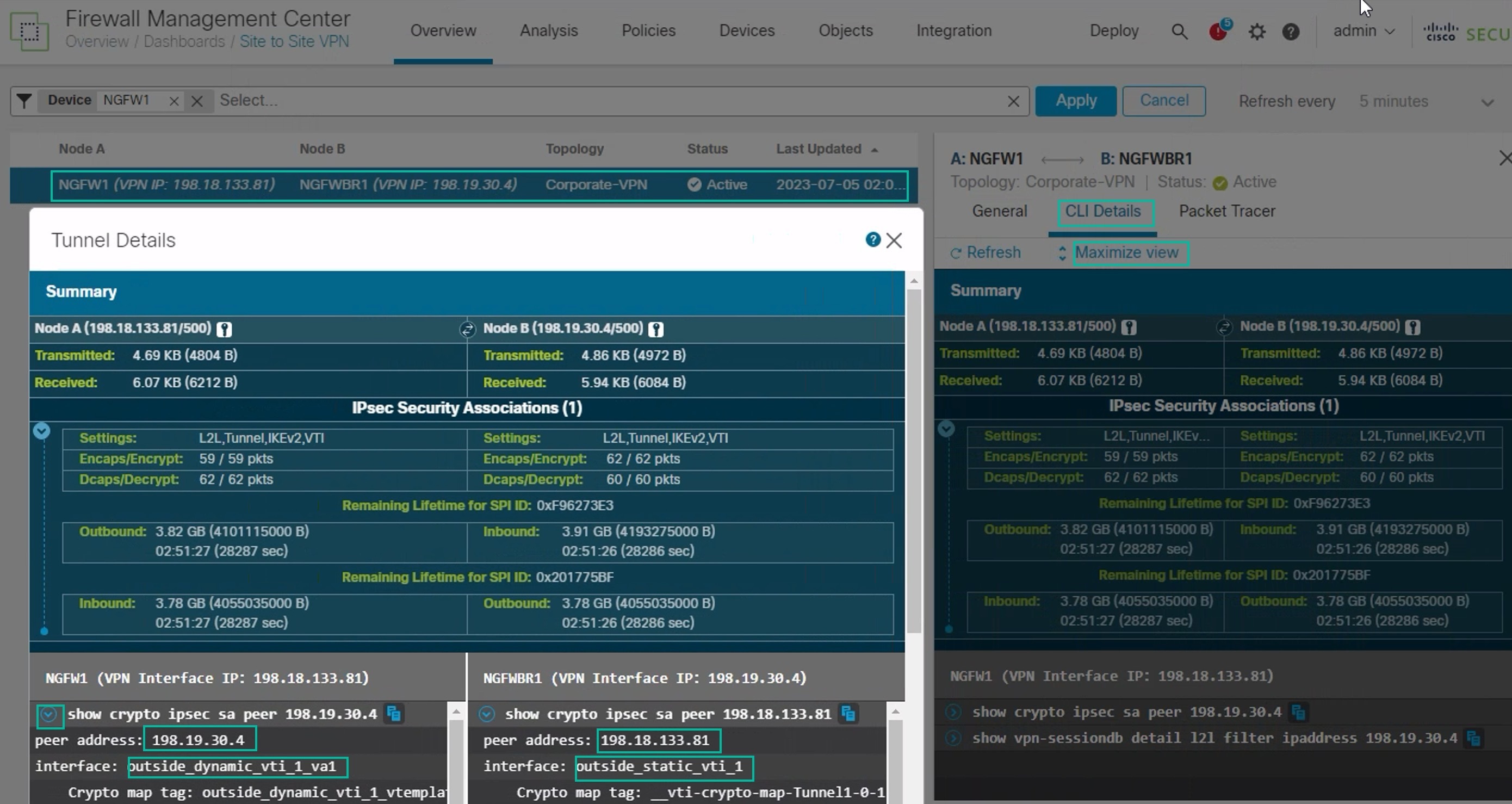
Click the View Full Information icon.A side pane with tunnel details and additional actions appears.
-
Click the CLI Details tab in the side pane.
-
Click Maximize View to display a maximized dialog box that contains the details of the IPSec security associations.
-
You can expand the CLI for the show commands in the lower portion of the dialog box to view the VTI interfaces on the devices.
-
Click Close to terminate the Tunnel Details window.
-
-
Verify Routing on the Hub and Branch Nodes-To verify that the OSPF routes have been correctly learned on the NGFW1 and NGFWBR1. nodes:
-
Choose Devices > Device Management.
-
To edit NGFW1, click the Edit (
 ) icon.
 -
Click the Device tab.
-
Click the CLI button in the General card. The CLI Troubleshoot window appears
-
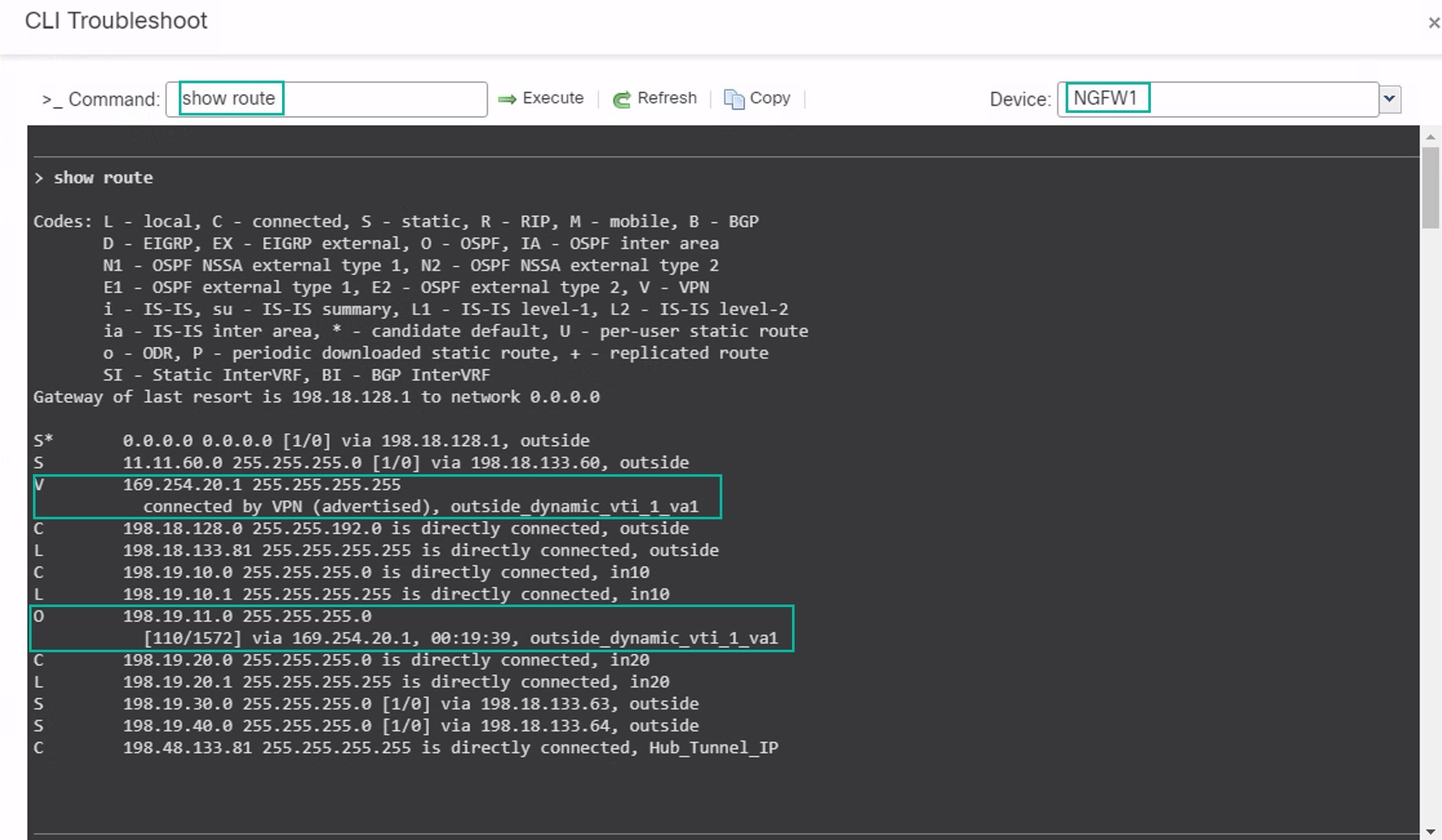
Enter show route in the Command field and click Execute .
-
Review the routes on the NGFW1 node and confirm the VPN route for the spoke’s VTI IP (169.254.20.1) and OSPF learnt route for the Branch_LAN (198.19.11.0/24) as displayed in the figure below.
-
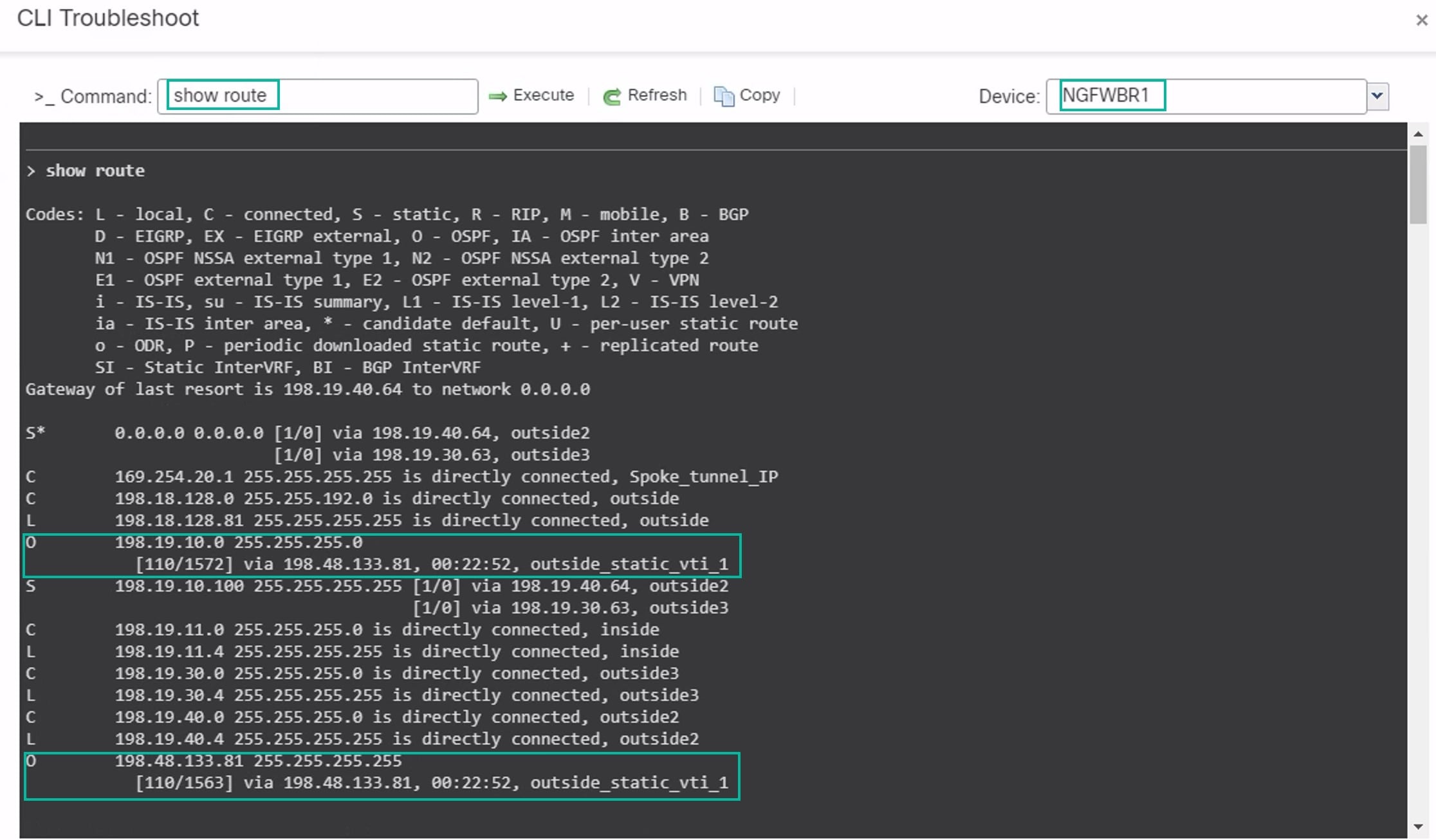
Repeat Steps 2 through 5 for the NGFWBR1 node.
-
Review the routes on the NGFWBR1 node. Confirm the OSPF routes learnt for the hub's VTI IP (198.48.133.81) and for the Corporate_LAN (198.19.10.0/24) as displayed in the figure below.
-
-
Verify Traffic between Protected Networks Behind the Spoke and Hub Nodes
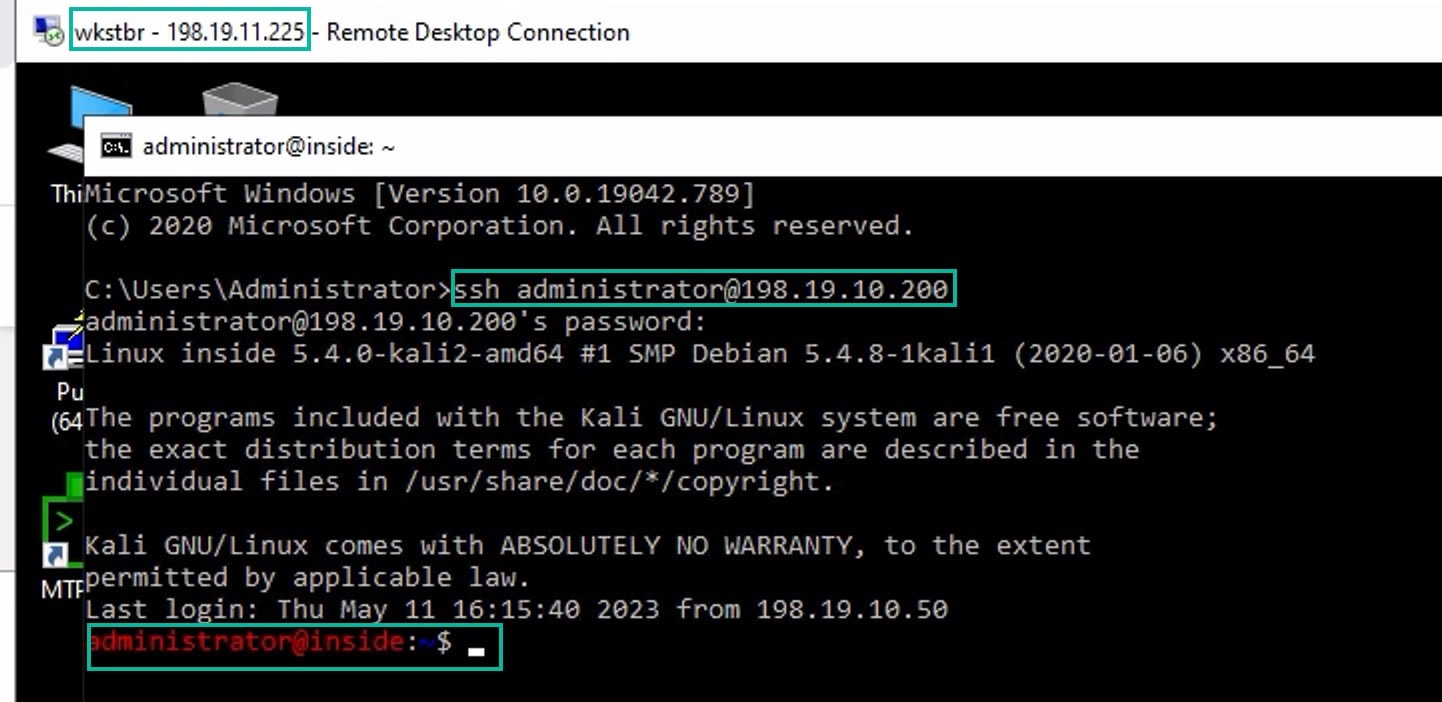
Log into the WKST BR workstation (198.19.11.225) and SSH to the host (198.19.10.200) behind NGFW1. Ensure that you are able to SSH successfully to the host.
-
Verify Connectivity Between Branch and Spoke Nodes Using Unified Events
-
Choose Analysis > Unified Events.
-
Add the VPN Action, Encrypt Peer, Decrypt Peer, and Egress Interface columns using the column picker.
-
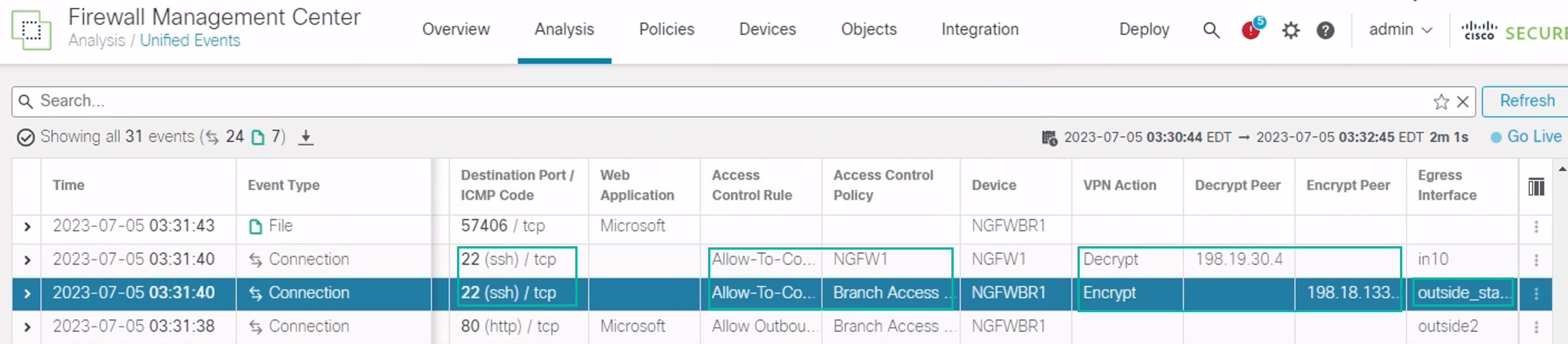
Reorder and resize the new columns along with the columns, Destination Port/ICMP Code, Access Control Rule, Access Control Policy, and Device as seen in the figure below.
-
To view the events related to the SSH connection from the WKST BR to Corporate Host choose the row with 22 (ssh/tcp) in the Destination Port/ICMP Code column. Note the Encrypt action on NGFWBR1 over the outside_static_vti_1 interface followed by the Decrypt action on the NGFW1 as shown in the figure above.
-