FlexConfig policy overview
A FlexConfig policy is a container of an ordered list of FlexConfig objects that
-
includes a series of Apache Velocity scripting language commands, ASA software configuration commands, and variables that you define
-
contains FlexConfig objects that are essentially programs that generate a sequence of ASA commands that will then be deployed to the assigned devices, and
-
configures the related feature on the Firewall Threat Defense device.
FlexConfig policy usage and limitations
Firewall Threat Defense uses ASA configuration commands to implement some features, but not all features. There is no unique set of Firewall Threat Defense configuration commands. Instead, the point of FlexConfig is to allow you to configure features that are not yet directly supported through Firewall Management Center policies and settings.
 Caution |
We recommend using FlexConfig policies only if you are an advanced user with a strong ASA background and at your own risk. You may configure any commands that are not prohibited. Enabling features through FlexConfig policies may cause unintended results with other configured features. Contact the Cisco Technical Assistance Center for support concerning FlexConfig policies that you have configured. The Cisco Technical Assistance Center does not design or write custom configurations on any customer's behalf. Cisco expresses no guarantees for correct operation or interoperability with other features. FlexConfig features may become deprecated at any time. For fully guaranteed feature support, you must wait for the Firewall Management Center support. When in doubt, do not use FlexConfig policies. |
Recommended usage for FlexConfig policies
Use FlexConfig policies in two main scenarios to ensure proper firewall configuration and functionality.
-
You are converting from ASA to Firewall Threat Defense, and there are compatible features you are using (and need to continue using) that Firewall Management Center does not directly support. In this case, use the show running-config command on the ASA to see the configuration for the feature and create your FlexConfig objects to implement it. Experiment with the object's deployment settings (once/every time and append/prepend) to get the right setting. Verify by comparing show running-config output on the two devices.
-
You are using Firewall Threat Defense but there is a setting or feature that you need to configure, e.g. the Cisco Technical Assistance Center tells you that a particular setting should resolve a specific problem you are encountering. For complicated features, use a lab device to test the FlexConfig and verify that you are getting the expected behavior.
The system includes a set of predefined FlexConfig objects that represent tested configurations. If the feature you need is not represented by these objects, first determine if you can configure an equivalent feature in standard policies. For example, the access control policy includes intrusion detection and prevention, HTTP and other types of protocol inspection, URL filtering, application filtering, and access control. The ASA implements these functions using separate features. Many features are not configured using CLI commands, so not every policy appears in the output of the show running-config command.
 Note |
At all times, keep in mind that there is not a one-to-one overlap between ASA and Firewall Threat Defense. Do not attempt to completely recreate an ASA configuration on a Firewall Threat Defense device. You must carefully test any feature that you configure using FlexConfig. |
CLI commands in FlexConfig objects
A managed device uses ASA configuration commands to configure some features. Although not all ASA features are compatible with the device, some features can work on the managed device but you cannot configure them through Firewall Management Center policies. You can use FlexConfig objects to specify the CLI required to configure these features.
ASA documentation resources
When using FlexConfig to manually configure a feature, you are responsible for knowing and implementing the commands according to the proper syntax. FlexConfig policies do not validate CLI command syntax. For more information about proper syntax and configuring CLI commands, use the ASA documentation as a reference:
-
ASA CLI configuration guides explain how to configure a feature. Find the guides at https://www.cisco.com/c/en/us/support/security/adaptive-security-appliance-asa-software/products-installation-and-configuration-guides-list.html
-
ASA command references provide additional information sorted by command name. Find the references at https://www.cisco.com/c/en/us/support/security/adaptive-security-appliance-asa-software/products-command-reference-list.html
Determine the ASA software version and current CLI configuration
Determine the ASA software version and examine the current CLI-based configuration to identify which ASA CLI configuration guides to use for instructions on configuring a feature.
Because the system uses ASA software commands to configure some features, you need to determine the current ASA version used in software running on the Firewall Threat Defense device. This version number indicates which ASA CLI configuration guides to use for instructions on configuring a feature. You also should examine the current CLI-based configuration and compare it to the ASA configuration you want to implement.
Keep in mind that any ASA configuration will be very different from a Firewall Threat Defense configuration. Many Firewall Threat Defense policies are configured outside of the CLI, so you cannot see the configuration by looking at the commands. Do not try to create a one-to-one correspondence between an ASA and Firewall Threat Defense configuration.
To view this information, make an SSH connection to the device's management interface and issue the following commands:
-
show version system and look for the Cisco Adaptive Security Appliance Software Version number. (If you issue the command through the Secure Firewall Management Center CLI tool, omit the system keyword.)
-
show running-config to view the current CLI configuration.
-
show running-config all to include all the default commands in the current CLI configuration.
You can also issue these commands from within Firewall Management Center using this procedure.
Procedure
|
Step 1 |
Choose Troubleshooting. |
|
Step 2 |
Click the name of the device targeted by the FlexConfig policy. You might need to click the open/close arrow in the Count column in the Status table to see any devices. |
|
Step 3 |
Click View System and Troubleshoot Details. |
|
Step 4 |
Click Advanced Troubleshooting. |
|
Step 5 |
Click Threat Defense CLI. |
|
Step 6 |
Choose the Device, then choose show as the command, and type version or one of the other commands as the parameter. |
|
Step 7 |
Click Execute. For version, search the output for the Cisco Adaptive Security Appliance Software Version number. You can select the output and press Ctrl+C, then paste it into a text file for later analysis. |
Prohibited CLI commands
The purpose of FlexConfig is to configure features that are available on ASA devices that you cannot configure on Firewall Threat Defense devices using Firewall Management Center.
Thus, you are prevented from configuring ASA features that have equivalents in Firewall Management Center. The following table lists some of these prohibited command areas.
In addition, some clear commands are prohibited because they overlap with managed policies, and can delete part of the configuration for a managed policy.
The FlexConfig object editor prevents you from including prohibited commands in the object.
|
Prohibited CLI Command |
Description |
|---|---|
|
AAA |
Configuration blocked. |
|
AAA-Server |
Configuration blocked. |
|
Access-list |
Advanced ACL, Extended ACL, and Standard ACL are blocked. Ethertype ACL is allowed. You can use standard and extended ACL objects defined in the object manager inside the template as variables. |
|
ARP Inspection |
Configuration blocked. |
|
As-path Object |
Configuration blocked. |
|
Banner |
Configuration blocked. |
|
BGP |
Configuration blocked. |
|
Clock |
Configuration blocked. |
|
Community-list Object |
Configuration blocked. |
|
Copy |
Configuration blocked. |
|
Delete |
Configuration blocked. |
|
DHCP |
Configuration blocked. |
|
Enable Password |
Configuration blocked. |
|
Erase |
Configuration blocked. |
|
Fragment Setting |
Blocked, except for fragment reassembly . |
|
Fsck |
Configuration blocked. |
|
HTTP |
Configuration blocked. |
|
ICMP |
Configuration blocked. |
|
Interface |
Only nameif, mode, shutdown, ip address and mac-address commands are blocked. |
|
Multicast Routing |
Configuration blocked. |
|
NAT |
Configuration blocked. |
|
Network Object/Object-group |
Network object creation in the FlexConfig object is blocked, but you can use network objects and groups defined in the object manager inside the template as variables. |
|
NTP |
Configuration blocked. |
|
OSPF/OSPFv3 |
Configuration blocked. |
|
pager |
Configuration blocked. |
|
Password Encryption |
Configuration blocked. |
|
Policy-list Object |
Configuration blocked. |
|
Prefix-list Object |
Configuration blocked. |
|
Reload |
You cannot schedule reloads. The system does not use the reload command to restart the system, it uses the reboot command. |
|
RIP |
Configuration blocked. |
|
Route-Map Object |
Route-map object creation in the FlexConfig object is blocked, but you can use route map objects defined in the object manager inside the template as variables. |
|
Service Object/Object-group |
Service object creation in the FlexConfig object is blocked, but you can use port objects defined in the object manager inside the template as variables. |
|
SNMP |
Configuration blocked. |
|
SSH |
Configuration blocked. |
|
Static Route |
Configuration blocked. |
|
Syslog |
Configuration blocked. |
|
Time Synchronization |
Configuration blocked. |
|
Timeout |
Configuration blocked. |
|
VPN |
Configuration blocked. |
Template scripts
You can use scripting language to control processing within a FlexConfig object. Scripting language instructions are a subset of commands supported in the Apache Velocity 1.3.1 template engine. The Apache Velocity engine is a Java-based scripting language that supports looping, if/else statements, and variables.
To learn how to use the scripting language, see the Velocity Developer Guide at http://velocity.apache.org/engine/devel/developer-guide.html.
FlexConfig variables
You can use variables in a FlexConfig object in cases where part of a command or processing instruction depends on runtime information rather than static information. During deployment, the variables are replaced with strings obtained from other device configurations, depending on the type of variable.
FlexConfig variable types
Variables are replaced with strings based on the type of variable.
-
Policy object variables are replaced with strings obtained from objects defined in Firewall Management Center.
-
System variables are replaced with information obtained from the device itself or from policies configured for it.
-
Processing variables are loaded with the contents of policy object or system variables as during script execution. For example, in a loop, you iteratively load one value from a policy object or system variable into a processing variable, then use the processing variable to form a command string or perform another action. These processing variables do not show up in the Variables list within a FlexConfig object. Also, you do not add them using the Insert menu in the FlexConfig object editor.
-
Secret key variables are replaced with the single string defined for the variable within the FlexConfig object.
Variables start with the $ character, except for secret keys, which start with the @ character. For example, $ifname is a policy object variable in this command, whereas @keyname is a secret key.
interface $ifname
key @keyname
Note |
The first time you insert a policy object or system variable, you must do so through the Insert menu in the FlexConfig object editor. This action adds the variable to the Variables list at the bottom of the FlexConfig object editor. You must type in the variable string on subsequent uses, even when using system variables. If you are adding a processing variable, which does not have an object or system variable assignment, do not use the Insert menu. If you are adding a secret key, always use the Insert menu. Secret key variables do not show up in the Variables list. |
Whether a variable is resolved as a single string, a list of strings, or a table of values depends on the type of policy object or system variable you assign to the variable. (Secret keys always resolve to a single string.) You must understand what will be returned in order to process the variables correctly.
Variable processing
At runtime, a variable can resolve to any of these: a single string; a list of strings of the same type; a list of strings of different types; or a table of named values. Variables that resolve to multiple values can have a determinate or indeterminate length. To process the values correctly, you must understand what will be returned.
The main possibilities include these scenarios.
Single value variables
If a variable always resolves to a single string, use the variable directly without modification in the FlexConfig script.
For example, the predefined text variable tcpMssBytes always resolves to a single value (which must be numeric). The Sysopt_basic FlexConfig then uses an if/then/else structure to set the maximum segment size based on the value of another single-value text variable, tcpMssMinimum .
Implementation methods
The implementation of single value variables depends on the variable type:
-
Standard text variables: Use the variable directly in the FlexConfig script. For example, the predefined text variable tcpMssBytes always resolves to a single numeric value.
-
Secret key variables: Always use the Insert menu to add the variable, even for second and subsequent uses. These variables do not show up in the Variables list within the FlexConfig object.
-
Policy object variables for network objects: Equate to a single IP address specification (host address, network address, or address range). You must know what type of address to expect because ASA commands require specific address types.
Note |
Policy object variables for network objects also equate to a single IP address specification, either a host address, network address, or address range. However, in this case, you must know what type of address to expect, because the ASA commands require specific address types. For example, if a command requires a host address, using a network object variable that points to an object that contains a network address will result in an error during deployment. |
TCP MSS configuration using single value variables
The Sysopt_basic FlexConfig uses an if/then/else structure to set the maximum segment size based on the value of another single-value text variable, tcpMssMinimum:
#if($tcpMssMinimum == "true")
  sysopt connection tcpmss minimum $tcpMssBytes
#else
  sysopt connection tcpmss $tcpMssBytes
#end
In this example, you would use the Insert menu in the FlexConfig object editor to add the first use of $tcpMssBytes, but you would type in the variable directly on the #else line.
Multiple value variables with same type values
Several policy object and system variables resolve to multiple values of the same type. For example, an object variable that points to a network object group resolves to a list of the IP addresses within the group. Similarly, the system variable $SYS_FW_INTERFACE_NAME_LIST resolves to a list of interface names.
You can also create text objects for multiple values of the same type. For example, the predefined text object enableInspectProtocolList can contain more than one protocol name.
Processing characteristics
Multiple value variables that resolve to a list of items of the same type are frequently of indeterminate length. For example, you cannot know beforehand how many interfaces on a device are named, as users can configure or unconfigure interfaces at any time.
You would typically use a loop to process multiple value variables of the same type. For example, the predefined FlexConfig Default_Inspection_Protocol_Enable uses a #foreach loop to go through the enableInspectProtocolList object and process each value.
policy-map global_policy
    class inspection_default
    #foreach ( $protocol in $enableInspectProtocolList)
    inspect $protocol
    #end
In this example, the script assigns each value in turn to the $protocol variable, which is then used in an ASA inspect command to enable the inspection engine for that protocol. In this case, you simply type in $protocol as a variable NAME. You do not use the Insert menu to add it, because you are not assigning an object or system value to the variable. However, you must use the Insert menu to add $enableInspectProtocolList.
The system loops through the code between #foreach and #end until there are no values remaining in $enableInspectProtocolList.
Multiple value variables with different types
You can create multiple value text objects and have each value serve a different purpose. For example, the predefined netflow_Destination text object should include three values in this order: interface name, destination IP address, and UDP port number.
Objects defined in this way should have a determinate number of values to make them easier to process.
Processing multiple value variables
Use the get method to process these objects. Type .get(n) at the end of the object name, replacing n with an index into the object. Start counting at 0, even though the text object lists its values starting at 1.
NetFlow destination configuration example
The predefined netflow_Destination text object should have 3 values, in order, interface name, destination IP address, and UDP port number.
The Netflow_Add_Destination object uses this line to add the 3 values from netflow_Destination to the ASA flow-export command:
flow-export destination $netflow_Destination.get(0) $netflow_Destination.get(1)
$netflow_Destination.get(2)
In this example, you would use the Insert menu in the FlexConfig object editor to add the first use of $netflow_Destination, and then add .get(0). But you would type in the variable directly for the $netflow_Destination.get(1) and $netflow_Destination.get(2) specifications.
Multiple value variables that resolve to a table of values
Some system variables return a table of values. These variables include the string MAP in their names. For example, $SYS_FTD_ROUTED_INTF_MAP_LIST is one such variable. The routed interface map returns data in a table of values. Line breaks have been added for clarity.
Variable structure and processing
These variables return data that includes a table of named values for each item. For example, the ROUTED interface MAP returns data that looks like this (line returns added for clarity):
[{intf_hardwarare_id=GigabitEthernet0/0, intf_ipv6_eui64_addresses=[],
intf_ipv6_prefix_addresses=[], intf_subnet_mask_v4=255.255.255.0,
intf_ip_addr_v4=10.100.10.1, intf_ipv6_link_local_address=,
intf_logical_name=outside},

{intf_hardwarare_id=GigabitEthernet0/1, intf_ipv6_eui64_addresses=[],
intf_ipv6_prefix_addresses=[], intf_subnet_mask_v4=255.255.255.0,
intf_ip_addr_v4=10.100.11.1, intf_ipv6_link_local_address=,
intf_logical_name=inside},

{intf_hardwarare_id=GigabitEthernet0/2, intf_ipv6_eui64_addresses=[],
intf_ipv6_prefix_addresses=[], intf_subnet_mask_v4=, intf_ip_addr_v4=,
intf_ipv6_link_local_address=, intf_logical_name=},

{intf_hardwarare_id=Management0/0, intf_ipv6_eui64_addresses=[],
intf_ipv6_prefix_addresses=[], intf_subnet_mask_v4=, intf_ip_addr_v4=,
intf_ipv6_link_local_address=, intf_logical_name=management}]
In the above example, information is returned for 4 interfaces. Each interface includes a table of named values. For example, intf_hardwarare_id is the name of the interface hardware name property, and returns strings such as GigabitEthernet0/0.
This type of variable is typically of indeterminate length, so you need to use looping to process the values. You also need to add the property name to the variable name to indicate which value to retrieve.
IS-IS interface configuration
For example, IS-IS configuration requires that you add the ASA ISIS command to an interface that has a logical name in interface configuration mode. However, you enter that mode using the interface's hardware name. Thus, you need to identify which interfaces have logical names, then configure just those interfaces using their hardware names. The ISIS_Interface_Configuration predefined FlexConfig does this using an if/then structure nested in a loop. In this code, you can see that the #foreach scripting command loads each interface MAP into the $INTF variable, then the #if statement keys off the intf_logical_name value in the MAP ($INTF.intf_logical_name), and if the value is in the LIST defined in the isisIntfList predefined text variable, enters the interface command using the intf_hardwarare_id value ($INTF.intf_hardwarare_id). You would need to edit the isisIntfList variable to add the names of the interfaces on which to configure IS-IS.
#foreach ($intf in $SYS_FTD_ROUTED_INTF_MAP_LIST)
 #if ($isIsIntfList.contains($intf.intf_logical_name))
  interface $intf.intf_hardwarare_id
   isis
   #if ($isIsAddressFamily.contains("ipv6"))
   ipv6 router isis
   #end
 #end
#end
Evaluate device variable results
To evaluate what a variable returns, create a simple FlexConfig object that processes variables and shows their resolved values in a configuration preview.
This method allows you to test and analyze variable resolution without deploying potentially invalid configuration commands to devices.
Procedure
|
Step 1 |
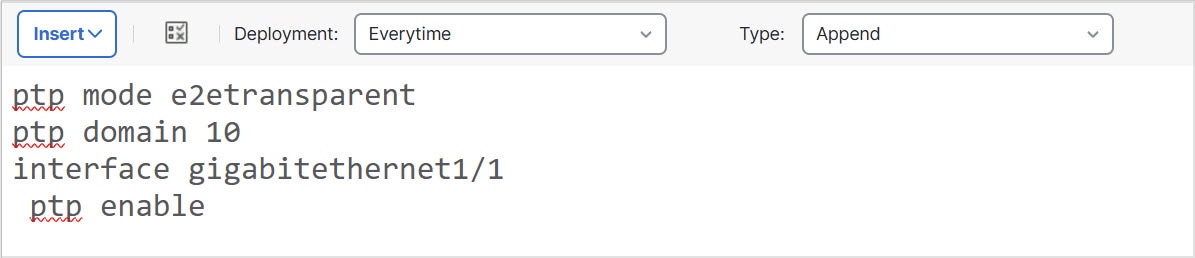
Create a simple FlexConfig object that processes an annotated list of variables. Example: |
||
|
Step 2 |
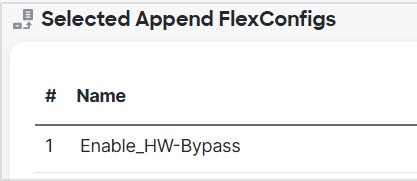
Assign the FlexConfig object to a FlexConfig policy. |
||
|
Step 3 |
Assign the policy to a device. |
||
|
Step 4 |
Save the policy. |
||
|
Step 5 |
Preview the configuration for that device. The preview shows the resolved values. |
||
|
Step 6 |
Select the preview text, copy it, then paste the output into a text file for analysis. Example:
|
You can analyze the resolved variable values in the text file to understand what each variable returns for the device.
FlexConfig policy object variables
A policy object variable is associated with a specific policy object configured in the Object Manager. When you insert a policy object variable in a FlexConfig object, you give the variable a name and select the object associated with it.
Policy object variable types
Although you can give the variable the exact same name as the associated object, the variable itself is not the same thing as the associated object. You must use the menu in the FlexConfig object editor to add the variable for the first time to the script in the FlexConfig to establish the association with the object. Simply typing in the name of the object preceded by a $ sign does not create a policy object variable.
You can create variables to point to these types of objects. Ensure that you create the right type of object for each variable. To create objects, go to the page.
-
Text Objects—For text strings, which can include IP addresses, numbers, and other free-form text such as interface or zone names. Select from the table of contents, then click Add Text Object. You can configure these objects to contain a single value or multiple values. These objects are highly flexible and built specifically for use within FlexConfig objects. For detailed information, see Configure FlexConfig text objects.
-
Network—For IP addresses. You can use network objects or groups. Select Network from the table of contents, then select or Add Group. If you use a group object, the variable returns a list of each IP address specification within the group. Addresses can be host, network, or address ranges, depending on the object contents. See Networks.
-
Security Zones—For interfaces within a security zone or interface group. Select Interface from the table of contents, then select or Interface Group. A security zone variable returns a list of the interfaces within that zone or group for the device being configured. See Interfaces.
-
Standard ACL Object—For standard access control lists. A standard ACL variable returns the name of the standard ACL object. Select from the table of contents, then click Add Standard Access List Object. See Access lists.
-
Extended ACL Object—For extended access control lists. An extended ACL variable returns the name of the extended ACL object. Select from the table of contents, then click Add Extended Access List Object. See Access lists.
-
Route Map—For route map objects. A route map variable returns the name of the route map object. Select Route Map from the table of contents, then click Add Route Map. See Configure a route map.
FlexConfig system variables
System variables are replaced with information obtained from the device itself or from policies configured for it. To add a variable for the first time in the FlexConfig script and establish its association with the system variable, use the menu in the FlexConfig object editor. Typing the system variable name with a preceding $ sign does not create a system variable in the context of the FlexConfig object.
Before using a variable, check the typical value it returns. Refer to Evaluate device variable results.
|
NAME |
Description |
|---|---|
|
SYS_FW_OS_MODE |
The operating system MODE of the device. Possible values are ROUTED or TRANSPARENT. |
|
SYS_FW_OS_MULTIPLICITY |
Whether the device is running in SINGLE or multiple context MODE. Possible values are SINGLE, MULTI, or NOT_APPLICABLE. |
|
SYS_FW_MANAGEMENT_IP |
The MANAGEMENT IP address of the device |
|
SYS_FW_HOST_NAME |
The device hostname |
|
SYS_FTD_INTF_POLICY_MAP |
A MAP with INTERFACE NAME as key and POLICY-MAP as value. This variable returns nothing if there are no INTERFACE-based service policies defined on the device. |
|
SYS_FW_ENABLED_INSPECT_PROTOCOL_LIST |
The LIST of protocols for which inspection is ENABLED. |
|
SYS_FTD_ROUTED_INTF_MAP_LIST |
A LIST of ROUTED INTERFACE maps on the device. Each MAP includes a set of named values related to ROUTED INTERFACE configuration. |
|
SYS_FTD_SWITCHED_INTF_MAP_LIST |
A LIST of SWITCHED INTERFACE maps on the device. Each MAP includes a set of named values related to SWITCHED INTERFACE configuration. |
|
SYS_FTD_INLINE_INTF_MAP_LIST |
A LIST of INLINE INTERFACE maps on the device. Each MAP includes a set of named values related to INLINE set INTERFACE configuration. |
|
SYS_FTD_PASSIVE_INTF_MAP_LIST |
A LIST of PASSIVE INTERFACE maps on the device. Each MAP includes a set of named values related to PASSIVE INTERFACE configuration. |
|
SYS_FTD_INTF_BVI_MAP_LIST |
A LIST of Bridge Virtual INTERFACE maps on the device. Each MAP includes a set of named values related to BVI configuration. |
|
SYS_FW_INTERFACE_HARDWARE_ID_LIST |
A LIST of the HARDWARE names for interfaces on the device, such as GigabitEthernet0/0. |
|
SYS_FW_INTERFACE_NAME_LIST |
A LIST of logical names for interfaces on the device, such as inside. |
|
SYS_FW_INLINE_INTERFACE_NAME_LIST |
A LIST of logical names for interfaces configured as PASSIVE or ERSPAN PASSIVE. |
|
SYS_FW_NON_INLINE_INTERFACE_NAME_LIST |
A LIST of logical names for interfaces that are NOT part of INLINE sets, such as all ROUTED interfaces. |
Predefined FlexConfig objects
The predefined FlexConfig objects provide tested configurations for select features. Use these objects if you need to configure these features, which otherwise cannot be configured using the management center. Note that some objects might become obsolete as features are added to the GUI.
This table lists the available objects. Make note of the associated text objects. You must edit these text objects to customize the behavior of the predefined FlexConfig object. The text objects make it possible for you to customize the configuration using the IP addresses and other attributes required by your network and device.
If you need to modify a predefined FlexConfig object, copy the object, make changes to the copy, and save it with a new name. You cannot directly edit a predefined FlexConfig object.
Although you might be able to configure other ASA-based features using FlexConfig, the configuration of those features has not been tested. If an ASA feature overlaps with something that you can configure in Firewall Management Center policies, do not attempt to configure it through FlexConfig.
For example, Snort inspection includes the HTTP protocol, so do not enable ASA-style HTTP inspection. You cannot add http to the enableInspectProtocolList object; this restriction prevents you from misconfiguring your device. Instead, configure the access control policy to perform application or URL filtering, as needed, to implement your HTTP inspection requirements.
|
FlexConfig Object Name |
Description |
Associated Text Objects |
|---|---|---|
|
Default_Inspection_Protocol_Disable |
Disables protocols in the global_policy default policy map. |
disableInspectProtocolList |
|
Default_Inspection_Protocol_Enable |
Enables protocols in the global_policy default policy map. |
enableInspectProtocolList |
|
Inspect_IPv6_Configure |
Configures IPv6 inspection in the global_policy policy map, logging and dropping traffic based on IPv6 header contents. |
IPv6RoutingHeaderDropLogList, IPv6RoutingHeaderLogList, IPv6RoutingHeaderDropList. |
|
Inspect_IPv6_UnConfigure |
Clears and disables IPv6 inspection. |
— |
|
ISIS_Configure |
Configures global parameters for IS-IS routing. |
isIsNet, isIsAddressFamily, isISType |
|
ISIS_Interface_Configuration |
Interface level IS-IS configuration. |
isIsAddressFamily, IsIsIntfList Also uses the system variable SYS_FTD_ROUTED_INTF_MAP_LIST |
|
ISIS_Unconfigure |
Clears the IS-IS router configuration on the device. |
— |
|
ISIS_Unconfigure_All |
Clears the IS-IS router configuration from the device, including the router assignment from the device interface. |
— |
|
NGFW_TCP_NORMALIZATION |
Modifies the default TCP normalization configuration. |
— |
|
Policy_Based_Routing |
To use this example configuration, copy it, modify the interface name, and use the r-map-object text object to identify a route map object in the object manager. |
— |
|
Policy_Based_Routing_Clear |
Clears Policy Based Routing configurations from the device. |
— |
|
Sysopt_AAA_radius |
Ignores the authentication key in RADIUS accounting responses. |
— |
|
Sysopt_AAA_radius_negate |
Negates the Sysopt_AAA_radius configuration. |
— |
|
Sysopt_basic |
Configures sysopt wait time, maximum segment size for TCP packets, and detailed traffic statistics. |
tcpMssMinimum, tcpMssBytes |
|
Sysopt_basic_negate |
Clears sysopt_basic detailed traffic statistics, wait time, and TCP maximum segment size. |
— |
|
Sysopt_clear_all |
Clears all sysopt configurations from the device. |
— |
|
Sysopt_noproxyarp |
Configures noproxy-arp CLIs. |
Uses system variable SYS_FW_NON_INLINE_INTF_NAME_LIST |
|
Sysopt_noproxyarp_negate |
Clears Sysopt_noproxyarp configurations. |
Uses system variable SYS_FW_NON_INLINE_INTF_NAME_LIST |
|
Sysopt_Preserve_Vpn_Flow |
Configures syopt preserve VPN flow. |
— |
|
Sysopt_Preserve_Vpn_Flow_negate |
Clears the Sysopt_Preserve_Vpn_Flow configuration. |
— |
|
Sysopt_Reclassify_Vpn |
Configures sysopt reclassify vpn. |
— |
|
Sysopt_Reclassify_Vpn_Negate |
Negates sysopt reclassify vpn. |
— |
|
Threat_Detection_Clear |
Clear the threat detection TCP Intercept configuration. |
— |
|
Threat_Detection_Configure |
Configure threat detection statistics for attacks intercepted by TCP Intercept. |
threat_detection_statistics |
|
Wccp_Configure |
This template provides an example for configuring WCCP. |
isServiceIdentifier, serviceIdentifier, wccpPassword |
|
Wccp_Configure_Clear |
Clears WCCP configurations. |
— |
Deprecated FlexConfig objects
This table lists objects that configure features you can now configure natively in the GUI. Discontinue using these objects at the earliest convenience.
|
Deprecated Version |
FlexConfig Object |
Description |
Now Configure In |
|---|---|---|---|
|
7.3 |
DHCPv6_Prefix_Delegation_Configure |
Configure one outside (Prefix Delegation client) and one inside interface (recipient of delegated prefix) for IPv6 prefix delegation. To use this template, copy it and modify the variables. Associated text objects: pdoutside, pdinside Also uses the system variable SYS_FTD_ROUTED_INTF_MAP_LIST |
Interface IPv6 Settings. |
|
7.3 |
DHCPv6_Prefix_Delegation_UnConfigure |
Removes the DHCPv6 prefix delegation configuration. |
Interface IPv6 Settings. |
|
6.3 |
Default_DNS_Configure |
Configure the Default DNS group, which defines the DNS servers that can be used when resolving fully-qualified domain names on the data interfaces. Associated text objects: defaultDNSNameServerList, defaultDNSParameters |
Platform settings. |
|
6.3 |
DNS_Configure |
Configure DNS servers in a non-default DNS server group. Copy the object to change the name of the group. |
DNS Server Group in the object manager. |
|
6.3 |
DNS_UnConfigure |
Removes the DNS server configuration performed by Default_DNS_Configure and DNS_Configure. Copy the object to change the DNS server group names if you altered DNS_Configure. |
DNS Server Group in the object manager. |
|
7.2 |
Eigrp_Configure |
Configures EIGRP routing next-hop, auto-summary, router-id, eigrp-stub. Associated text objects: eigrpAS, eigrpNetworks, eigrpDisableAutoSummary, eigrpRouterId, eigrpStubReceiveOnly, eigrpStubRedistributed, eigrpStubConnected, eigrpStubStatic, eigrpStubSummary |
For all EIGRP objects, see EIGRP. The system does allow you to deploy post-upgrade, but also warns you to redo your EIGRP configurations. To help you with this process, we provide a command-line migration tool. |
|
7.2 |
Eigrp_Interface_Configure |
Configures EIGRP interface authentication mode, authentication key, hello interval, hold time, split horizon. Associated text objects: eigrpIntfList, eigrpAS, eigrpAuthKey, eigrpAuthKeyId, eigrpHelloInterval, eigrpHoldTime, eigrpDisableSplitHorizon Also uses the system variable SYS_FTD_ROUTED_INTF_MAP_LIST |
|
|
7.2 |
Eigrp_Unconfigure |
Clears EIGRP configuration for an autonomous system from the device. |
|
|
7.2 |
Eigrp_Unconfigure_all |
Clears all EIGRP configurations. |
|
|
7.4 |
Netflow_Add_Destination |
Creates and configures a Netflow export destination. Associated text objects: Netflow_Destinations, netflow_Event_Types |
Platform settings. |
|
7.4 |
Netflow_Clear_Parameters |
Restores Netflow export global default settings. |
Platform settings. |
|
7.4 |
Netflow_Delete_Destination |
Deletes a Netflow export destination. Associated text objects: Netflow_Destinations, netflow_Event_Types |
Platform settings. |
|
7.4 |
Netflow_Set_Parameters |
Sets global parameters for Netflow export. Associated text objects: netflow_Parameters |
Platform settings. |
|
6.3 |
TCP_Embryonic_Conn_Limit |
Configures embryonic connection limits to protect against SYN Flood Denial of Service (DoS) attacks. Associated text objects: tcp_conn_misc, tcp_conn_limit |
Service policy. |
|
6.3 |
TCP_Embryonic_Conn_Timeout |
Configures embryonic connection timeouts to protect against SYN Flood Denial of Service (DoS) attacks. Associated text objects: tcp_conn_misc, tcp_conn_timeout |
Service policy. |
|
7.2 |
VxLAN_Clear_Nve |
Removes the NVE 1 configured when VxLAN_Configure_Port_And_Nve is used from the device. |
For all VxLAN objects, see Configure VXLAN Interfaces. If you configured VXLAN interfaces with FlexConfig in a previous version, they continue to work. In fact, FlexConfig takes precedence in this case—if you redo your VXLAN configurations in the web interface, remove the FlexConfig settings. |
|
7.2 |
VxLAN_Clear_Nve_Only |
Clears the NVE configured on the interface when deployed. |
|
|
7.2 |
VxLAN_Configure_Port_And_Nve |
Configures VLAN port and NVE 1. Associated text objects: vxlan_Port_And_Nve |
|
|
7.2 |
VxLAN_Make_Nve_Only |
Sets an interface for NVE only. Associated text objects: vxlan_Nve_Only Also uses system variables SYS_FTD_ROUTED_MAP_LIST and SYS_FTD_SWITCHED_INTF_MAP_LIST |
|
|
7.2 |
VxLAN_Make_Vni |
Creates a VNI interface. After deploying this you have to unregister and re-register the device to properly discover the VNI interface. Associated text objects: vxlan_Vni |
Predefined text objects
There are several predefined text objects. These objects are associated with variables used in the predefined FlexConfig objects. In most cases, you must edit these objects to add values if you use the associated FlexConfig object, or you will see errors during deployment. Although some of these objects contain default values, others are empty.
For information on editing text objects, refer to Configure FlexConfig text objects.
|
Name |
Description |
Associated FlexConfig Object |
|---|---|---|
|
defaultDNSNameServerList (Deprecated.) |
The DNS server IP address to configure in the Default DNS group. Starting with version 6.3, configure DNS for the data interfaces in the Threat Defense Platform Settings policy. |
Default_DNS_Configure |
|
defaultDNSParameters (Deprecated.) |
The parameters to control DNS behavior for the default DNS server group. The object contains separate entries, in order, for retries, timeout, expire-entry-timer, poll-timer, domain-name. Starting with version 6.3, configure DNS for the data interfaces in the Threat Defense Platform Settings policy. |
Default_DNS_Configure |
|
disableInspectProtocolList |
Disables protocols in the default policy map (global_policy). |
Disable_Default_Inspection_Protocol |
|
dnsNameServerList |
The DNS server IP address to configure in a user-defined DNS group. |
DNS_Configure |
|
dnsParameters |
The parameters to control DNS behavior for a non-default DNS server group. The object contains separate entries, in order, for retries, timeout, domain-name, name-server-interface. |
DNS_Configure |
|
enableInspectProtocolList |
Enables protocols in the default policy map (global_policy). You are prevented from adding protocols whose inspection conflicts with Snort inspection. |
Enable_Default_Inspection_Protocol |
|
IPv6RoutingHeaderDropList |
The list of IPv6 routing header types that you want to disallow. IPv6 inspection drops packets that contain these headers without logging the drop. |
Inspect_IPv6_Configure |
|
IPv6RoutingHeaderDropLogList |
The list of IPv6 routing header types that you want to disallow and log. IPv6 inspection drops packets that contain these headers and sends a syslog message about the drop. |
Inspect_IPv6_Configure |
|
IPv6RoutingHeaderLogList |
The list of IPv6 routing header types that you want to allow but log. IPv6 inspection allows packets that contain these headers, but sends a syslog message about the existence of the header. |
Inspect_IPv6_Configure |
|
isIsAddressFamily |
The IPv4 or IPv6 address family. |
ISIS_Configure ISIS_Interface_Configuration |
|
IsIsIntfList |
List of logical interface names. |
ISIS_Interface_Configuration |
|
isIsISType |
IS Type (level-1, level-2-only or level-1-2). |
ISIS_Configure |
|
isIsNet |
Network entity. |
ISIS_Configure |
|
isServiceIdentifier |
When false, uses the standard web-cache service identifier. |
Wccp_Configure |
|
netflow_Destination |
Defines a single NetFlow export destination's interface, destination, and UDP port number. |
Netflow_Add_Destination |
|
netflow_Event_Types |
Defines the types of events to be exported for a destination as any subset of: all, flow-create, flow-defined, flow-teardown, flow-update. |
Netflow_Add_Destination |
|
netflow_Parameters |
Provides the NetFlow export global settings: active refresh interval (number of minutes between flow update events), delay (flow create delay in seconds; default 0 = command will not appear), and template time-out rate in minutes. |
Netflow_Set_Parameters |
|
PrefixDelegationInside |
Configures the inside interface for DHCPv6 prefix delegation. The object includes multiple entries, in order, interface name, IPv6 suffix with prefix length, and prefix pool name. |
None, but could be used with a copy of DHCPv6_Prefix_Delegation_Configure. |
|
PrefixDelegationOutside |
Configure the outside DHCPv6 prefix delegation client. The object includes multiple entries, in order, interface name and IPv6 prefix length |
None, but could be used with a copy of DHCPv6_Prefix_Delegation_Configure. |
|
serviceIdentifier |
Dynamic WCCP service identifier number. |
Wccp_Configure |
|
tcp_conn_limit (Deprecated.) |
Parameters used for configuring the TCP embryonic connection limits. Starting with version 6.3, configure these features in the Threat Defense Service Policy, which you can find on the Advanced tab of the access control policy assigned to the device. |
TCP_Embryonic_Conn_Limit |
|
tcp_conn_misc (Deprecated.) |
Parameters used for configuring the TCP embryonic connection settings. Starting with version 6.3, configure these features in the Threat Defense Service Policy, which you can find on the Advanced tab of the access control policy assigned to the device. |
TCP_Embryonic_Conn_Limit, TCP_Embryonic_Conn_Timeout |
|
tcp_conn_timeout (Deprecated.) |
Parameters used for configuring the TCP embryonic connection timeouts. Starting with version 6.3, configure these features in the Threat Defense Service Policy, which you can find on the Advanced tab of the access control policy assigned to the device. |
TCP_Embryonic_Conn_Timeout |
|
tcpMssBytes |
Maximum segment size in bytes. |
Sysopt_basic |
|
tcpMssMinimum |
Checks whether to set maximum segment size (MSS), which is set only if this flag is true. |
Sysopt_basic |
|
threat_detection_statistics |
Parameters used for threat detection statistics for TCP Intercept. |
Threat_Detection_Configure |
|
vxlan_Nve_Only |
Parameters for configuring NVE-only on interface:
|
VxLAN_Make_Nve_Only |
|
vxlan_Port_And_Nve |
Parameters used for configuring ports and NVE for VXLAN:
|
VxLAN_Configure_Port_And_Nve |
|
vxlan_Vni |
Parameters used for creating VNI:
|
VxLAN_Make_Vni |
|
wccpPassword |
WCCP password. |
Wccp_Configure |




 Feedback