Cisco Catalyst Center Third-Generation Appliance Installation Guide, Release 3.1.x

PDF

Configure an appliance using the Install configuration wizard

Want to summarize with AI?

Log in

Overview

You can configure a primary node in a three-node cluster or a standalone node and simplify the process by using the Install configuration wizard.

Do this procedure to configure either a three-node cluster's primary node or a standalone node using the Install configuration wizard. The wizard simplifies the configuration process by setting up the enterprise, management, and Internet interfaces on the same port using default settings. The third-generation 80-core Catalyst Center appliance (Cisco part number DN3-HW-APL-XL) supports configuration using this wizard.

  • You cannot use this wizard to configure the second or third appliance in a three-node cluster. To do so, complete the steps described in Configure a secondary node using the Advanced Install configuration wizard. Also, you cannot use this wizard to enable LACP mode on your appliance's enterprise and intracluster interfaces.

  • Log out of any appliances in your three-node cluster before you configure any of the appliances. Otherwise, the Quick Start workflow (which you complete to discover your network's devices and enable telemetry) will not start after you have configured your cluster's appliances and log in to Catalyst Center for the first time.

  • Ensure that all of the IP addresses you enter while completing this procedure are valid addresses with valid netmasks. Also make sure that these addresses and their corresponding subnets do not overlap. Service communication issues can result if they do.

You can only use this wizard to complete the initial configuration of a new Catalyst Center appliance. To reimage an appliance that's been configured previously, you will need to use the Maglev Configuration wizard (see Configure the Appliance Using the Maglev Wizard).

Before you begin

Ensure that you:

Procedure

1.

Start the Install configuration wizard:

  1. Point your browser to the Cisco IMC IP address you set during the Cisco IMC GUI configuration you performed, then log in to the Cisco IMC GUI as the Cisco IMC user (see Enable browser access to the Cisco Integrated Management Controller).

    After successful login, the appliance displays the Cisco Integrated Management Controller Chassis Summary window, with a blue link menu at the upper right.
  2. From the blue link menu, select Launch KVM and then select HTML based KVM.

    The KVM console opens in a separate browser window or tab automatically. Use it to monitor the progress of the configuration and respond to Maglev Configuration Wizard prompts.

  3. With the KVM console open, reboot the appliance by making one of these selections:

    • In the main Cisco IMC GUI browser window: Select Host Power > Power Cycle. Then switch to the KVM console to continue.

    • In the KVM console: Choose Power > Power Cycle System (cold boot).

    If asked to confirm your choice to reboot the appliance, click OK.

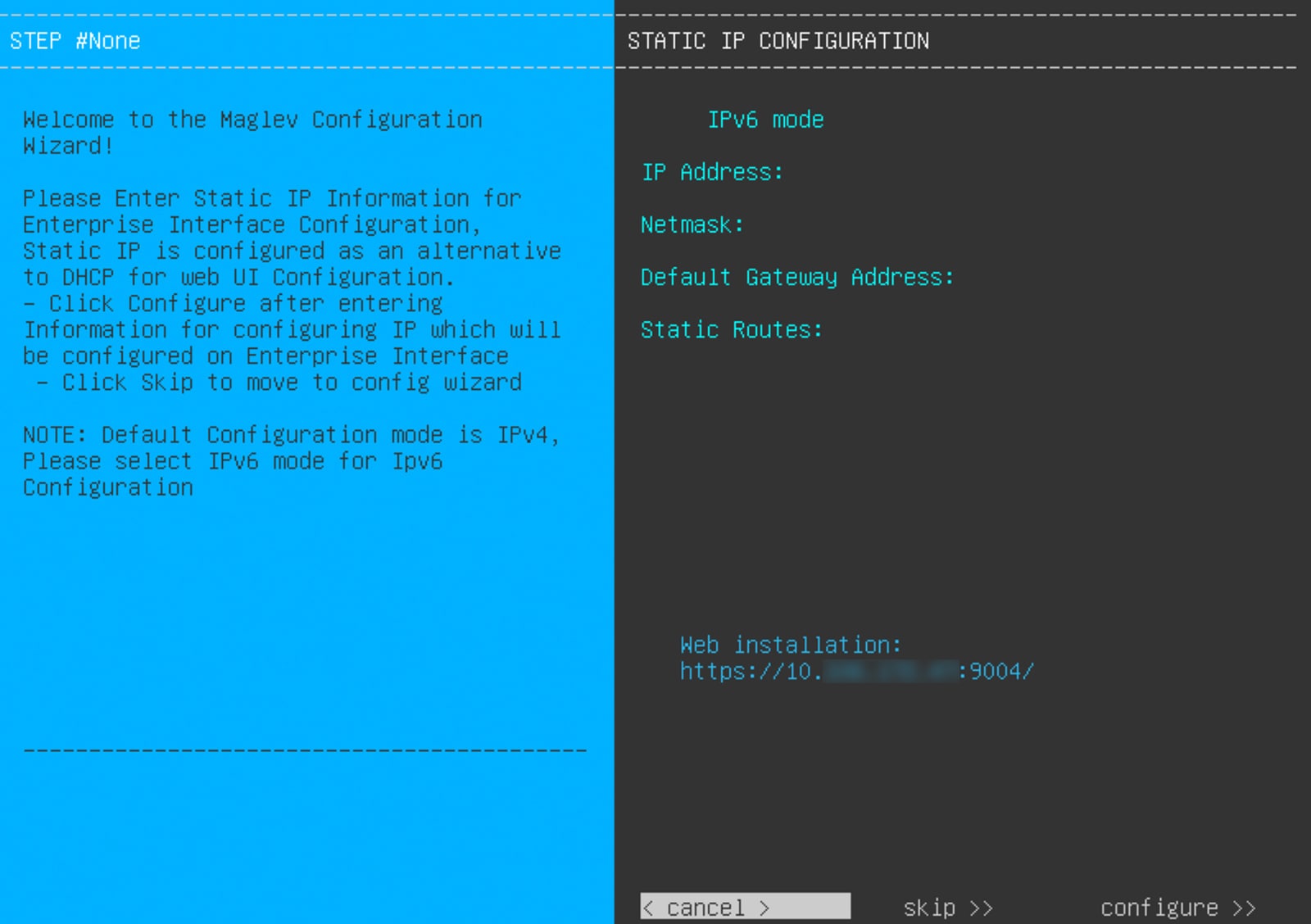
    After reboot messages appear, the KVM console displays the Static IP Configuration screen.

    The KVM console displays the Static IP Configuration screen with the Skip and Configure options in the bottom-right corner.

    Remember the URL listed in the Web Installation field.

  4. Do one of these tasks:

    • If you want a DHCP server to assign an IP address, subnet mask, and default gateway to your appliance's enterprise interface, click Skip.

    • If you want to assign your own IP address, subnet mask, and default gateway to your appliance's enterprise interface, enter the information described in this table and then click Configure.

    Note

    You only need to specify an IP address, subnet mask, and default gateway for your appliance's enterprise interface.

    IPv6 mode check box

    If you want to configure an IPv6 address, check this check box.

    IP Address field

    Enter the static IP address you want to use.

    Netmask field

    Enter the netmask for the IP address you specified in the previous field:

    • If you entered an IPv4 address, you can enter either a netmask or CIDR address.

    • If you entered an IPv6 address, you can only enter a CIDR address.

    Default Gateway Address field

    Specify the default gateway that will be used to route traffic.

    Static Routes field

    Enter one or more static routes in this format, separated by spaces: <network>/<netmask>/<gateway>. This is usually required on the Management port only.

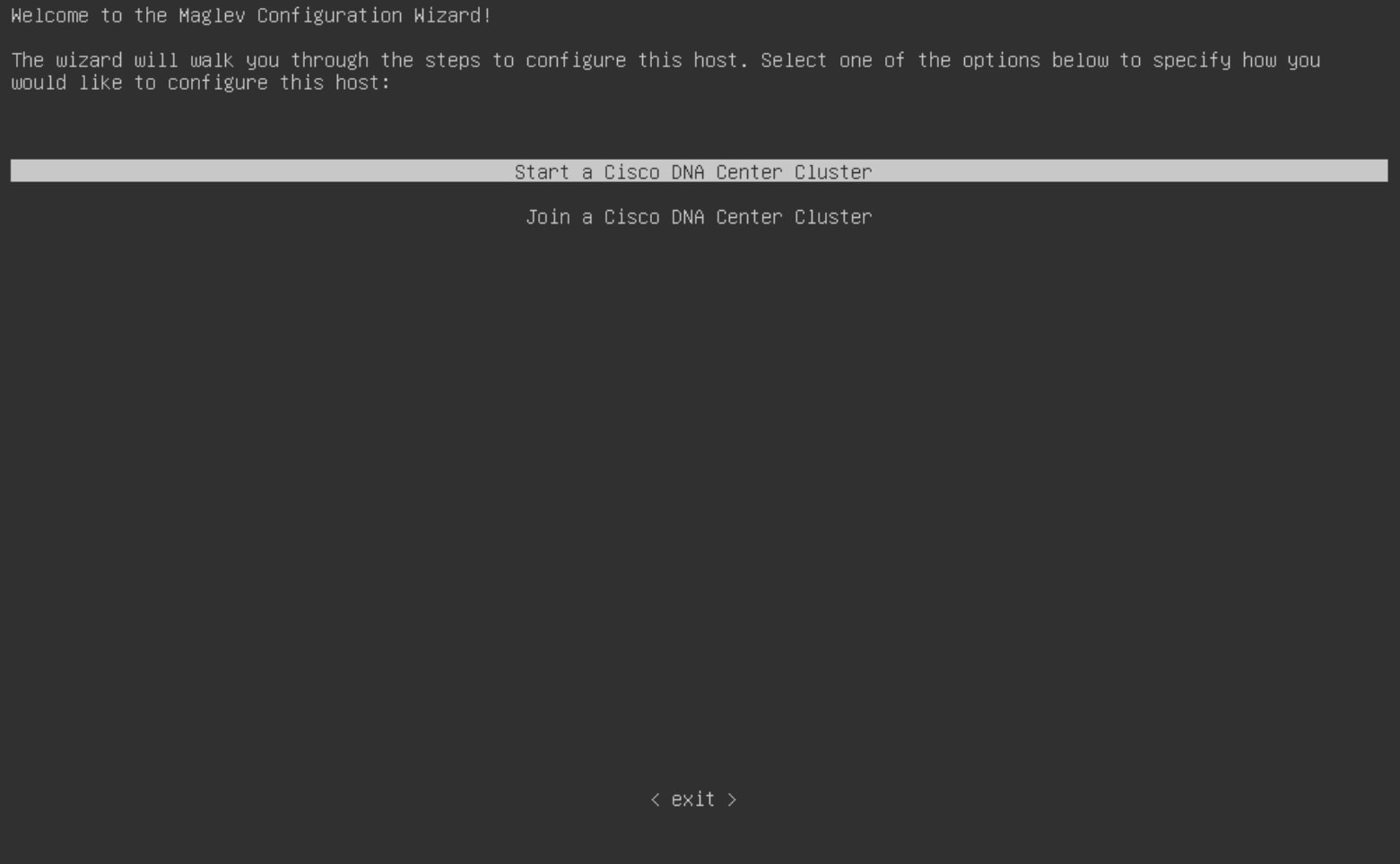
    The KVM console displays the Maglev Configuration wizard welcome screen.

    The Maglev Configuration wizard displays two Cisco DNA Center cluster options for how you would like to configure the node.
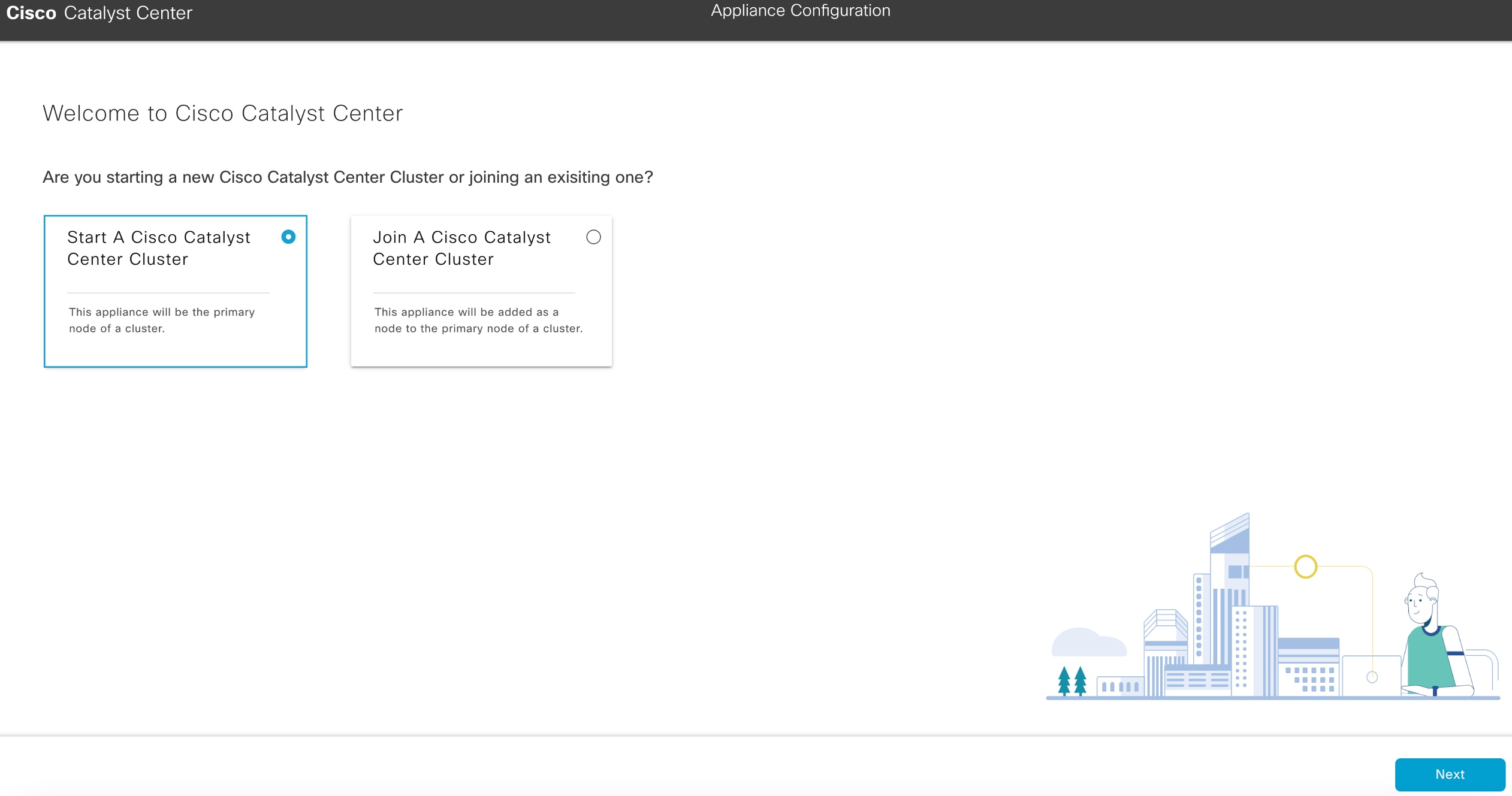
  5. To bring up the Appliance Configuration screen, open the URL that was displayed in the Static IP Configuration screen.

  6. Click the Start a Cisco Catalyst Center Cluster radio button, then click Next.

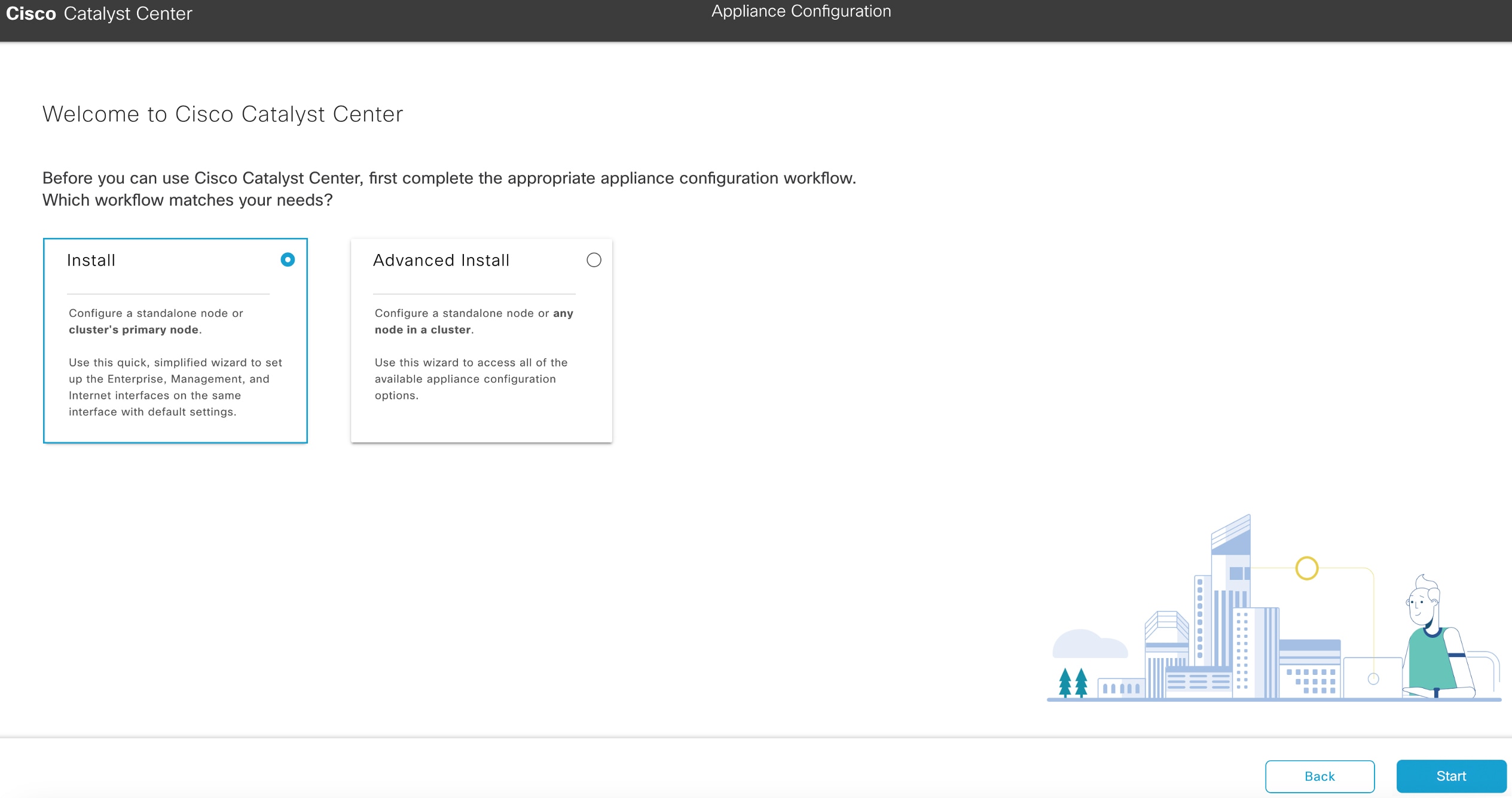
    The Appliance Configuration screen displays two appliance configuration workflow options.
  7. Click the Install radio button, then click Start.

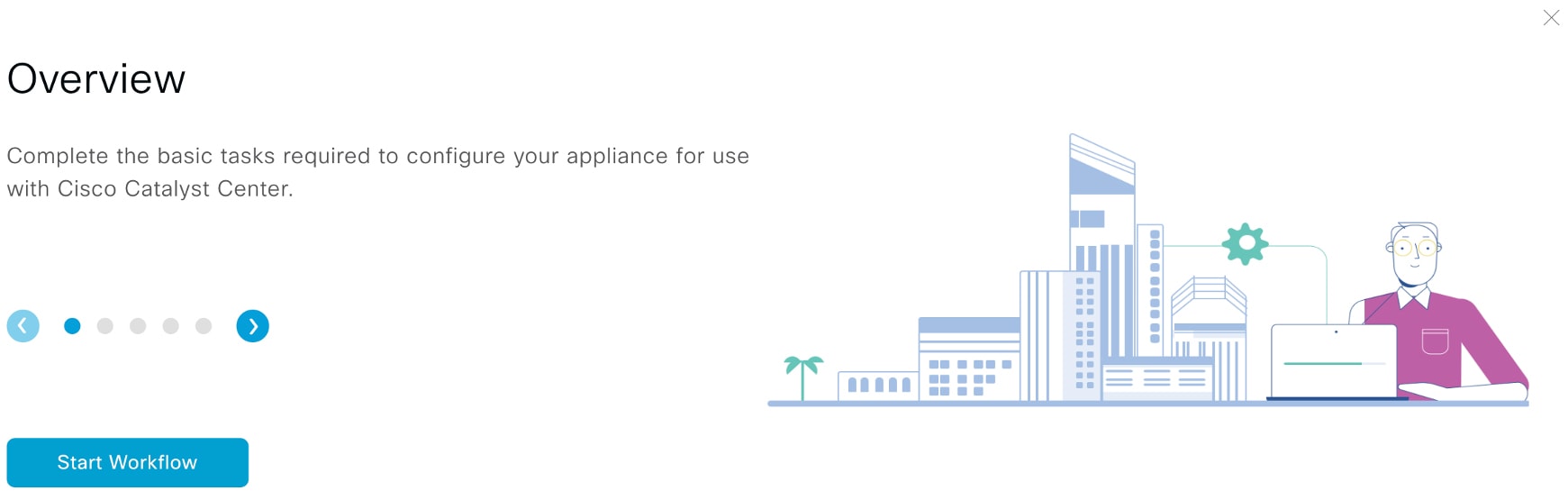
    The Overview slider opens. Click > to view a summary of the tasks that the wizard will help you complete.

    The Overview slider displays a summary of the workflow with the Start Workflow button in the bottom-left corner.
  8. Click Start Workflow to start the wizard.

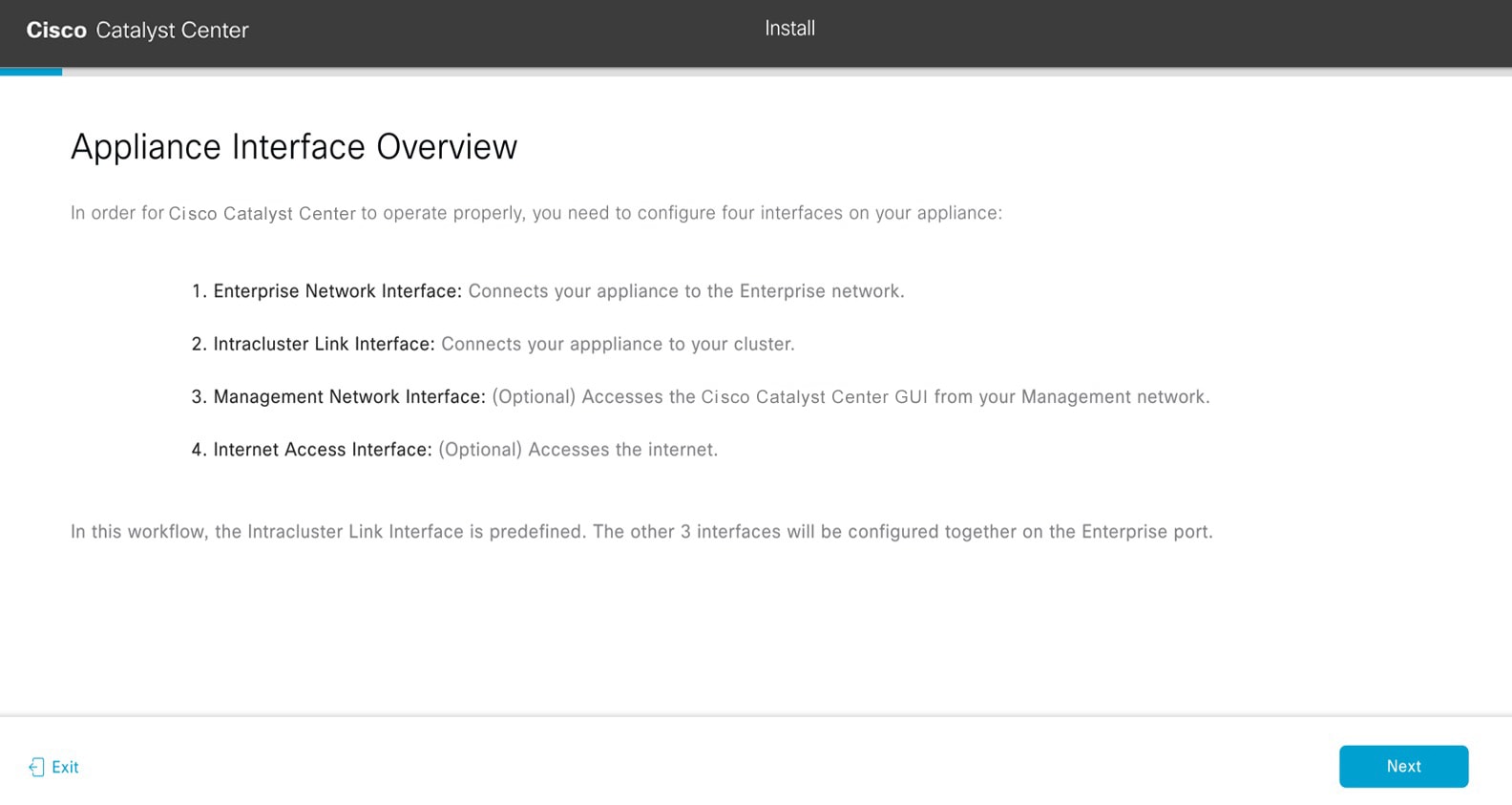
    The Appliance Interface Overview screen opens, providing a description of the four interfaces that are available on your Catalyst Center appliance.

    The Appliance Interface Overview screen summarizes the four configurable interfaces on your appliance.

    The wizard helps you configure the enterprise and cluster ports, which are required for Catalyst Center functionality. If the wizard fails to display either or both of these ports in the next screen, they may be non-functional or disabled. If you discover that they are non-functional, click Exit to exit the wizard immediately. Ensure you have completed all of the steps provided in Execute preconfiguration tasks before resuming configuration or contacting the Cisco Technical Assistance Center (TAC).

2.

Complete the Install configuration wizard:

  1. Click Next.

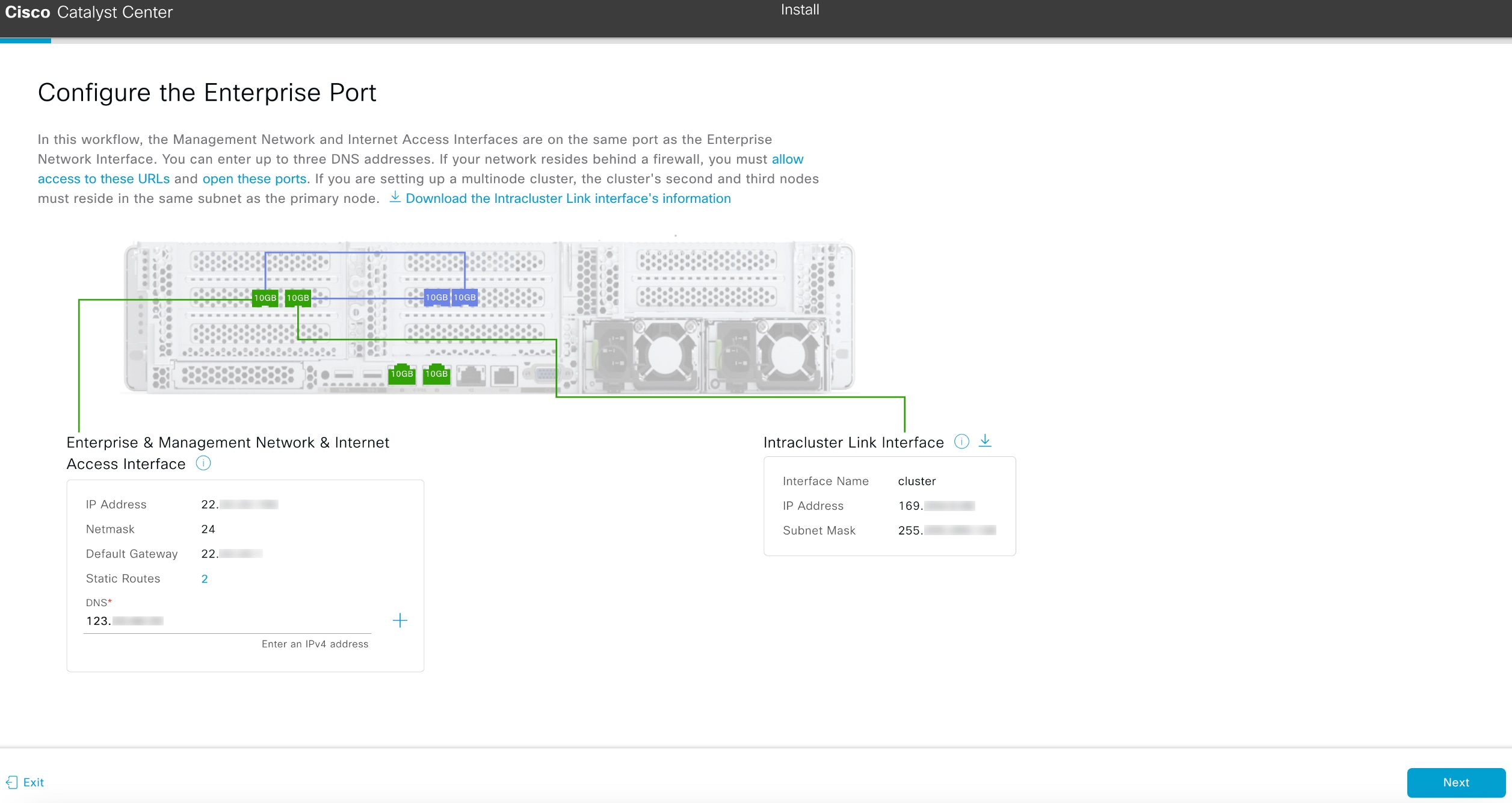
    The Configure The Enterprise Port screen opens.

    The Configure the Enterprise Port screen displays the step to set up the Enterprise, Management, and Internet Access interfaces on the Enterprise port.

    The configuration wizard sets up the enterprise, management, and Internet access interfaces on the enterprise port. The wizard also prepopulates values for almost all of the listed parameters.

    If your network is behind a firewall, do these steps:

    1. Click the allow access to these URLs link to view a pop-up window that lists the URLs that Catalyst Center must be able to access.

    2. Click the open these ports link to view a pop-up window that lists the network service ports that must be available for Catalyst Center to use.

  2. In the DNS field, enter the IP address of the preferred DNS server.

    To enter additional DNS servers, click the Add (+) icon.

    • For each node in your cluster, configure a maximum of three DNS servers. Problems can occur if you configure more than three DNS servers for an appliance.

    • For NTP, ensure port 123 (UDP) is open between Catalyst Center and your NTP server.

  3. Click Next.

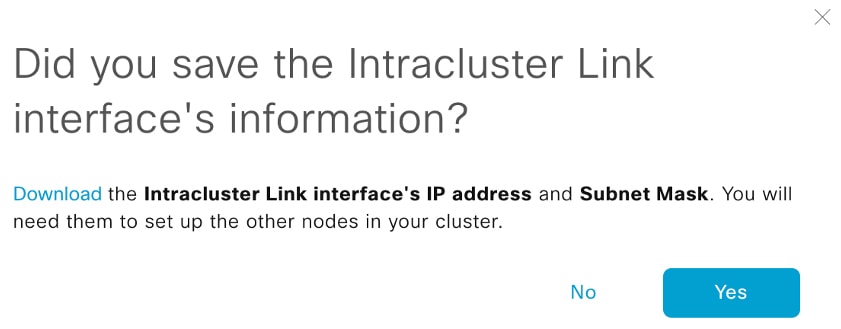
  4. When prompted, click Yes to copy the Intracluster interface's IP address and subnet mask.

    You'll need this information when you configure your cluster's secondary nodes.

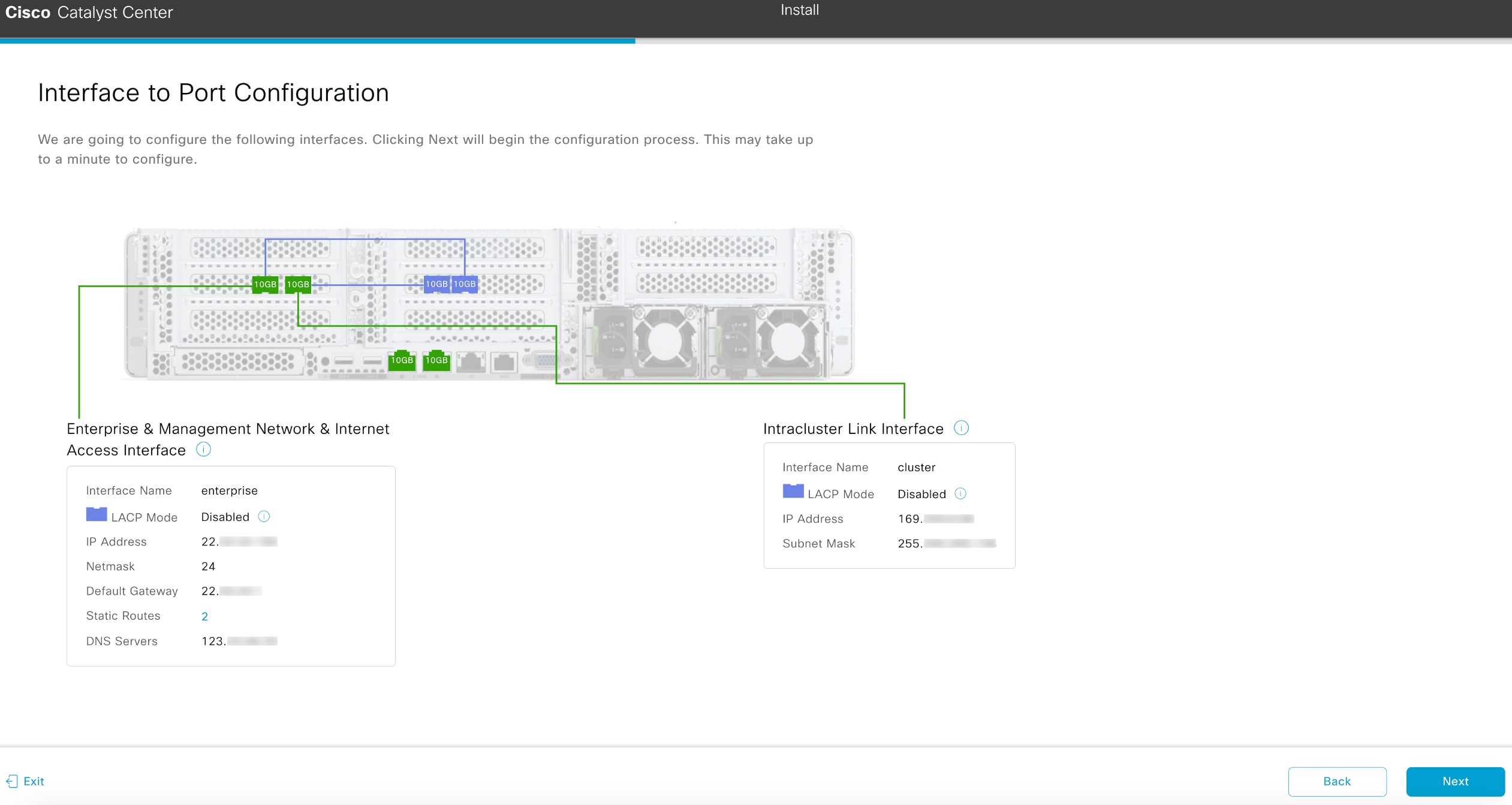
    The wizard validates the information you have entered, confirms that the port is up, and notifies you of any settings that need to be changed before you can continue with the wizard. If the settings you have entered are valid and the port is up, the wizard's Interface to Port Configuration screen opens.

    The Interface to Port Configuration screen displays the step to review the interface settings and then configure the interfaces.
  5. Click Next.

  6. Review the interface settings that have been set, then click Configure.

  7. After the initial interface configuration has completed, click Next to continue to the next wizard screen.

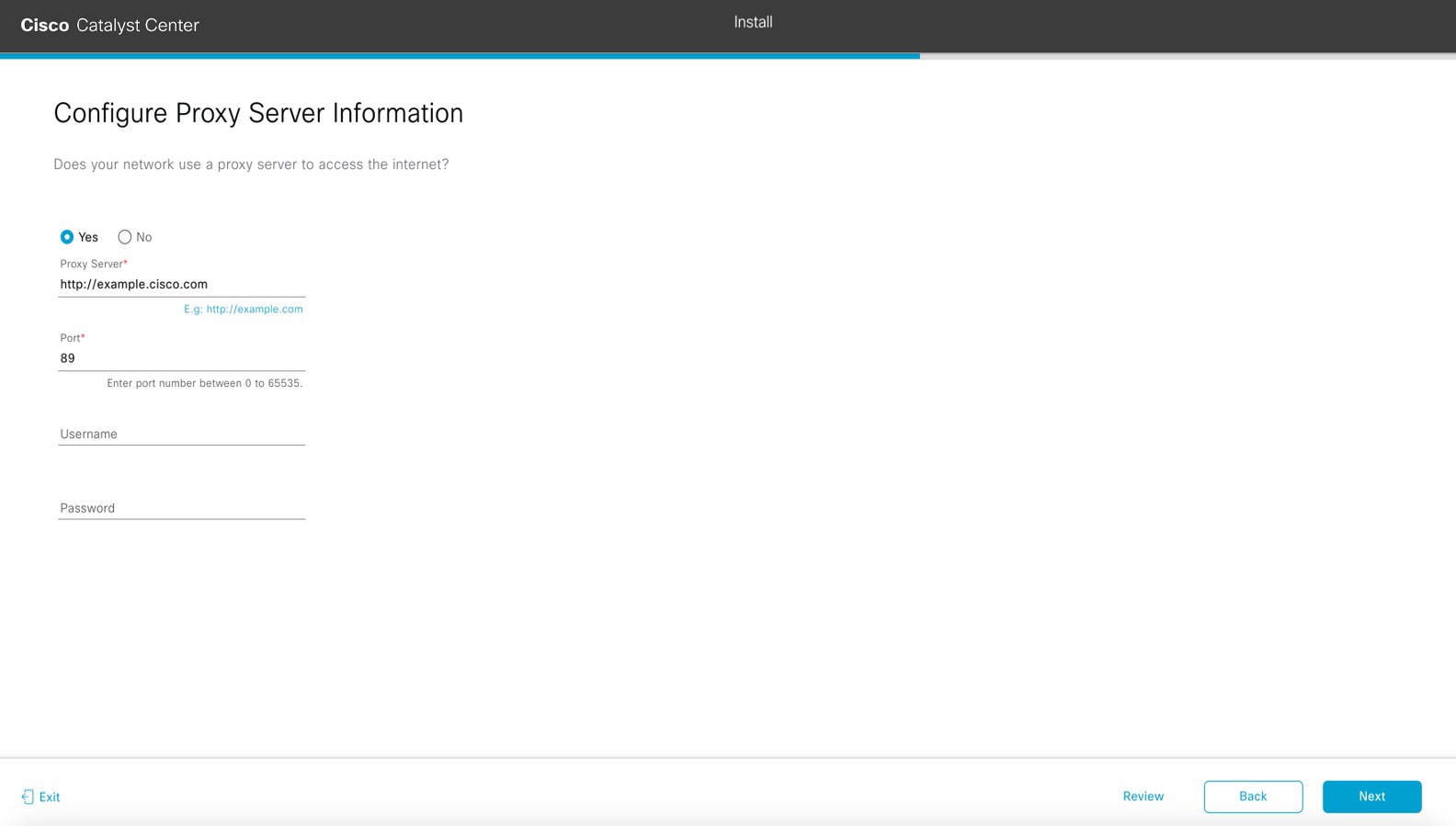
    The Configure Proxy Server Information screen opens.

    The Configure Proxy Server Information screen displays the step to choose if you want your network to use a proxy server to access the internet.
  8. Do one of these tasks, then click Next:

    • If your network does not use a proxy server to access the internet, click the No radio button.

    • If your network does use a proxy server to access the internet, enter the values described in this able:

    Table 1. Primary node entries for proxy server settings

    Proxy Server field

    Enter the URL or host name of an HTTPS network proxy used to access the Internet.

    Note
    Connection from Catalyst Center to the HTTPS proxy is supported only via HTTP in this release.

    Port field

    Enter the port your appliance used to access the network proxy.

    Username field

    Enter the user name used to access the network proxy. If a proxy login is not required, leave this field blank.

    Password field

    Enter the password used to access the network proxy. If no proxy login is required, leave this field blank.

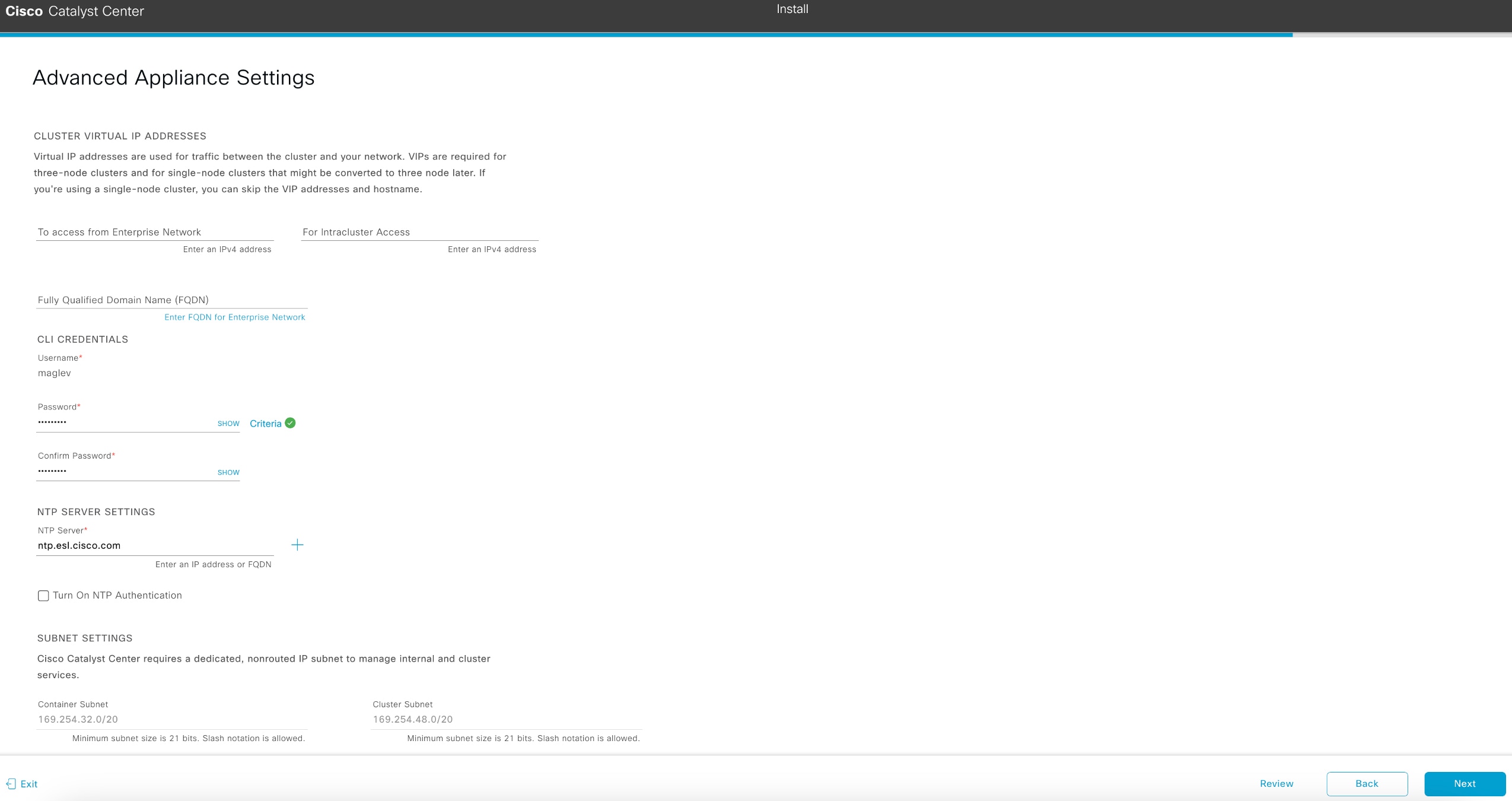
    The wizard validates the information you have entered and notifies you of any settings that need to be changed before you can continue with the wizard. If the settings you have entered are valid, the wizard's Advanced Appliance Settings screen opens.

  9. Enter configuration values for your cluster, then click Next.

    Table 2. Primary node entries for advanced appliance settings

    Cluster virtual IP addresses

    To access from Enterprise Network and For Intracluster Access fields

    Enter the virtual IP address that will be used for traffic between the cluster and both the Enterprise and Intracluster interfaces on your appliance. This is required for single-node clusters that will be converted into a three-node cluster in the future. If you have a single-node cluster setup and don't plan to move to a three-node cluster setup, you can leave the fields in this section blank.

    If you select to configure a virtual IP address, you must enter one for each configured network interface. You will not be able to complete the wizard unless you do so. These addresses are tied to the cluster link's status, which must be in the UP state.

    Fully Qualified Domain Name (FQDN) field

    Enter the fully qualified domain name (FQDN) for your cluster. Catalyst Center does these tasks with this hostname:

    • It uses this hostname to access your cluster’s web interface and the Representational State Transfer (REST) APIs used by devices in the enterprise network that Catalyst Center manages.

    • In the Subject Alternative Name (SAN) field of Catalyst Center certificates, it uses the FQDN to the define the Plug and Play server that should be used for device provisioning.

    CLI credentials

    Enter and confirm the password for the maglev user.

    Ensure that this password complies with the Password requirements.

    NTP server settings

    NTP Server field

    Enter at least one NTP server address or hostname. To enter additional NTP server addresses or hostnames, click the Add (+) icon.

    For a production deployment, Cisco recommends that you configure a minimum of three NTP servers.

    Turn On NTP Authentication check box

    To enable the authentication of your NTP server before it's synchronized with Catalyst Center, check this check box and then enter this information:

    • The NTP server's key ID. Valid values range between 1 and 4294967295 (2^32-1).

      This value corresponds to the key ID that's defined in the NTP server's key file.

    • The SHA-1 key value associated with the NTP server's key ID. This 40-character hex string resides in the NTP server's key file.

    Note

    Ensure that you enter a key ID and key value for each NTP server that you configured in the previous field.

    Subnet settings

    Container Subnet field

    A dedicated, non-routed IP subnet that Catalyst Center uses to manage internal services. By default, this is already set to 169.254.32.0/20, and we recommend that you use this subnet.

    Cluster Subnet field

    A dedicated, non-routed IP subnet that Catalyst Center uses to manage internal cluster services. By default, this is already set to 169.254.48.0/20, and we recommend that you use this subnet.

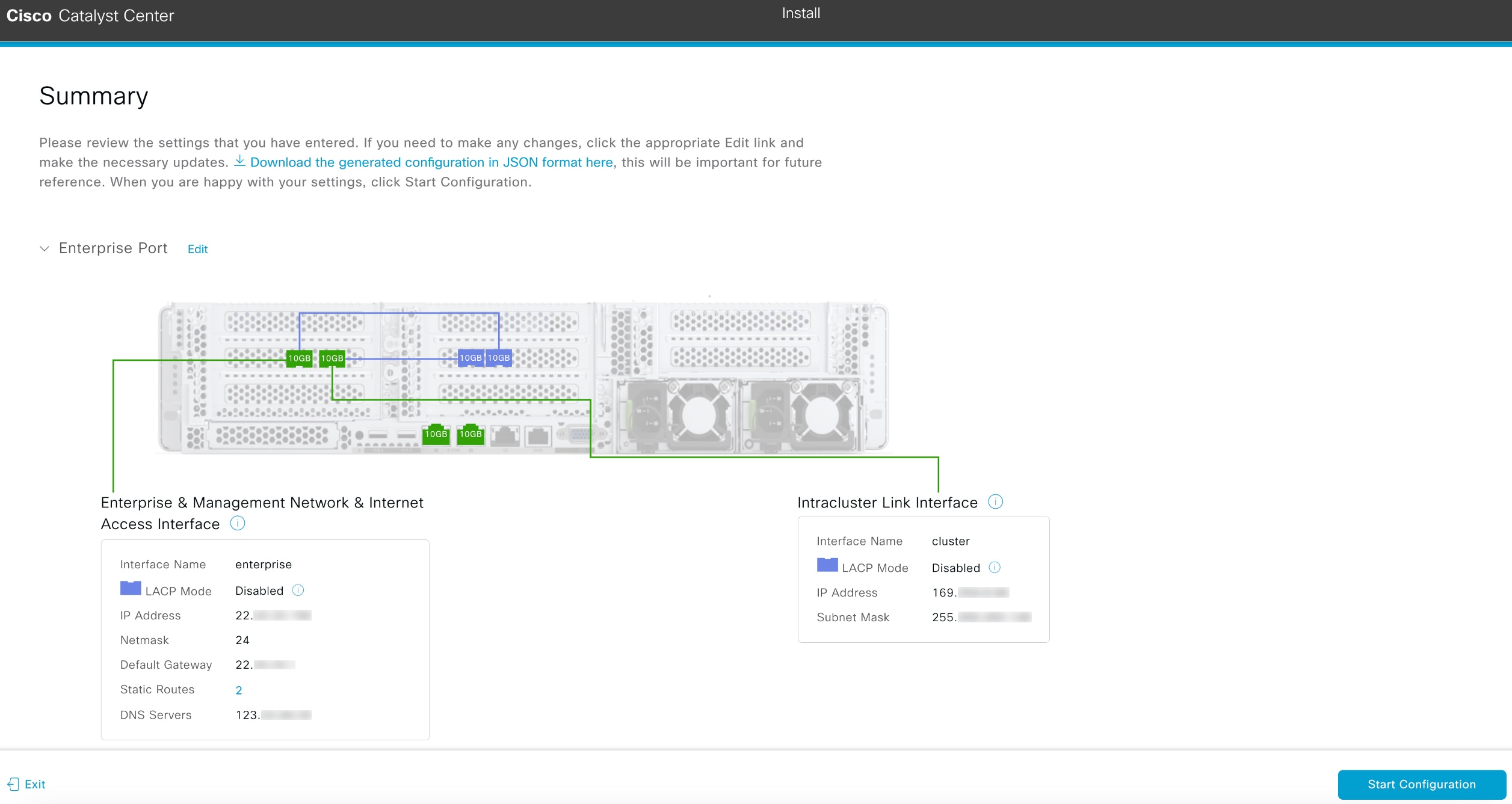
    The wizard validates the information you have entered and notifies you of any settings that need to be changed before you can continue with the wizard. If the settings you entered are valid, the wizard's Summary screen opens.

    The Summary screen displays the step to review the entered settings before starting your appliance configuration.
  10. Scroll to the bottom of the screen and review all of the settings that you have entered while completing the wizard. If necessary, click the Edit link to open the wizard screen in which you can make updates.

    Note

    To download the appliance configuration as a JSON file, click the relevant link.

  11. To complete the configuration of your Catalyst Center appliance, click Start Configuration.

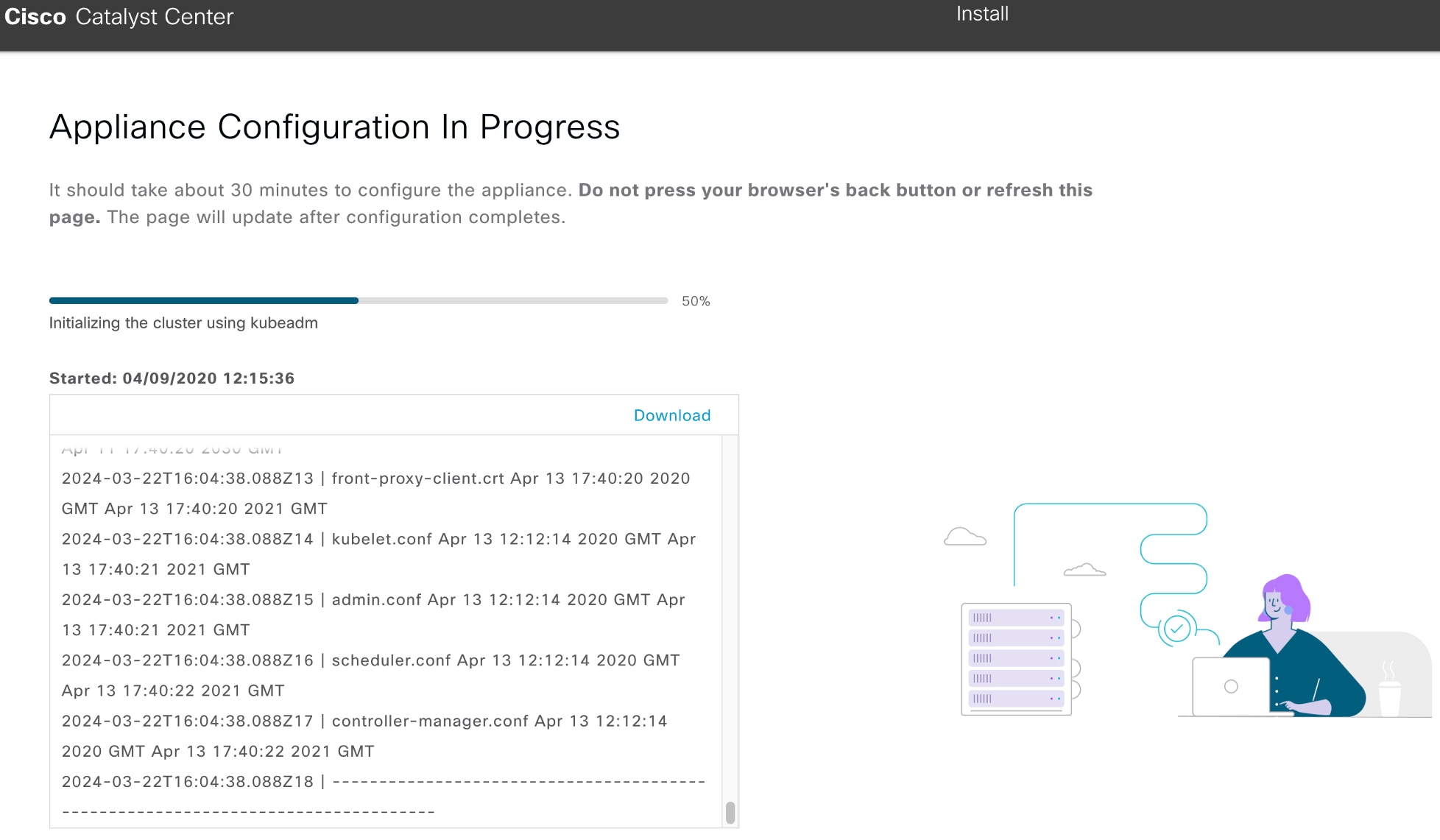
    The wizard screen continuously updates during the process, indicating the tasks that are currently being completed and their progress, as well as any errors that have occurred. To save a local copy of this information as a text file, click the Download link.

    The Appliance Configuration In Progress screen informs you how long the configuration should take and displays a progress bar.
3.

After you complete the appliance configuration, click the copy icon in the Cisco Catalyst Center - Admin Credential area to copy the default admin superuser password.
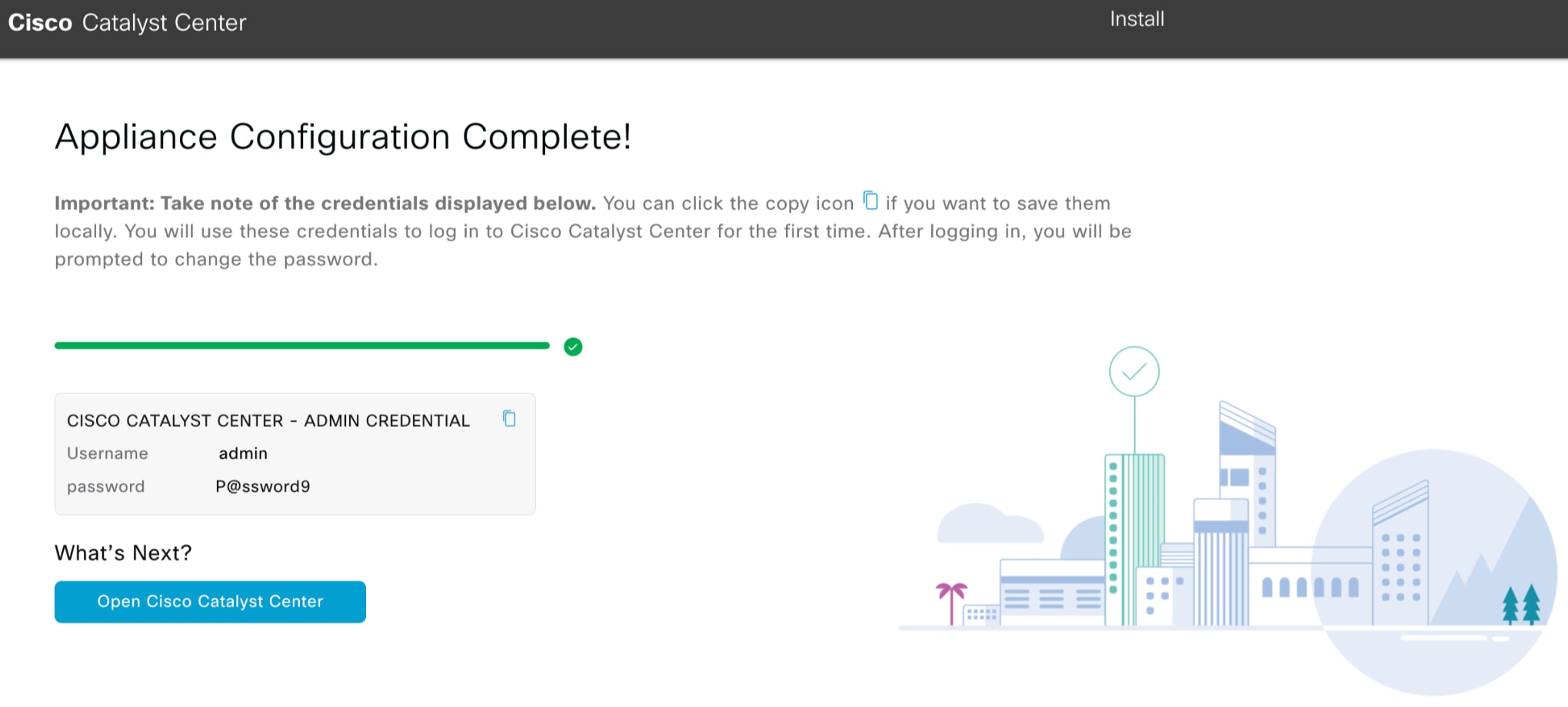
Catalyst Center automatically sets this password to P@ssword9 when you complete the Install configuration wizard. Use this password to log in to Catalyst Center for the first time.

Note

As a security measure, you'll be prompted to change this password after you log in. For more information, see Log in to Catalyst Center for the first time.

What to do next

As you are deploying this appliance in Standalone mode, complete the first-time setup: First-time setup workflow.