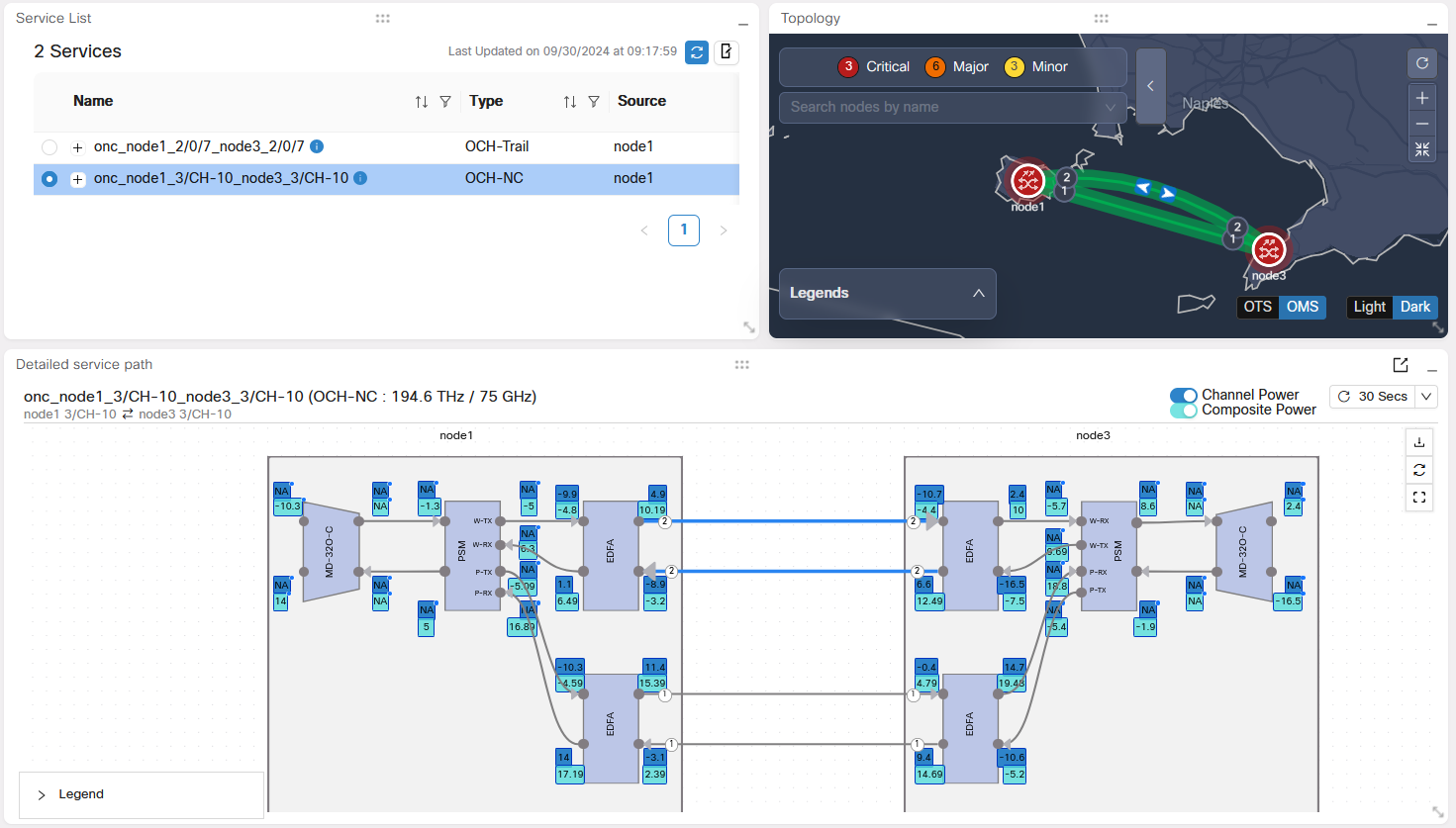
This section explains PSM OMS protection, including protection behavior and supported topology conditions. Use it to understand how Cisco Optical Network Controller represents protected PSM fiber paths.
PSM OMS protection is a Cisco Optical Network Controller capability that
-
supports the related optical network management workflow,
-
provides context for configuration, monitoring, or troubleshooting tasks, and
-
helps operators understand how the feature behaves before they use it.
PSM OMS protection details
Protection Switching Module (PSM) is a Cisco Optical Network Controller feature that protects the Optical Multiplex Section (OMS) segment in the optical network. It ensures the continuity of signal transmission by automatically switching circuit paths in case of any fiber cut.
Cisco Optical Network Controller supports only brownfield network.
Cisco Optical Network Controller does not support greenfield networks. From Cisco Optical Network Controller, you cannot create new PSM services.
PSM module is supported by Cisco Optical Network Controller only on the NCS 1001 chassis.
NCS 1001 is supported only if it is managed by a COSM instance running over a NCS 1014 chassis.
Configuration in PSM Circuits
PSM supports two-way configurations and can be manually configured. Out of the two paths one will be active and the other will be a standby path. Whenever the active path fails due to fiber cut then the standby path is used for receiving the signal. This is because both the active and standby paths are always used in the TX direction for transmitting the signal, but only one of them can be used to receive the signal at a time.
PSM supports both automatic and manual path switching. Once you cross launch to COSM, there is also a manual switch option provided there for you to select any path and use it as the active path in the PSM circuit.
Benefits of PSM
The benefits of using PSM are:
-
Enhanced network reliability and protection through PSM OMS protection.
-
Improved network management and monitoring with clear visualization of active and standby paths in the circuits.
-
Flexibility in network design with support for various connection scenarios for PSM.
-
Comprehensive event logging and user-driven OAM for better operational control. See Configuration Guide for Cisco NCS 1001.
-
Being multiplexer-agnostic ensures compatibility with various network components.
Protection switching in optical circuits with NCS 1010 ILA modules between NCS 1010 OLT nodes.
Additional PSM functions
PSM generates alarms and performs automatic path switching with minimal data loss. PSM is integral to circuit creation and can be deployed in any network segment for protection. Additionally, it includes features for monitoring channel power and composite power.
PSM Circuit in Service Manager
In the Service Manager application, the PSM circuit is created like any other circuit using the Provision Circuit option. Once the PSM circuit is installed and it appears in the Services screen it can be visualized in the Service Assurance and the Workspace applications.
Limitations of PSM OMS protection
-
Cisco Optical Network Controller does not support 3-way PSM Protection switching.
-
The W-RX and P-RX thresholds for the NCS 1001 PSM must be set carefully based on the number of channels. If the number of channels is lower, a significant power drop from one channel going off may cause the PSM to switch, leading to traffic hits on other channels. See Configuration Guide for Cisco NCS 1001
-
Cisco Optical Network Controller does not display the Reason for switchover.
-
Cisco Optical Network Controller supports only configurations with amplifiers positioned after the PSM module. OMS protection is not supported.
-
You must perform a resync if you onboard devices, add or modify IPCs, or add or remove degrees to the network after onboarding the PSM.
-
If the same network is being managed by two separate active Cisco Optical Network Controller instances, the same connection service, either a discovered service in both instances, or a service provisioned in one and discovered in the other, must be deleted on both instances for all types of connection services.