This section provides details about user access, including roles, permissions, access settings, system information, and security options. Use it to understand how Cisco Optical Network Controller manages authentication and authorization.
Use this reference to understand user access in Cisco Optical Network Controller.
Details about user access in Cisco Optical Network Controller.
Users, roles, and permissions
Users, roles, and permissions include:
-
Cisco Optical Network Controller allows you to manage user access and permissions. It adds an additional layer of security. It works as a Single Authentication Agent, thus sharing local, Lightweight Directory Access Protocol (LDAP) and Security Assertion Markup Language (SAML) users. The Single Authentication Agent simplifies user management and provides a unified login experience across different authentication sources.
-
Cisco Optical Network Controller provides different permission levels for user access. See Set up Permission Mapping . To allow access to Cisco Optical Network Controller to a larger group of regular users, set the user authentication through LDAP or SAML Single Sign-On (SSO) protocols. You can use both protocols simultaneously, depending on your environment.
|
User role |
Permission |
Access level |
|---|---|---|
|
Admin |
permission/admin |
has no restrictions |
|
Supervisor |
permission/supervisor |
has similar permission as admin but with restrictions on user management and log checks |
|
Read-only |
permission/readonly |
can check data, but cannot provision. |
|
Internal |
permission/internal |
collects debug logs in case of any triage or troubleshooting.
|
Access settings
Access settings include:
-
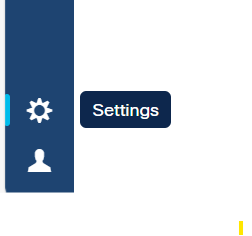
The settings button is available on the left navigation bar of Cisco Optical Network Controller.
-
After clicking Settings you see the settings panel.

System info
The System Info section has the information about the latest versions of Cisco Optical Network Controller and the related microservices.
Security
Security includes:
-
The Security section is for access management and offers several options.
-
Local Users : Display, create, and edit local users through the UI.
-
LDAP : Set LDAP settings for user authentication.
-
SAML SSO : Set SAML Single-Sign-On settings for user authentication.
-
Permission Mapping : Handle permission management through the Cisco Policy Management Tool.
-
Cisco Optical Network Controller does not allow the configuration of timeout and retry client parameters for LDAP and SAML SSO authentication. Instead, it automatically applies the default values to the timeout and retry settings.
Cisco Optical Network Controller does not allow the configuration of timeout and retry client parameters for LDAP and SAML SSO authentication. Instead, it automatically applies the default values to the timeout and retry settings.