Use this procedure to set up authentication using SAMLv2 SSO. The Security Assertion Markup Language (SAML) SSO allows you to gain single sign-on access based on the SAMLv2 protocol.
Use this procedure to set up authentication using SAML SAMLv2 SSO in Cisco Optical Network Controller. Complete this task when you need to configure, verify, or manage the related network operation.
The Security Assertion Markup Language (SAML) SSO allows you to gain single sign-on access based on the SAMLv2 protocol. Both local and external users can authenticate using SSO user credentials if their accounts are mapped.
Follow these instructions to set up SAML SSO authentication.
Before you begin
Ensure you have administrative user privileges to access Cisco Optical Network Controller.
To set up authentication using SAMLv2 SSO, ensure your SSO server is installed and configured for the application.
Follow these steps to set up authentication using SAML SAMLv2 SSO:
Procedure
-
From the Cisco Optical Network Controller UI click Settings and select SAML SSO.
Figure 1. SAML SSO 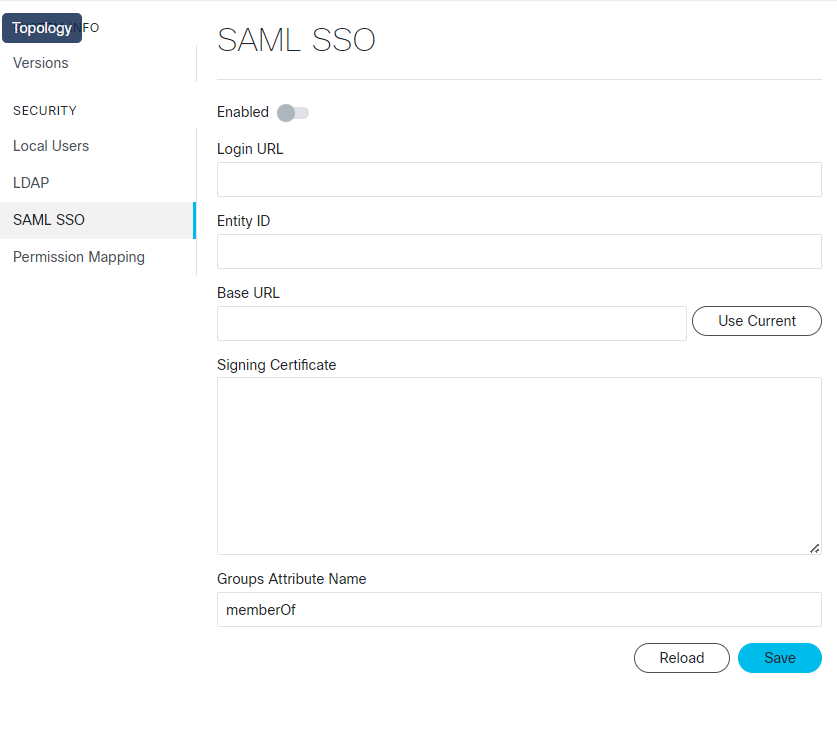
You successfully completed the SAMLv2 SSO authentication setup.