Cisco Secure Access for Government Help

PDF

Cisco Secure Access for Government Help

Manage Internet Security

Want to summarize with AI?

Log in

Describes managing internet security. You can configure DNS and web security in Cisco Secure Access for end users. User devices must have the Cisco Secure Client deployed with the Umbrella Roaming Security module or deploy a PAC file.


You can configure DNS and web security in Cisco Secure Access for end users. User devices must have the Cisco Secure Client deployed with the Umbrella Roaming Security module or deploy a PAC file.

Prerequisites

Before you begin, navigate to Connect > End User Connectivity > Internet Security.

Visibility of User Identities in Policy Rules

Copy the PAC file URL

  1. Copy the Secure Access PAC File URL. For more information about PAC files, see Manage PAC Files.
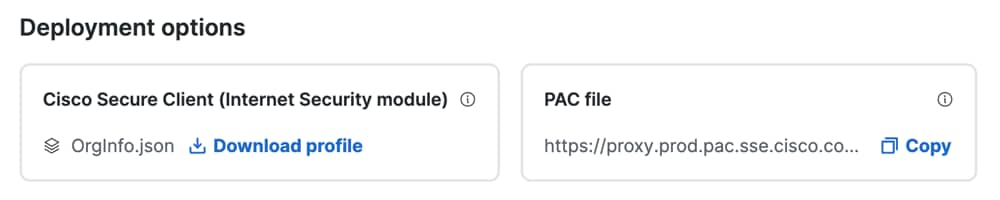
Page displaying deployment options

Download the OrgInfo.json File

  1. Download the Secure Access OrgInfo.json file to the user devices where you have deployed the Cisco Secure Client. For more information, see Download the OrgInfo.json File.
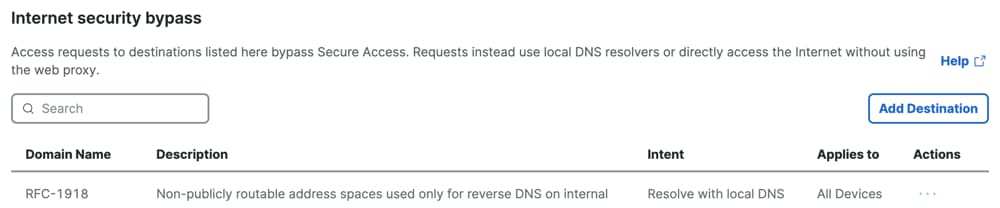
Manage Internet Security Bypass

You can configure Internet Security Bypass for web requests to destinations from end users in your organization. In Secure Access, add IP addresses, CIDR blocks, or domains for Internet Security Bypass.

Secure Access supports Internet Security Bypass for user devices with the Cisco Secure Client (formerly known as AnyConnect) and Umbrella Roaming Security module, or user devices with browsers that are configured with the Secure Access PAC file or a custom PAC file.

About Internet Security Bypass

Add destinations for Internet Security Bypass in Secure Access to either bypass the Secure Access DNS resolvers and Secure Web Gateway, or bypass the Secure Web Gateway only.

To bypass the Secure Access DNS resolvers and Secure Web Gateway, add the domains that are local to your organization or domains that should route to your organization's DNS resolvers only and not route to the Secure Access DNS servers. Your local DNS servers will resolve the DNS requests that are sent from end users in the organization. DNS requests for the destinations do not route to the Secure Access DNS servers and Secure Web Gateway.

To bypass the Secure Access Secure Web Gateway only, add destinations for trusted applications, applications that are not reachable through web proxies, or applications that end users can access only from specific public IP addresses. If you bypass the Secure Web Gateway only, the DNS requests from end users will be resolved by the Secure Access DNS servers.


Steer Traffic to Secure Access or Bypass Domains

Procedure

Add domains to your list of bypass domains. The domain names in the bypass domain list should not route to the Cisco Secure Access DNS resolvers, but instead route to your internal DNS servers. For more information, see Manage Domains.

Page displaying Internet Security Bypass options

Manage Cisco Secure Client Settings

You can configure settings for devices that have the Cisco Secure Client deployed with the Umbrella Roaming Security module.


Configure DNS and Web Security

Configure DNS and Web security settings for the Cisco Secure Client.

Procedure

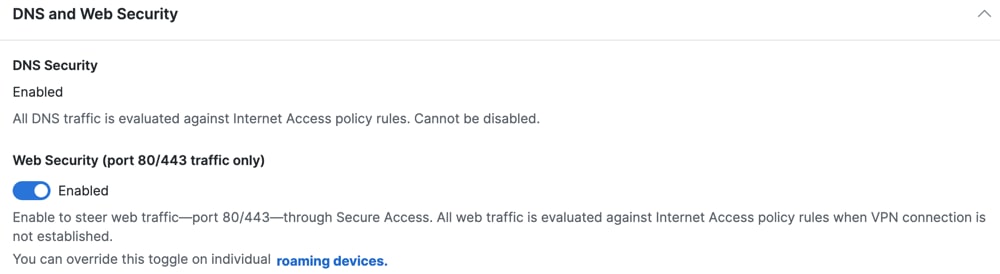
For Cisco Secure Client Settings, enable the Web Security (port 80/443 traffic only) toggle button.

What to do next

Note
The Secure Access DNS-layer security is always enabled on the Cisco Secure Client.

Page displaying DNS and Web Security options