Cisco Secure Access for Government Help

PDF

Cisco Secure Access for Government Help

Manage Identities

Want to summarize with AI?

Log in

Describes managing identities. To enable identity and be searchable in Secure Access, configure your Mobile Device Manager to share identity information. Identity can be any of the following based on what you choose to share with Secure Access:


To enable identity and be searchable in Secure Access, configure your Mobile Device Manager to share identity information. Identity can be any of the following based on what you choose to share with Secure Access:

  • User email address

  • Username

  • Device serial number

  • Any other unique device identifier

After you push the identities to Secure Access, they are listed in the Secure Access dashboard.
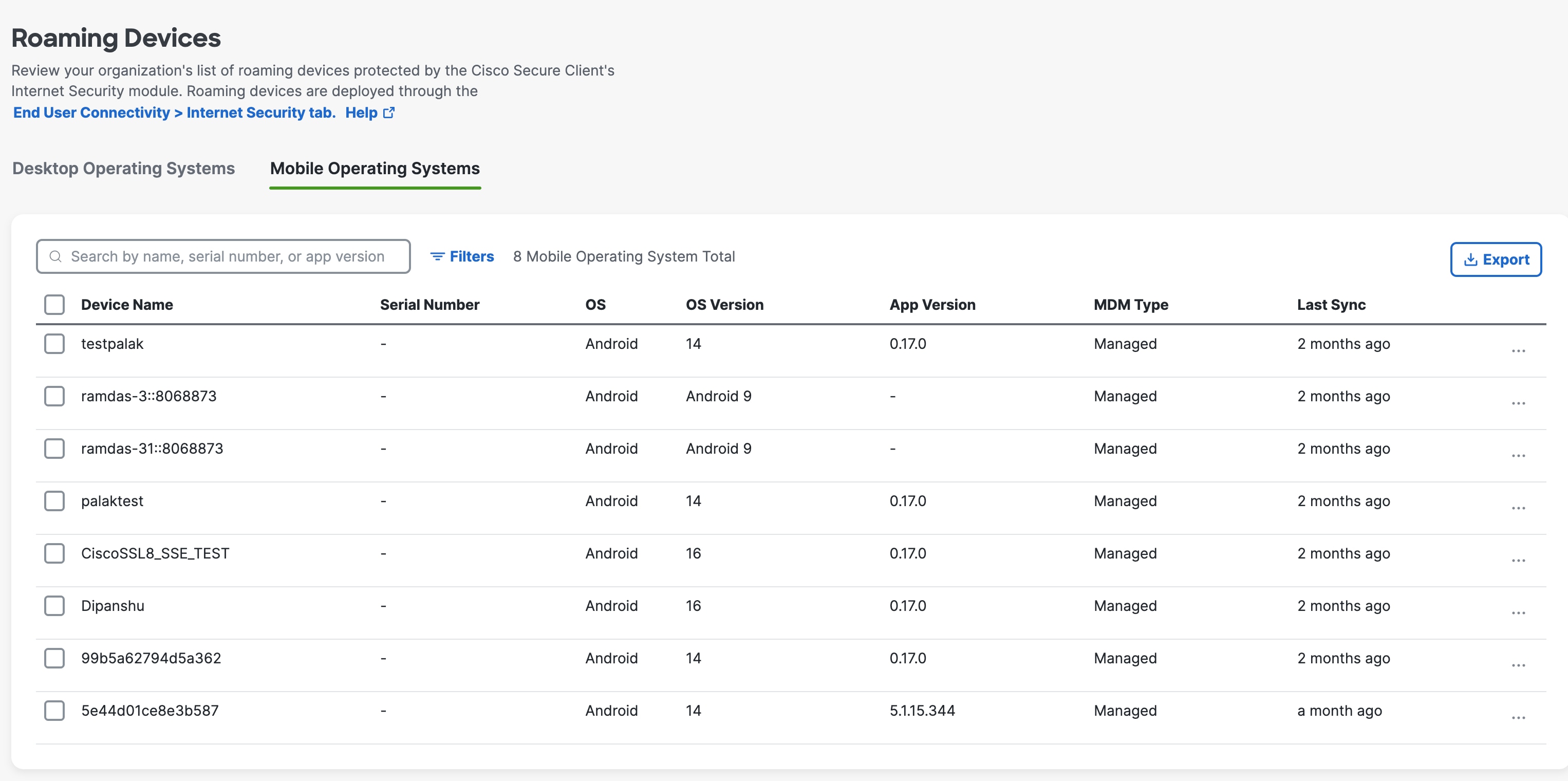
The Roaming Devices interface.

You can select user devices or use the user ID to search for them. To enable User Identities for Android clients, follow these steps.
Access User Identities on the Secure Access Dashboard

Configure Policy Based on User Identity

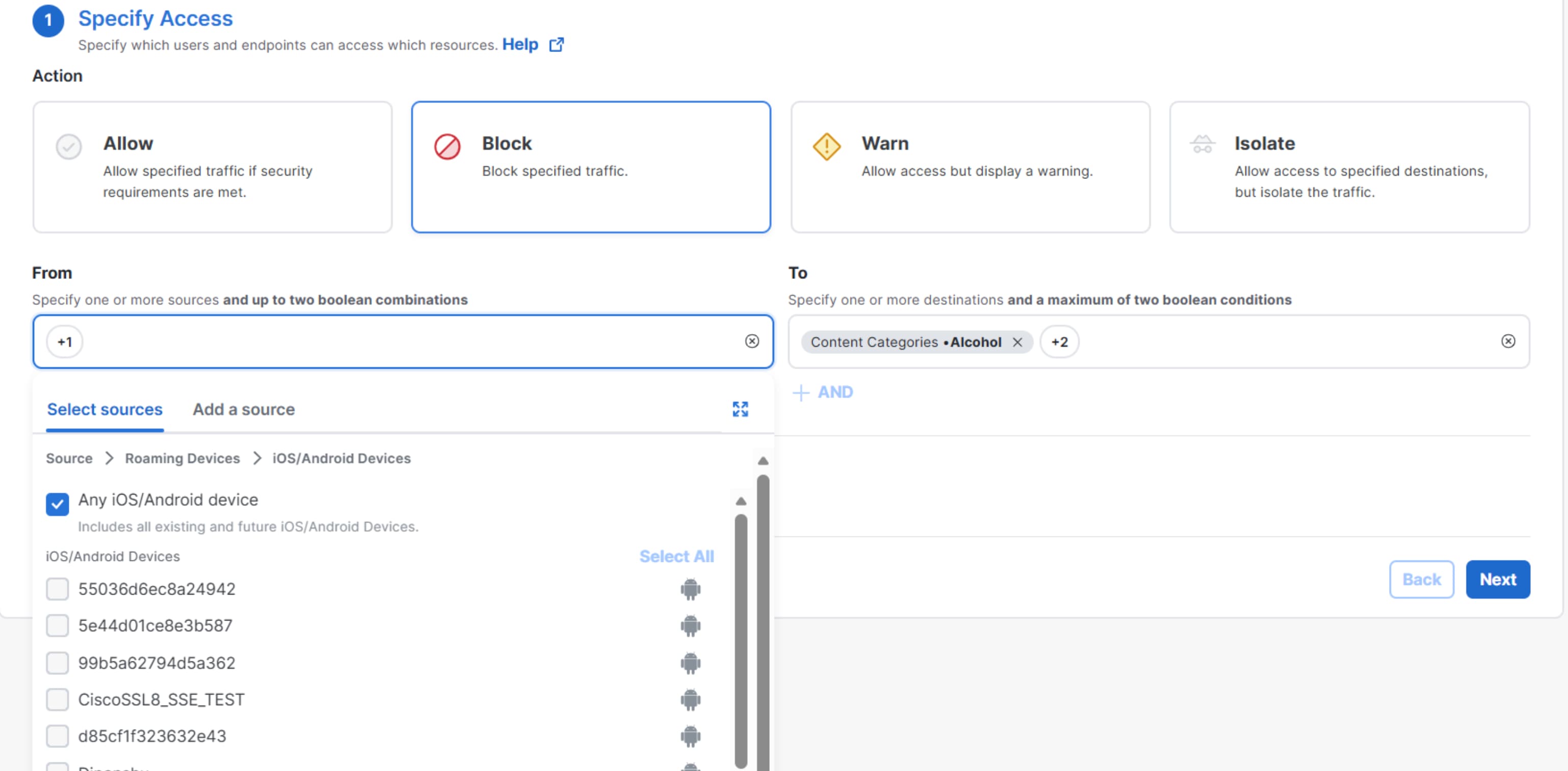
You can configure internet access rules based on user identities or specific mobile devices. The Specify Access page (Secure > Access Policy > Add Rule > Internet Access) allows you to select sources, such as roaming devices > Android devices, to include in your internet access rules.

The Specify Access page displays action options and source selection tabs for configuring internet access rules, including a hierarchy for roaming devices.

Monitor User Activity

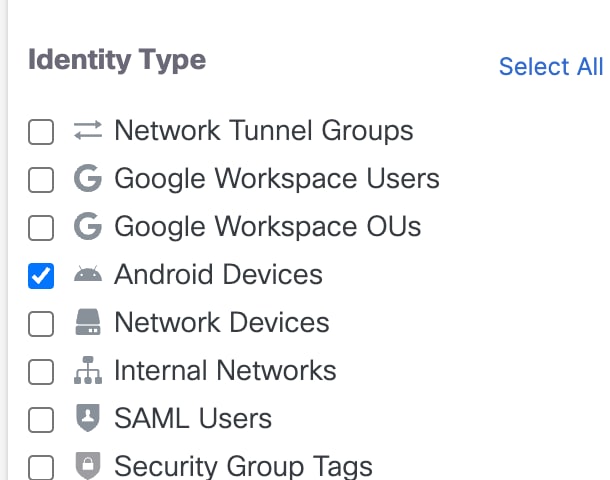
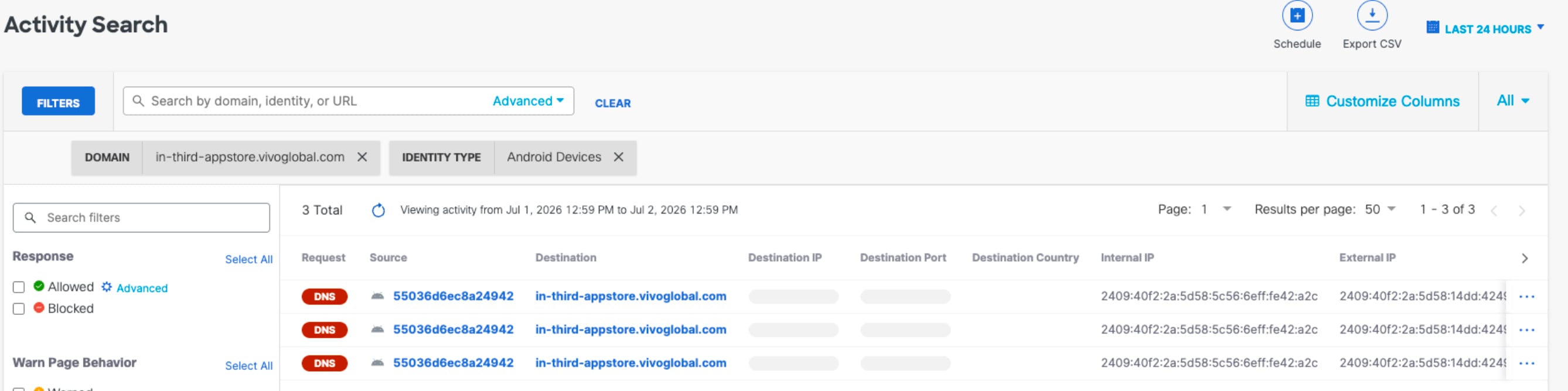
As users start using the mobile device, you can monitor user activity through the Activity Search report. You can filter logs for the Android devices by selecting Android Devices.

The Monitor by Identity Type interface.

You can see the user activity for the Allowed and Blocked.

The Activity Search Android 1 interface.