Cisco Secure Access for Government Help

PDF

Cisco Secure Access for Government Help

Manage DNS Servers

Want to summarize with AI?

Log in

Describes managing dns servers. Cisco Secure Access protects the DNS traffic in your organization. Add DNS servers to resolve DNS requests to internet resources.

Cisco Secure Access protects the DNS traffic in your organization. Add DNS servers to resolve DNS requests to internet resources.


Procedure

Add an IP address or address range for a DNS server. Your DNS traffic routes through the DNS servers managed by Secure Access.

Before you begin

Full Admin user role. For more information, see Manage Accounts.

Procedure

  1. Navigate to Connect > Remote User Connectivity and click Manage DNS Servers.


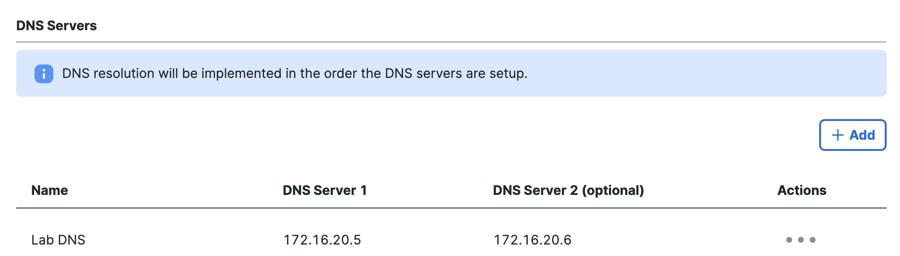
    The End User Connectivity DNS Servers interface.
  2. Click Add.

  3. Enter a label for DNS server in Name and for DNS Server 1 provide the IP address of the primary DNS server. If you have a secondary DNS server, add an IP address for DNS Server 2.

  4. Click Save and then click Close.


    The DNS Servers List interface.