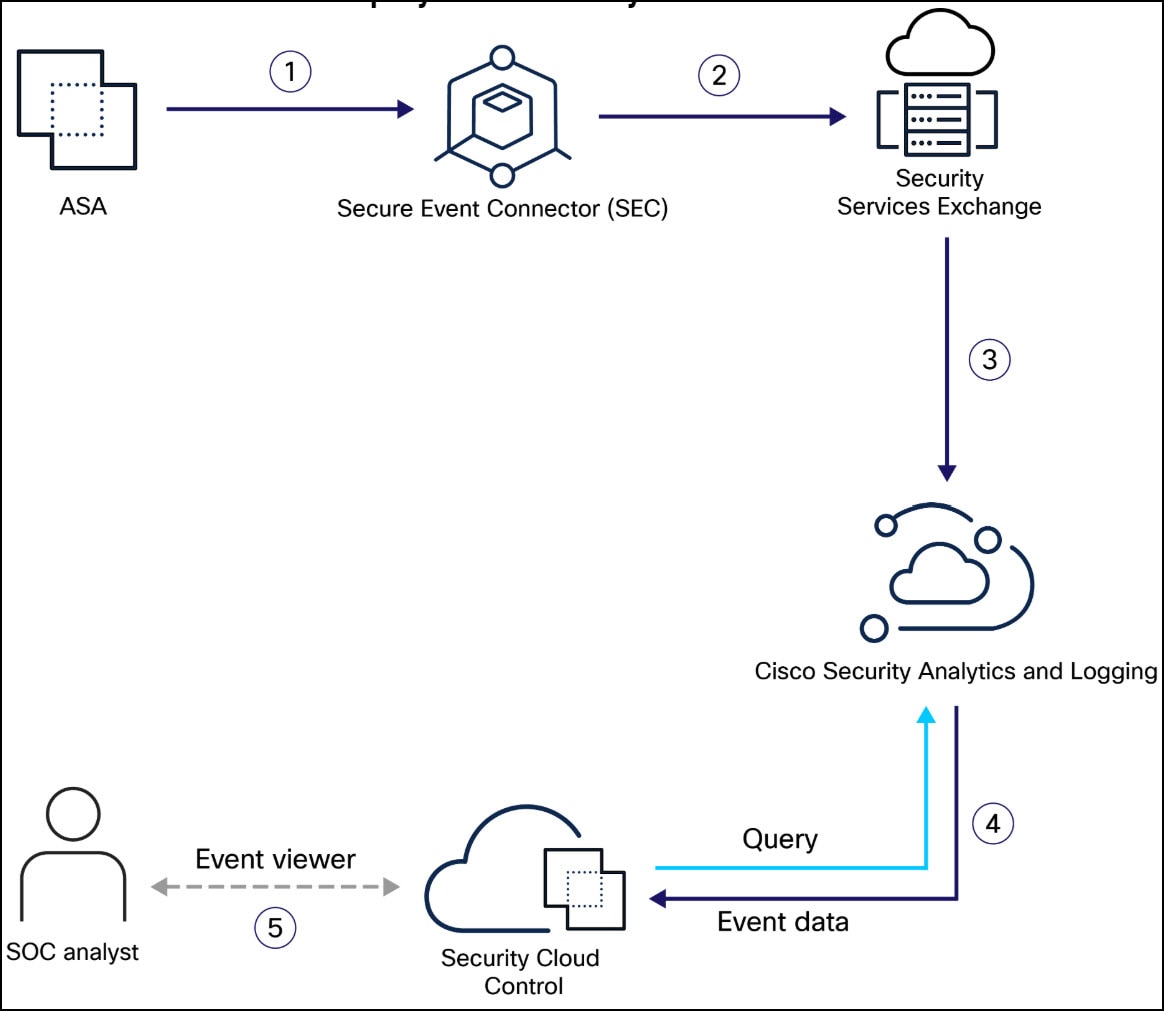
An overview of security analytics and logging (sal SaaS) for ASA, including event details, device status, reporting views, and follow-up actions.
Security Analytics and Logging (SaaS) allows you to capture all syslog events and Netflow Secure Event Logging (NSEL) from your ASA and view them in one place in Security Cloud Control .
The events are stored in the Cisco cloud and viewable from the Event Logging page in Security Cloud Control where you can filter and review them to gain a clear understanding of what security rules are triggering in your network. The Logging and Troubleshooting package gives you these capabilities.
Licensing
To configure this solution you need the following accounts and licenses:
-
Security Cloud Control : You must have a Security Cloud Control tenant.
-
Secure Device Connector : There is no separate license for a Secure Device Connector.
-
Secure Event Connector : There is no separate license for a Secure Event Connector.
-
Secure Logging Analytics (SaaS) : See Security Analytics and Logging licenses .
-
Adaptive Security Appliance (ASA) : Base license or higher.
Next step
Go to Implementing Secure Logging Analytics (SaaS) for ASA Devices
A Security Analytics and Logging is a service that captures syslog events and Netflow Secure Event Logging, stores events in the Cisco cloud, and provides filtering and review capabilities.
-
captures syslog events and Netflow Secure Event Logging
-
stores events in the Cisco cloud, and, and
-
provides filtering and review capabilities.