Explains how change log entries capture out-of-band changes detected on a Secure Firewall ASA, including accepted, reviewed, or rejected changes and the resulting conflict details in Security Cloud Control.
A change log entry after reading changes from an ASA is a record that
-
captures out-of-band changes detected on a Secure Firewall ASA device
-
includes accepted, reviewed, or rejected changes with resulting conflict details
-
records the time when the configuration conflict was detected.
Change log entry process and status messages
When Security Cloud Control detects a change on an ASA that it manages, it opens a change log entry and records the time when the configuration conflict was detected. You see this change log entry when Security Cloud Control detects a conflict:

If you accept the changes, or review and accept the changes, that change is added to the change log entry and the entry is completed.
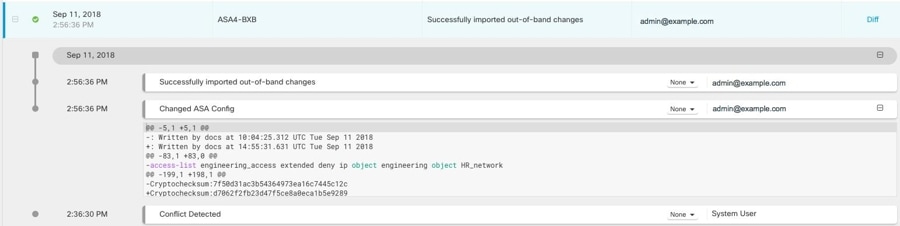
This entry shows the Conflict Detected change and the deletion of a rule that prevents addresses in the engineering network from reaching the HR_network. The change log entry also shows a change with the message Successfully imported out-of-band changes. If the admin chooses to reject the out-of-band change, the change log will display the message Successfully rejected out-of-band changes on the device along with what was rejected. Out-of-band changes refers to the changes made to the ASA device directly without using Security Cloud Control.