Displays specific information for individual devices, including associated policy or tunnel data. It allows users to examine the configuration and status of various traffic engineering technologies, providing a clear view of how specific nodes contribute to the overall network topology.
Follow these steps to view traffic engineering device details (SR-MPLS, SRv6, RSVP-TE, and Flexible Algorithm information).
Procedure
| 1. | Choose . |
|
| 2. | In the topology map, select a device. |
|
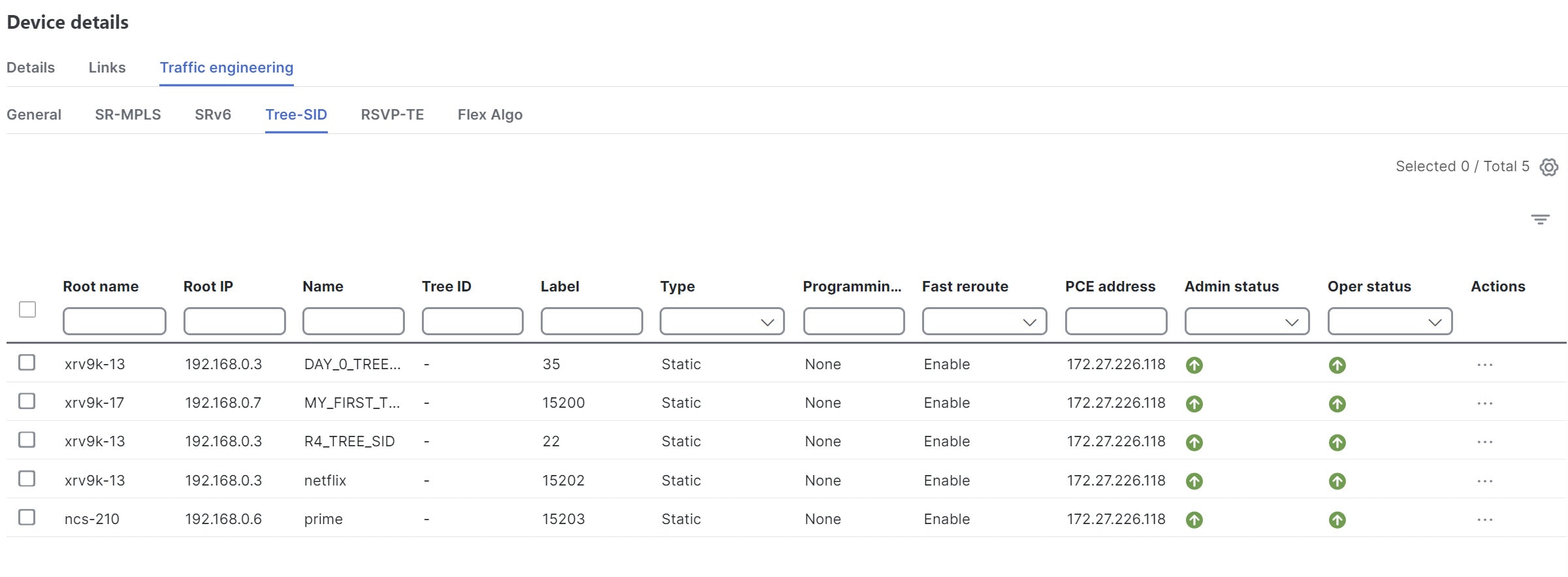
| 3. | Under Device details , choose . Each tab displays associated policy or tunnel data for that device.
This example shows the Tree-SID information details for the selected device.
|
|
| 4. | (Optional) To share this information you can copy the URL and send the link to others. |