Displays comprehensive information about policy levels, segment lists, and path computation constraints. It allows operators to inspect candidate paths and verify configuration details for specific traffic engineering policies within the network.
You can view SR-MPLS or SRv6 TE policy level, single segment lists, multiple segment lists, and any path computation constraints configured on a per-candidate path basis.
Procedure
| 1. | From the Actions column, choose 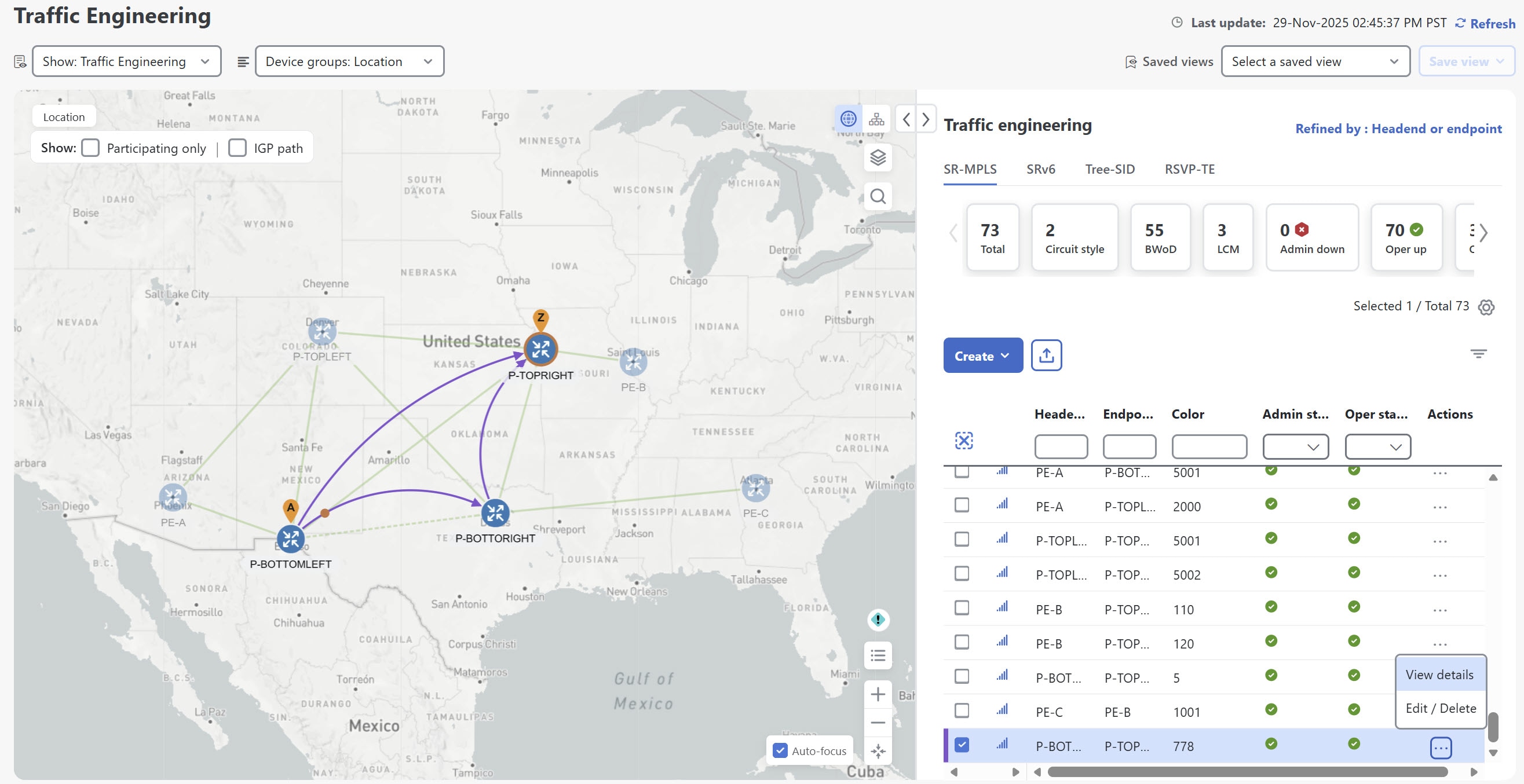
|
|
| 2. | A list of candidate paths appear along with policy details in the SR policy details page. If the delay value is displayed, it is calculated for all policies every 10 minutes. Click the 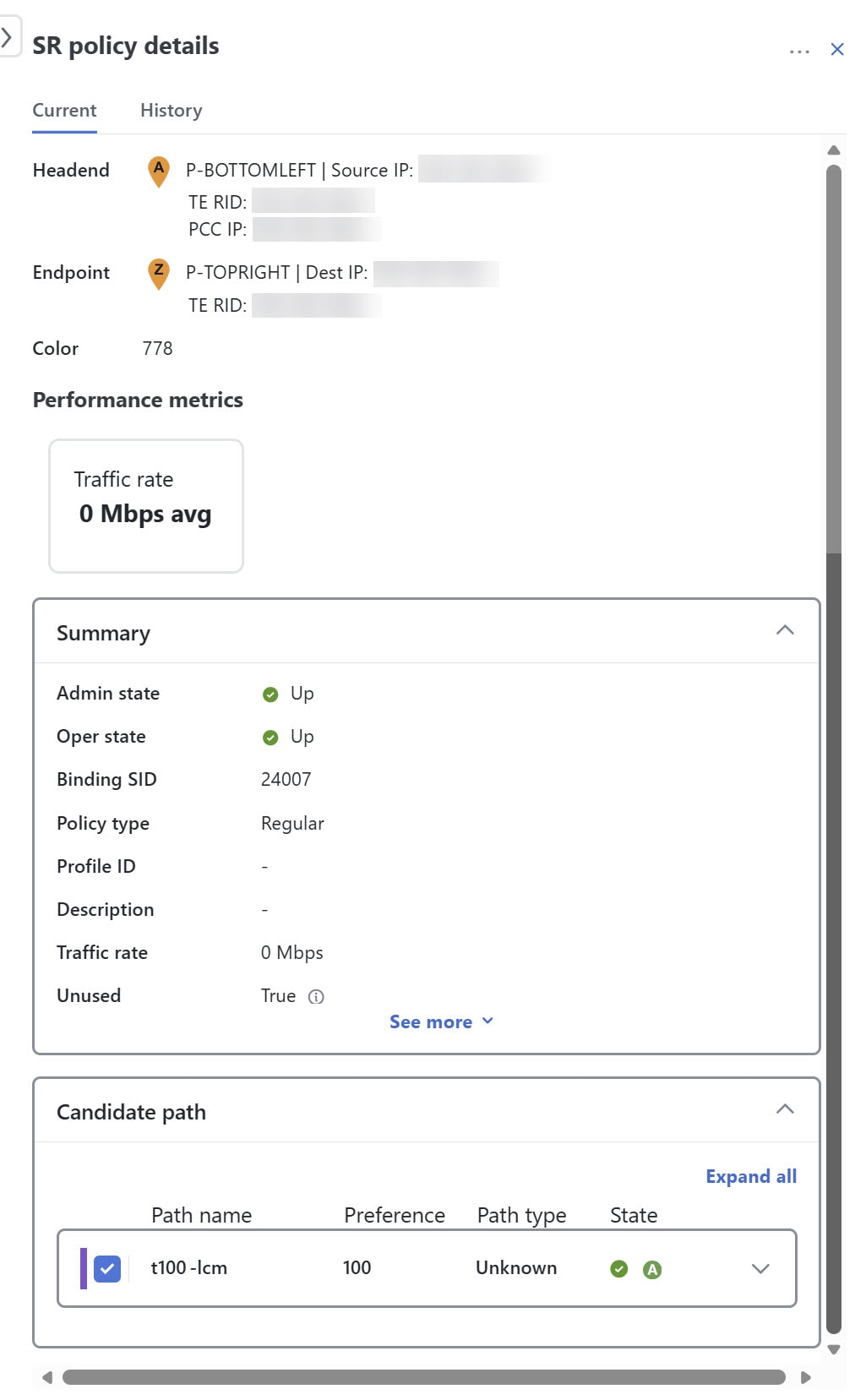
|
|
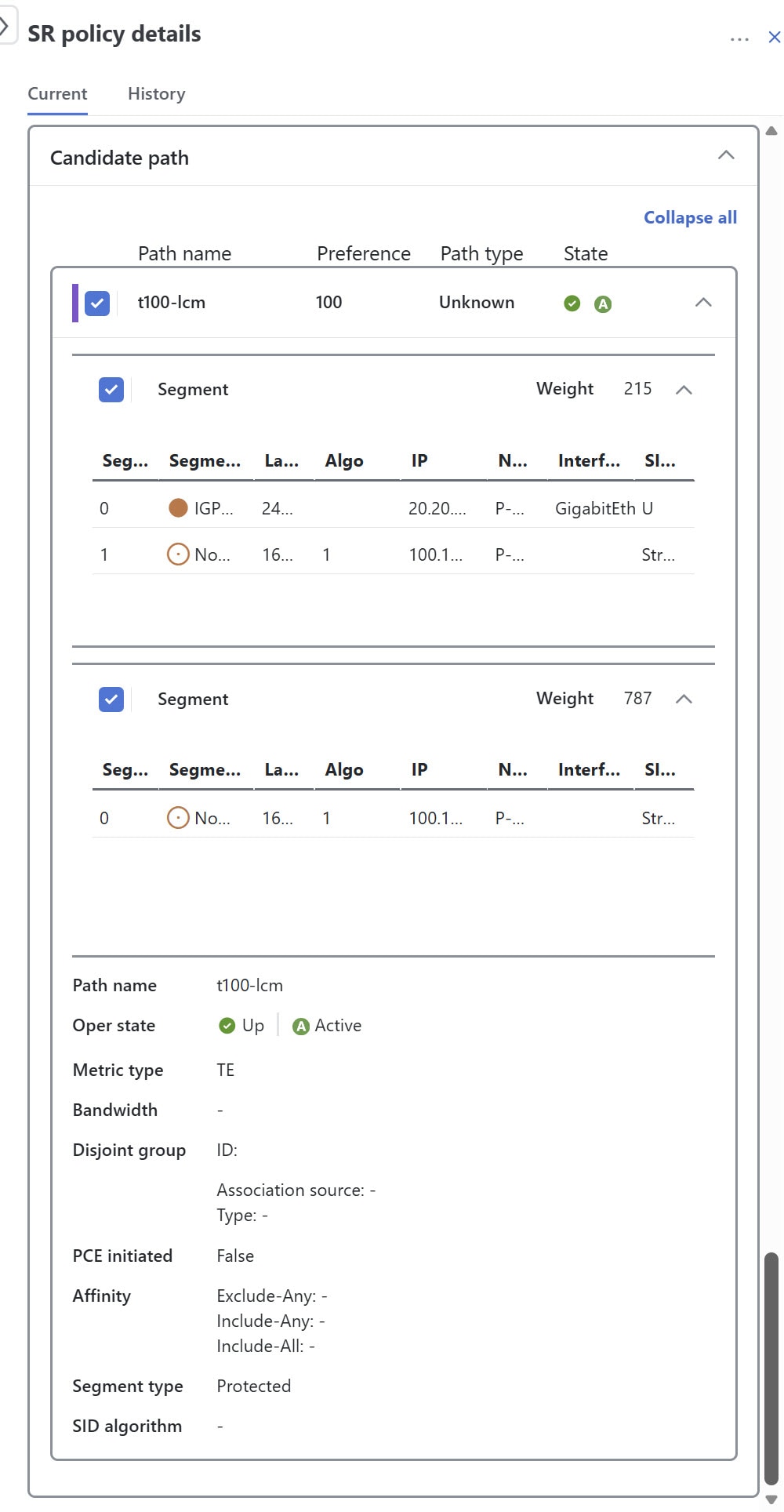
| 3. | In the candidate path area, click Expand all to view additional details on the different paths and segments. For headends that support MSL policies, you may see a policy with a single candidate path and multiple segment lists. You can also view the weight associated with each segment list, along with other details such as segment type, node names, labels, algo, and SID type.
|

 icon next to the delay value to see the last update time.