Learn how to view IGP paths and their associated metrics for SR-MPLS or SRv6 policies.
View the physical path and metrics between the endpoints of the selected SR-MPLS policies.
Procedure
| 1. | In the SR policy table, select the SR-TE (SR-MPLS and SRv6) policies that interest you. |
|
| 2. | Select the Show IGP path check box to view metrics. The IGP paths for the selected SR-MPLS policies appear as straight lines instead of segment hops. |
|
| 3. | In a dual-stack topology, select the Participating only checkbox to view metrics on participating links. |
|
| 4. | Click |
|
| 5. | Toggle applicable metrics to ON. 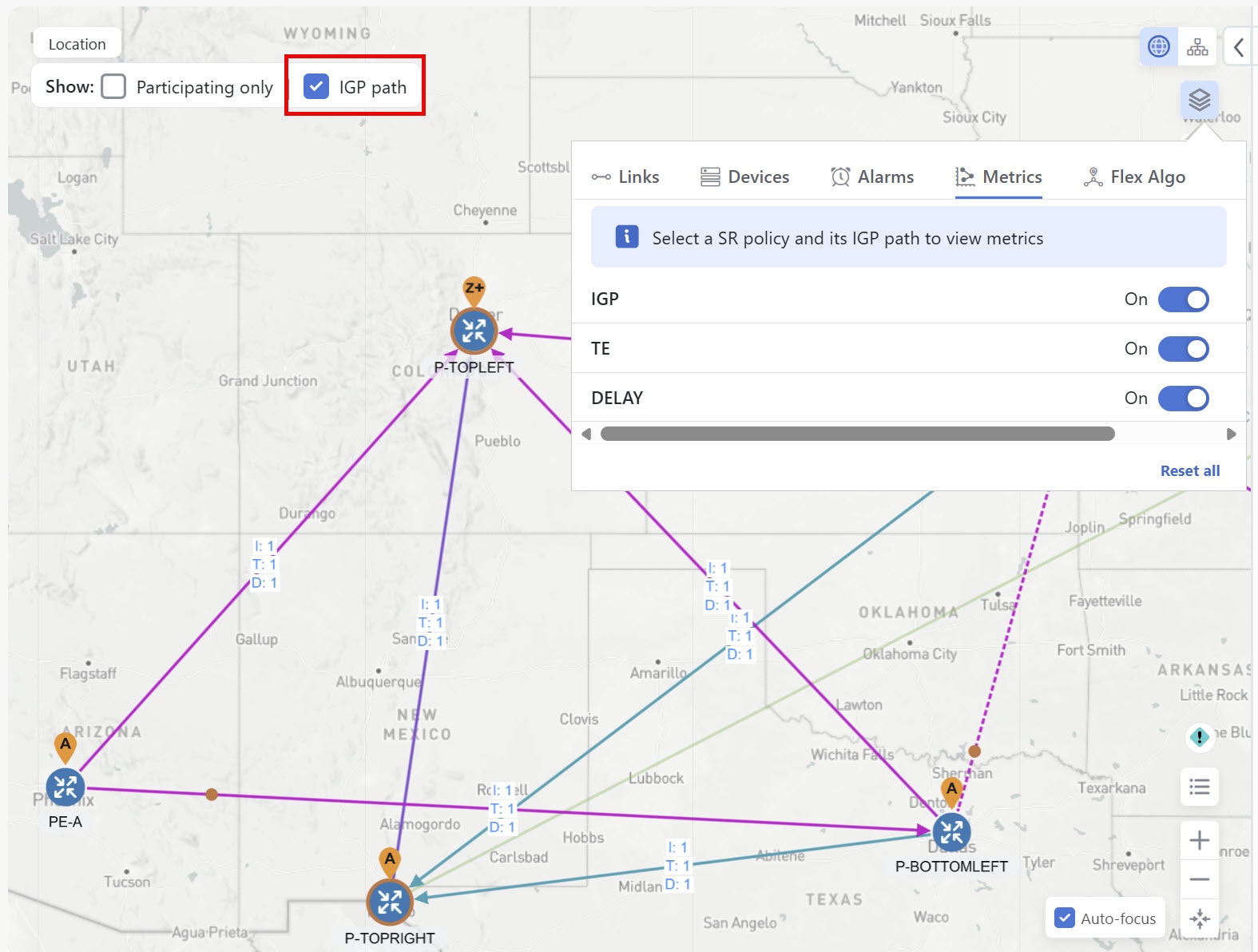
|
 and then click