Use this procedure to view and analyze the network paths associated with a B-SID (Binding-Segment ID) label for SR-MPLS or SRv6 policies.
Crosswork Network Controller provides a powerful tool for network visualization, enabling users to explore the underlying paths of B-SID hops configured on devices. Whether the paths are set manually or configured through the Crosswork Network Controller, this feature allows for detailed inspection of SR-MPLS and SRv6 policy paths. By assigning a B-SID label, such as 15700 in this example, users can easily identify and trace the path of a policy hop.
To view the B-SID underlying path for an SR-MPLS or SRv6 policy, complete these steps:
Procedure
| 1. | Choose . |
|
| 2. | In the SR Policy table, select the check box next to the policy that has a hop assigned with a B-SID label. Hover over any part of the SR-MPLS row to view the B-SID name. The B-SID path is highlighted in orange on the topology map. In this example, you see that the B-SID path is going from cw-xrv51 to cw-xrv52. 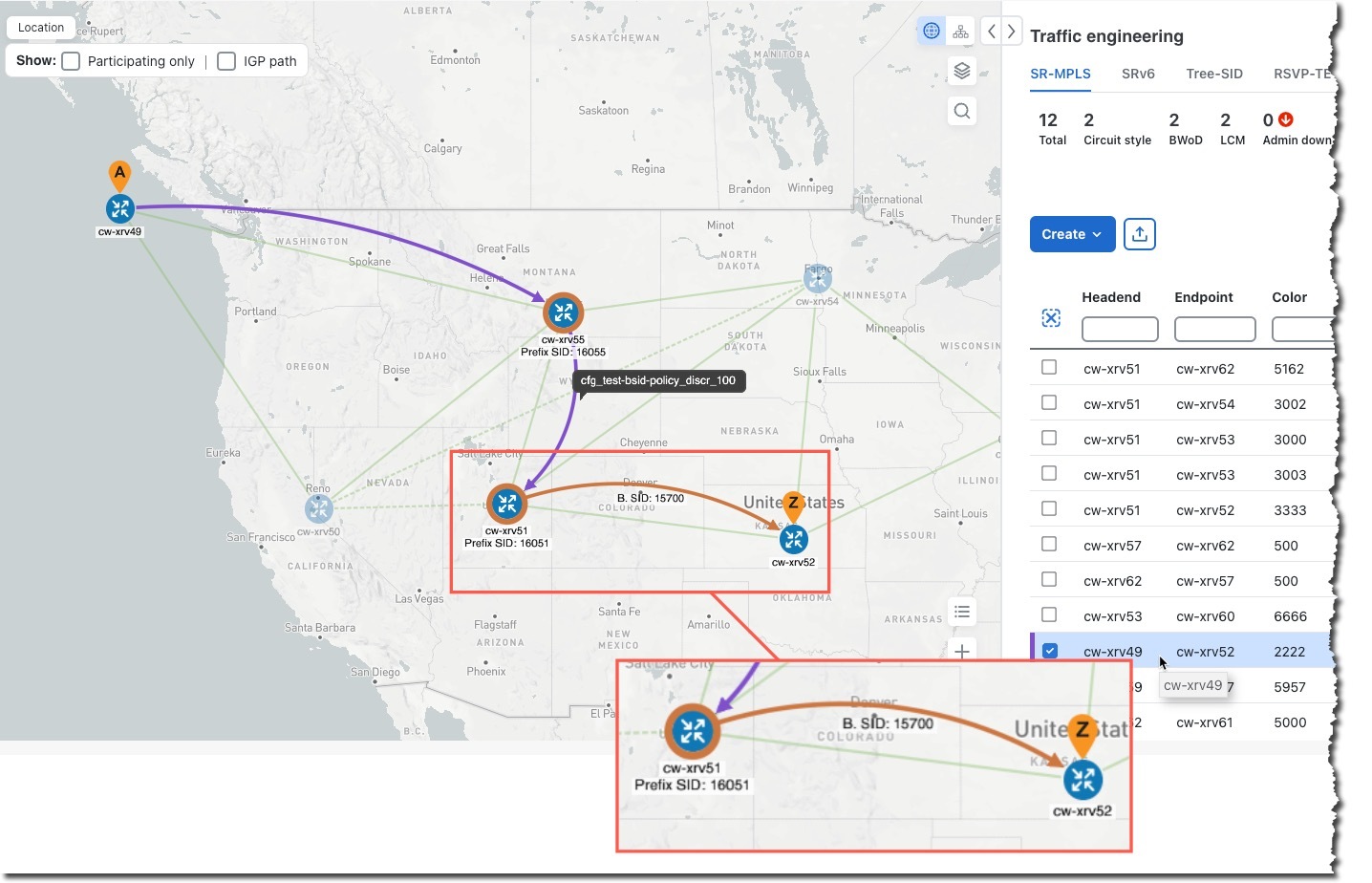
|
|
| 3. | In the SR policy details page, click 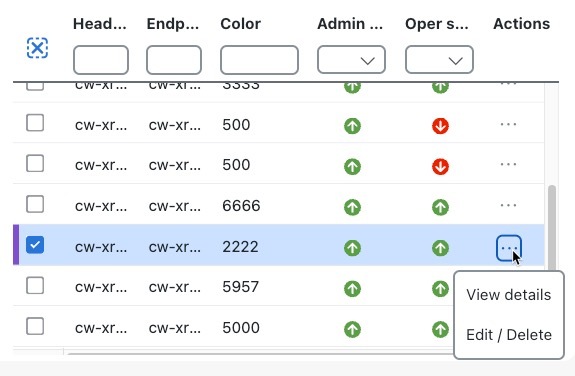
|
|
| 4. | Expand the active path and click the B-Sid Label ID to view the underlying path. 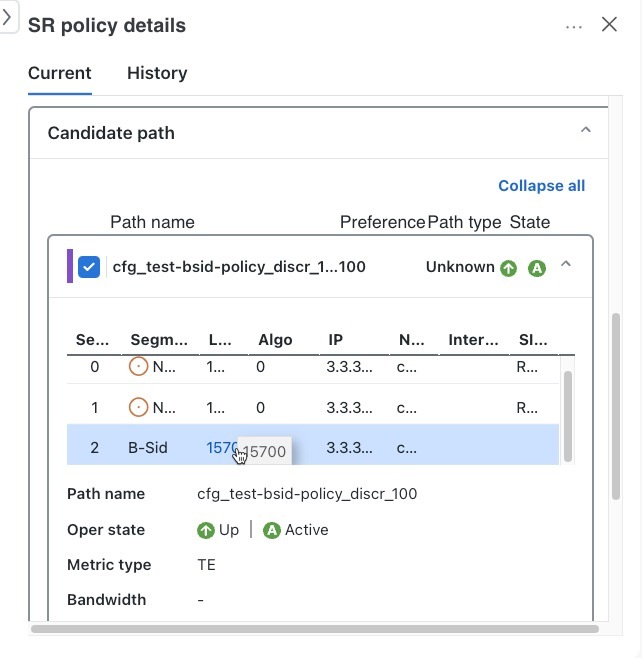
In this example, the underlying path actually goes from . 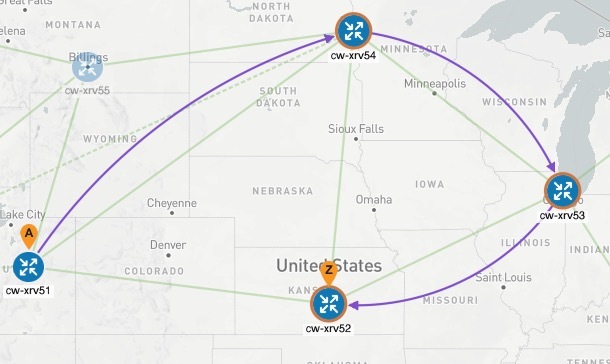
|
