Hardware Installation Guide for Cisco 8400 Series Secure Routers

PDF

Hardware Installation Guide for Cisco 8400 Series Secure Routers

Locate labels

Want to summarize with AI?

Log in

Guides users in identifying and locating product labels and identification details on Cisco 8400 Series Secure Routers, supporting asset management and compliance.


Use the Cisco Product Identification (CPI) tool to find labels on the platform. The tool provides detailed illustrations and descriptions of where labels are located on Cisco products. It includes the following features:

  • A search option that allows browsing for models by using a tree-structured product hierarchy.

  • A search field on the final results page that makes it easier to look up multiple products.

  • End-of-sale products clearly identified in results lists.

The tool streamlines the process of locating serial number labels and identifying products. Serial number information expedites the entitlement process and is required for access to support services.
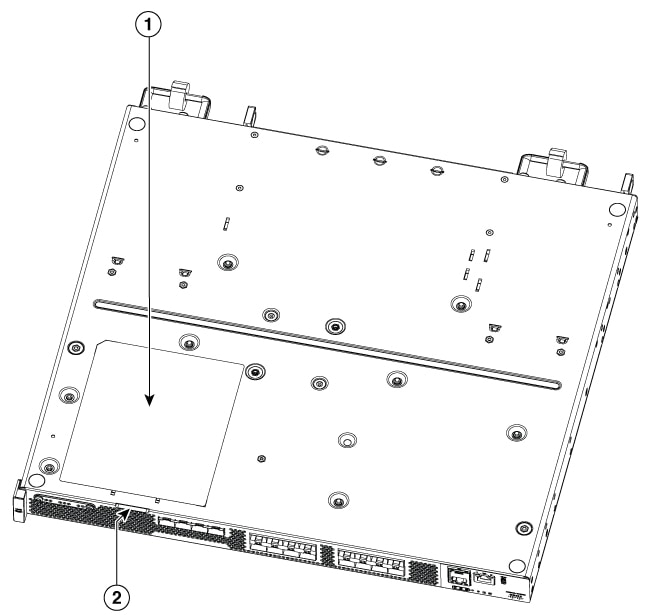
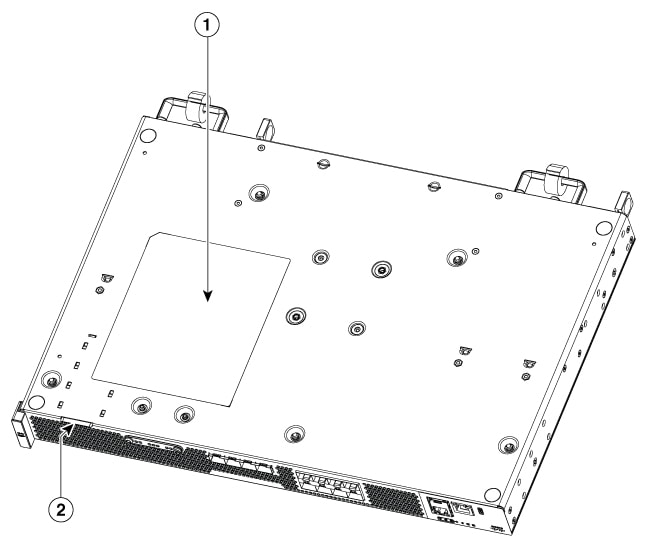
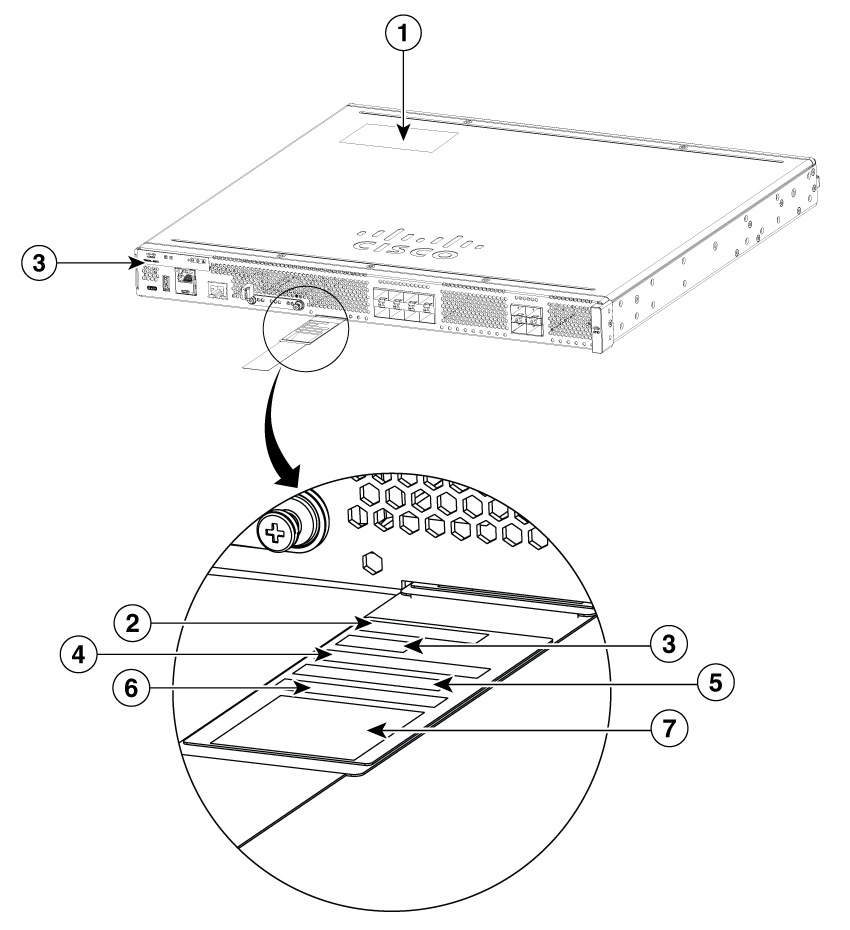
Location of labels on Cisco C8400 Secure Routers

The figures below shows the location of the labels on the Cisco 8400 Series Secure Routers.

The Serial number (SN), Common language equipment identifier (CLEI), Tax deduction and collection account (TAN), Product ID (PID), PID version ID (VID), and Quick response (QR) code are printed at the same location on a label tray located on the chassis on all the Cisco 8400 Secure Routers.

Figure 1. Label location on C8475-G2
Figure 2. Label location on C8455-G2

1

Compliance label

2

Label tray

3

PID location

4

SN

5

CLEI

6

TAN

7

MAC


Locate product identification details

The serial number (SN), product ID (PID), version ID (VID), and Common Language Equipment Identifier (CLEI) are printed on a label on the bottom of the device or on the label tray.

To obtain a software license, you need the unique device identifier (UDI) of the device where the license is to be installed.

The UDI has two main components:

  • Product ID (PID)

  • Serial number (SN)

The UDI can be viewed using the show license udi command in privileged Exec mode in Cisco Internet Operating System (IOS) software.