Introduces internal module components and their roles, providing conceptual information to help you understand available module types and integration within the system.
To access the internal modules on the device, you must first remove the chassis cover. For instructions on how to remove and replace the chassis cover on the device, see the sections on Precautions.
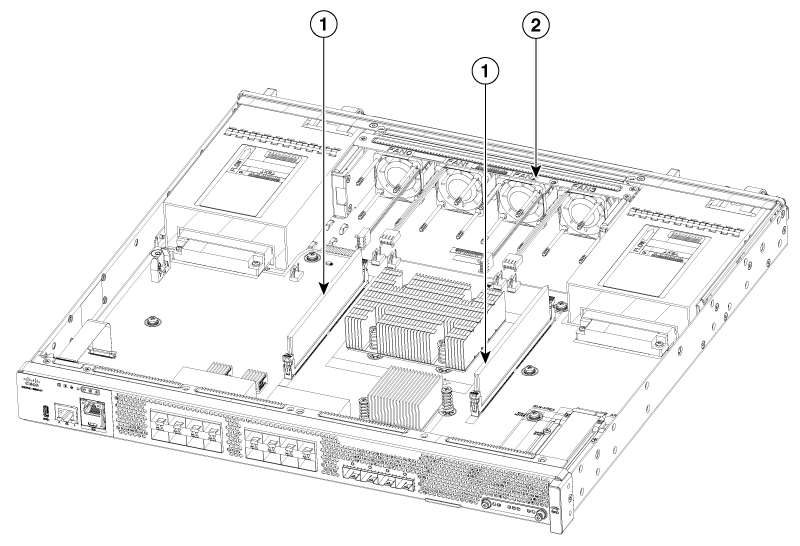
| Number | Description |
|---|---|
| 1 |
DIMMs |
| 2 |
Fan tray |
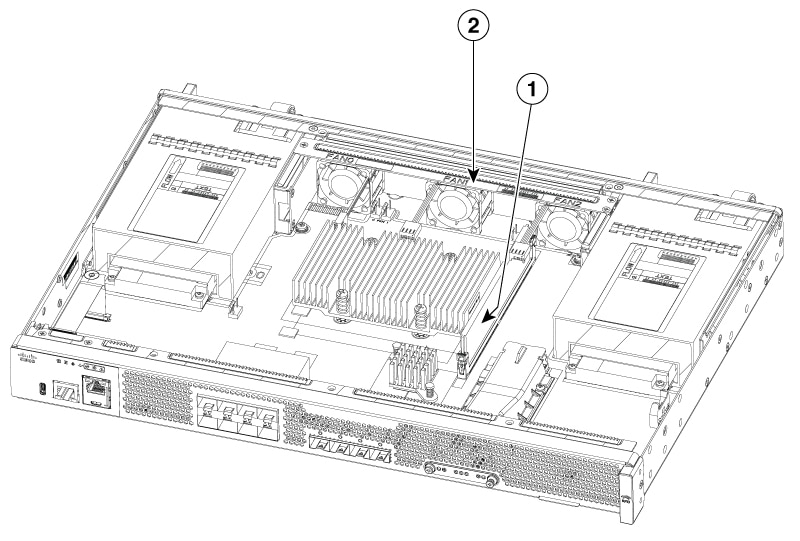
| Number | Description |
|---|---|
| 1 |
DIMM |
| 2 |
Fan tray |