Details the process for removing and replacing device power supplies, offering a conceptual overview of proper handling and steps for safe power component swaps.
If a PSU which is failed is removed, a PSU-blank must be installed in the slot until a new PSU is installed.
The Cisco 8400 Series Secure Routers support dual hot-swap PSUs.
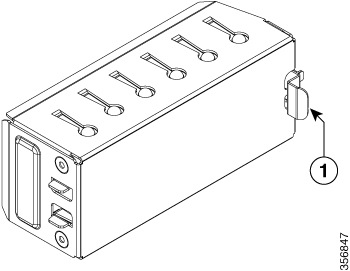
| Number |
Description |
|---|---|
| 1 |
Latch |
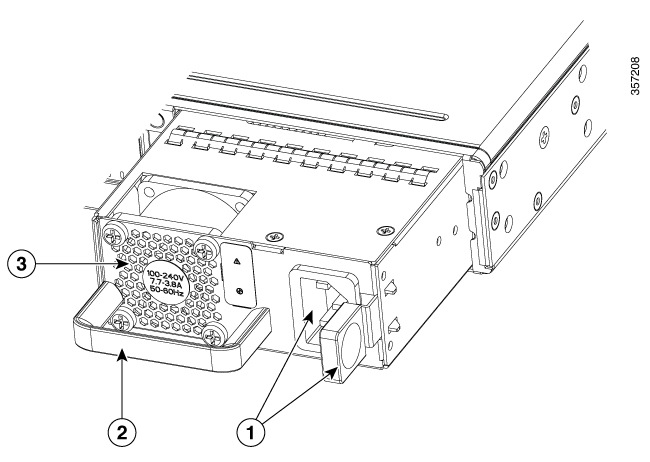
When installing a PSU, ensure the orientation is correct.
Latch and power input on right side.
Handle on bottom left.
Power markings are oriented such that they are readable when viewed straight on.
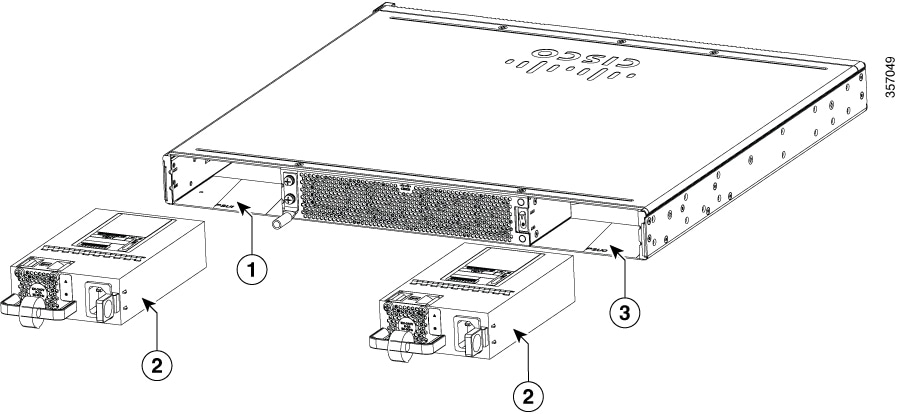
| Number |
Description |
|---|---|
| 1 |
PSU Slot 1 |
| 2 |
PSU |
| 3 |
PSU Slot 0 |