Cisco Optical Automation Solution for NCS 2000 Networks, Release 26.1.1

PDF

Cisco Optical Automation Solution for NCS 2000 Networks, Release 26.1.1

Upgrade remote transponder nodes

Want to summarize with AI?

Log in

Use this optional workflow when remote or standalone transponder nodes must be upgraded and associated with an existing Cisco Optical Site Manager instance.


Use this topic when remote or standalone transponder nodes must be upgraded and associated with an existing Cisco Optical Site Manager instance. Complete the required device upgrade and onboarding tasks only for networks that include these nodes.

Remote transponder node upgrade plan

This workflow is optional and applies when remote transponder nodes or standalone transponder nodes are present in the network. The objective is to add remote transponder nodes to an existing Cisco Optical Site Manager instance that hosts the corresponding ROADM, allowing them to be managed as part of the same Cisco Optical Site Manager instance. In Cisco Optical Site Manager, the ROADM and its associated remote transponder nodes are represented as a single logical node.

Upgrade NCS 2000 devices

Use the standard NCS 2000 remote transponder software upgrade process.

Onboard remote transponder nodes in Cisco Optical Site Manager

Add remote transponder nodes or standalone transponder nodes to the Cisco Optical Site Manager instance.

Follow these steps to onboard remote transponder nodes in Cisco Optical Site Manager.

Procedure

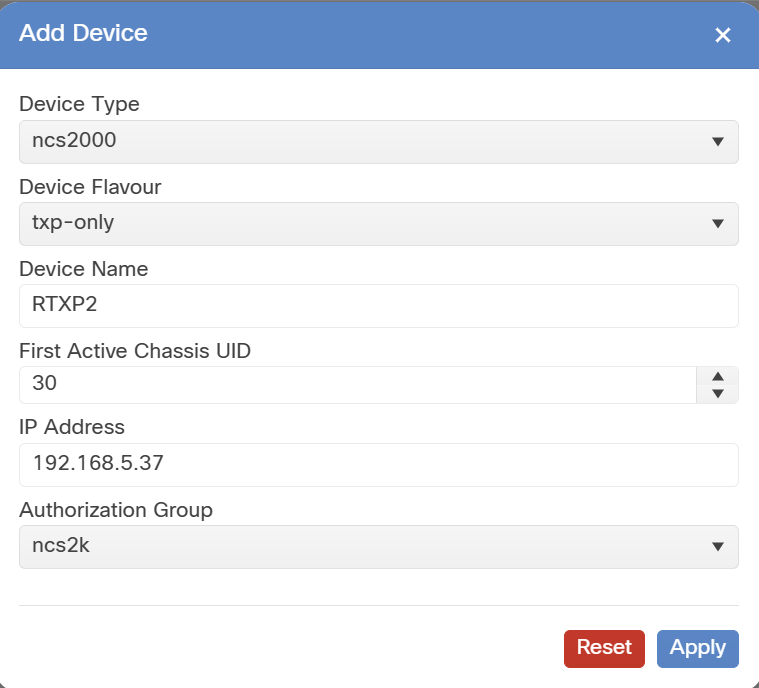
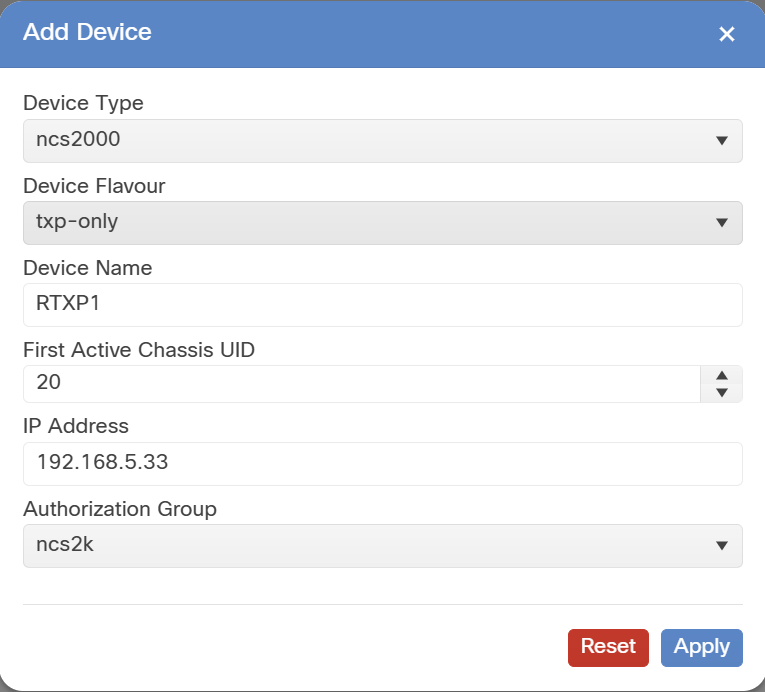
  1. Onboard the remote or standalone transponder node in Cisco Optical Site Manager with these settings.

    See the Cisco documentation section: Add a device.

  2. Device Type: ncs2000.

  3. Device Flavour: txp-only.

  4. First Active Chassis UID: automatic for ROADM and OLA nodes.

    Figure 1. Cisco Optical Site Manager add device (RTXP)

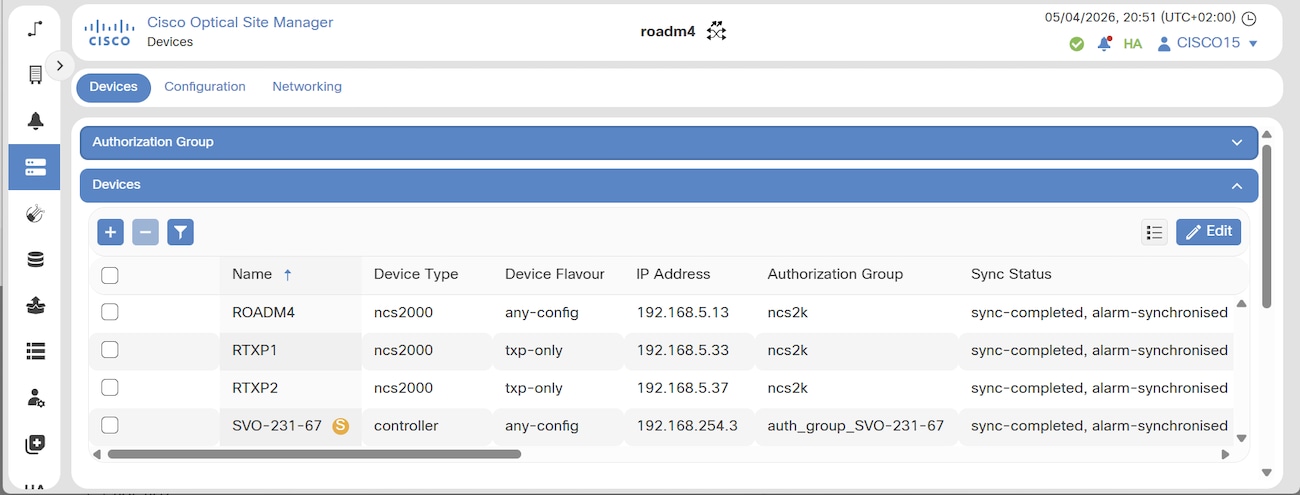
The device is successfully added to the Cisco Optical Site Manager instance and appears in the device list.

After onboarding, wait until the Sync Status is "sync-completed, alarm-synchronized".

Figure 2. Remote transponder synchronization completed