Cisco Optical Automation Solution for NCS 2000 Networks, Release 26.1.1

PDF

Cisco Optical Automation Solution for NCS 2000 Networks, Release 26.1.1

Upgrade and onboard NCS 2000 nodes that do not host SVO cards

Want to summarize with AI?

Log in

Extend Cisco Optical Site Manager management to NCS 2000 ROADM and OLA nodes that do not host SVO cards after the first instances are operational.


Use this topic to extend Cisco Optical Site Manager management to NCS 2000 ROADM and OLA nodes that do not host SVO cards. Create the required instances, onboard devices, and verify synchronization after the initial SVO card host nodes are operational.

Remaining NCS 2000 node upgrade plan

This workflow is executed after the Cisco Optical Site Manager instances have been created and the ROADM nodes that host SVO cards have been successfully onboarded and synchronized. The objective of this phase is to extend Cisco Optical Site Manager management to all remaining NCS 2000 nodes in the network, including:

  • A Cisco Optical Site Manager instance is created for each ROADM node that does not host an SVO card.

  • A Cisco Optical Site Manager instance is created for each OLA node.

Upgrade NCS 2000 devices

Use the standard NCS 2000 ROADM and OLA software upgrade process.

Create Cisco Optical Site Manager instances for ROADM and OLA nodes

Create a Cisco Optical Site Manager instance for ROADM nodes that do not host SVO cards and for OLA nodes, if required by the deployment design.
Note

The instance type must match the node type, such as ROADM or OLA. Configure the instance parameters, including IP address, memory, and naming, according to the Cisco Optical Site Manager deployment plan.

Follow these steps to create Cisco Optical Site Manager instances for ROADM and OLA nodes.

Procedure

Create Cisco Optical Site Manager instances for ROADM and OLA nodes.

Use this reference section for the task: Create a Cisco Optical Site Manager instance.

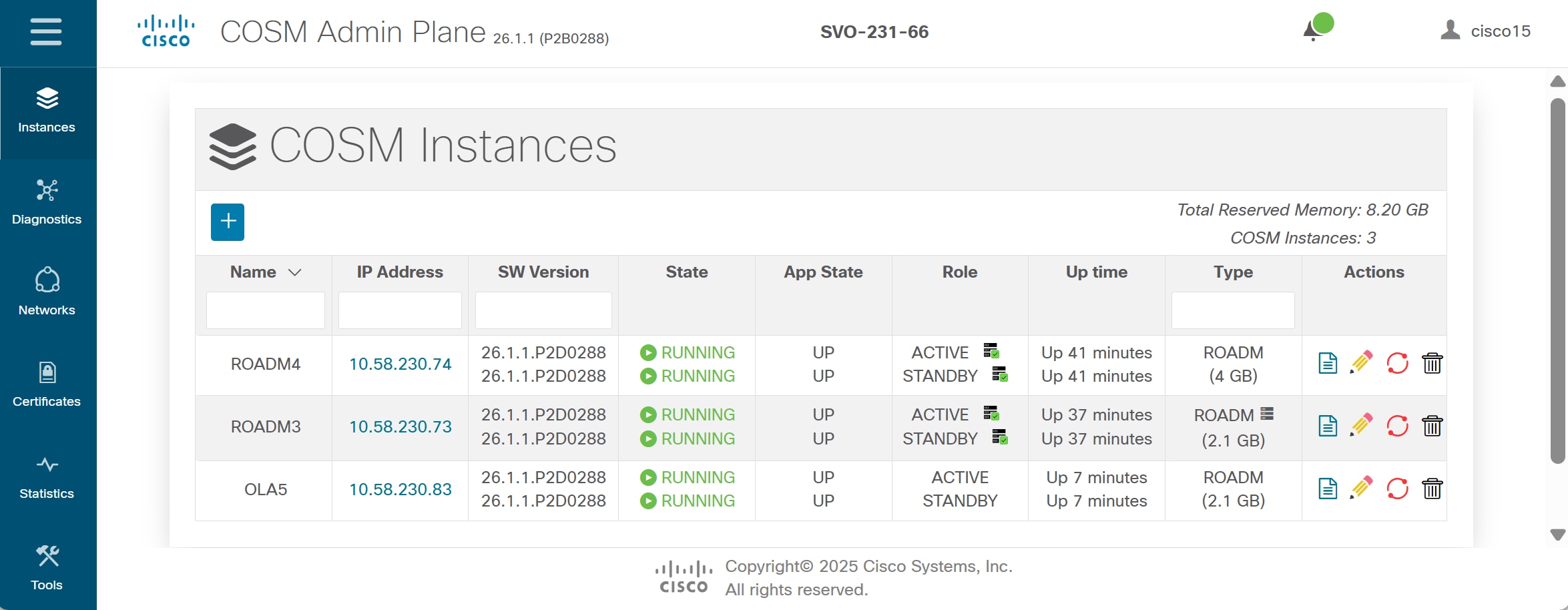
The Cisco Optical Site Manager instance is created and appears in RUNNING / UP state.

Figure 1. Instance added
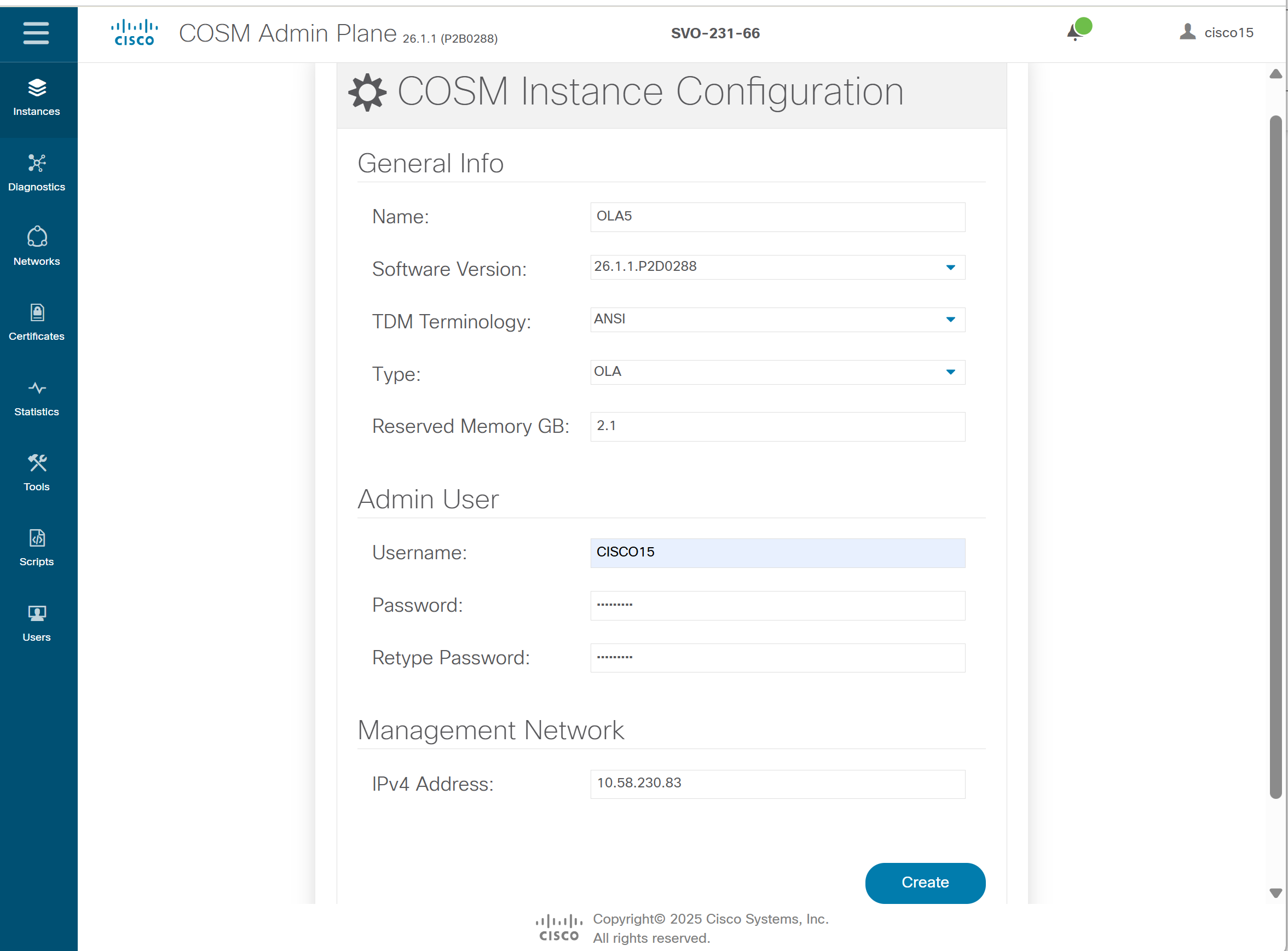
Figure 2. Cisco Optical Site Manager instance creation form example (OLA)

What to do next

Create a Cisco Optical Site Manager instance for each node that requires independent management.


Access the Cisco Optical Site Manager web UI

Use this procedure to access the Cisco Optical Site Manager web UI.

Follow these steps to access the Cisco Optical Site Manager web UI.

Procedure

Open https://<COSM_IP> in a browser to access the Cisco Optical Site Manager web UI.

Create Cisco Optical Site Manager authorization groups

Use this procedure to create Cisco Optical Site Manager authorization groups.

Follow these steps to create Cisco Optical Site Manager authorization groups.

Procedure

Create authorization groups for the Cisco Optical Site Manager instance.

Use this Cisco procedure for the complete workflow: Create or edit an authorization group.


Onboard devices in Cisco Optical Site Manager

Add ROADM and OLA nodes not hosting SVO cards to Cisco Optical Site Manager instances.

Follow these steps to onboard devices in Cisco Optical Site Manager.

Procedure

  1. Onboard the ROADM or OLA node in Cisco Optical Site Manager with these settings.

    Use the related Cisco task: Add a device.

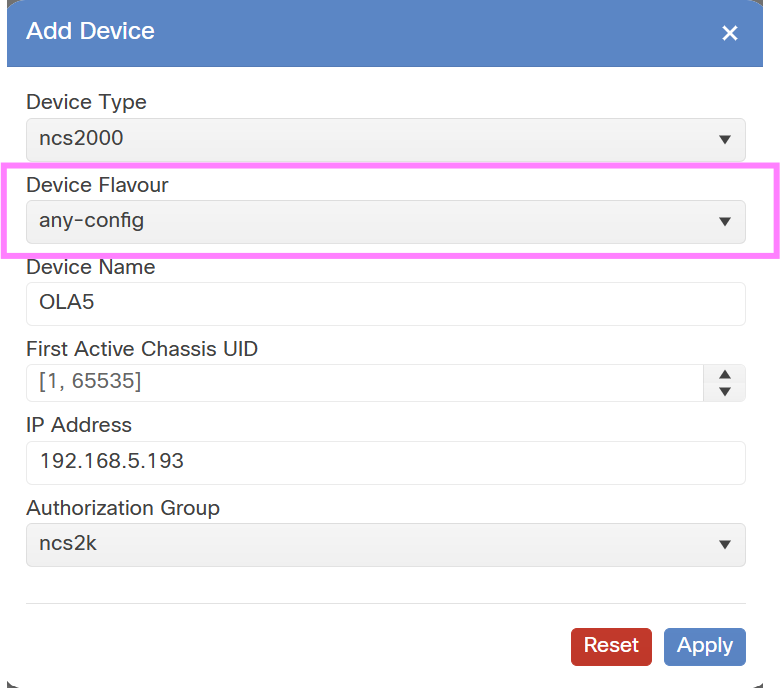
  2. Device Type: ncs2000.

  3. Device Flavour: any-config.

  4. First Active Chassis UID: automatic for ROADM and OLA nodes.

    Figure 3. Cisco Optical Site Manager add device (OLA)

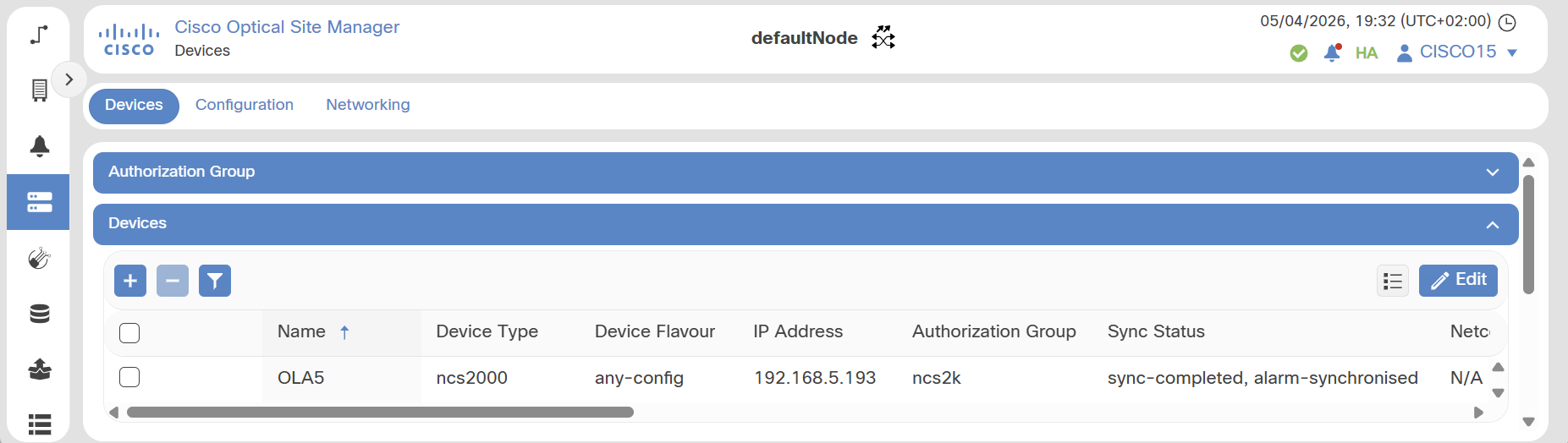
The device is successfully added to the Cisco Optical Site Manager instance and appears in the device list. Device synchronization may take several minutes (up to 30-40 minutes for large nodes). During this time, the Sync Status progresses until it reaches "sync-completed, alarm-synchronized". After onboarding, wait until the Sync Status is "sync-completed, alarm-synchronized".

Figure 4. OLA device

Onboard devices in Cisco Optical Site Manager using XML

Prepare an XML configuration file and upload it to Cisco Optical Site Manager to create authorization groups, assign UIDs, and add devices. For details, see XML examples for Cisco Optical Site Manager onboarding.

The XML file can include authorization groups such as ncs2k and auth_group_SVO-231-66, along with the device information required for onboarding.

Follow these steps to onboard devices in Cisco Optical Site Manager using XML.

Procedure

Import the XML configuration file in Cisco Optical Site Manager.

Use this reference section for the task: Import a Cisco Optical Network Planner configuration file.

The device is successfully added to the Cisco Optical Site Manager instance and appears in the device list.

Sample Cisco Optical Network Planner XML file

<config xmlns="http://tail-f.com/ns/config/1.0">
  <devices xmlns="http://tail-f.com/ns/ncs">
    <authgroups>
      <group>
        <name>ncs2k</name>
        <default-map>
          <remote-name>CISCO15</remote-name>
          <remote-password>otbu+123</remote-password>
        </default-map>
      </group>
    </authgroups>
  </devices>

  <nodes xmlns="http://cisco.com/yang/opt-node">
    <node>
      <id>0</id>
      <node-information>
        <name>ola5</name>
        <optical-type xmlns:ccet="http://cisco.com/yang/optical/common-equipment-types">ccet:roadm</optical-type>
        <tdm-terminology-type xmlns:ccet="http://cisco.com/yang/optical/common-equipment-types">ccet:ansi</tdm-terminology-type>
      </node-information>
      <devices>
        <device>OLA5</device>
        <address>192.168.5.193</address>
        <admin-state>unlocked</admin-state>
        <authgroup>ncs2k</authgroup>
        <device-type xmlns:cisco-ne-type="http://cisco.com/yang/ne-type">cisco-ne-type:ncs2000</device-type>
        <device-flavour xmlns:ccet="http://cisco.com/yang/optical/common-equipment-types">ccet:any-config</device-flavour>
        <first-active-chassis-uid>1</first-active-chassis-uid>
      </devices>
    </node>
  </nodes>
</config>

Verify remaining node upgrade and onboarding

Before proceeding to the next workflow, verify the remaining node upgrade and onboarding status.

Follow these steps to verify remaining node upgrade and onboarding.

Procedure

  1. All NCS 2000 nodes are onboarded in Cisco Optical Site Manager.

  2. All devices are in sync-completed state.

  3. No device is in out-of-sync or degraded state.

  4. Cisco Optical Site Manager instances are operational and reachable.