Cisco Optical Automation Solution for NCS 2000 Networks, Release 26.1.1

PDF

Cisco Optical Automation Solution for NCS 2000 Networks, Release 26.1.1

Update Cisco Optical Network Controller from 25.x to 26.x

Want to summarize with AI?

Log in

Update Cisco Optical Network Controller before the network upgrade continues so controller services, nodes, and topology views align with release 26.x workflows.


The Cisco Optical Network Controller update is the first step of the overall network 25.x to 26.x upgrade workflow. During this workflow, the Cisco Optical Network Controller system is upgraded to the target software release using a system pack TAR package.

The operation is service affecting at the management layer, as Cisco Optical Network Controller services may be temporarily unavailable during the update process. However, it does not impact the traffic in the optical network.

Cisco Optical Network Controller update deployment considerations

  • In Cisco Optical Network Controller standalone deployments, the update is performed on the single node that hosts Cisco Optical Network Controller.

  • In Geo HA deployments, execute the update on the active node and verify system synchronization after completion.

Cisco Optical Network Controller update recommendations

  • Perform the update during a maintenance window.

  • Ensure that sufficient system resources and connectivity are available.

  • Allow a stabilization period after completion.

Cisco Optical Network Controller update requirements

Before starting the update, perform these actions:

  • Back up the Cisco Optical Network Controller system database.

  • Verify the Cisco Optical Network Controller and Cisco Optical Site Manager system health checks.

Update Cisco Optical Network Controller

Run the release upgrade procedure from the CLI. The procedure requires secure access to the target system and includes validation and service restart operations.

Follow these steps to update Cisco Optical Network Controller.

Procedure

  1. Connect to the Cisco Optical Network Controller node via SSH using the private key and the 'nxf' user:

    Example:

    ssh -i <private-key_file> nxf@<node_ip>
  2. Transfer the system pack file to the target system (e.g., /tmp directory):

    Example:

    scp user@remote_server:/path/to/system-pack-file.tar.gz /tmp/

    or

    Example:

    curl -o /tmp/system-pack-file.tar.gz http://<server>/path/to/system-pack-file.tar.gz
  3. Execute the update procedure from the CLI. Use root privileges or sudo for commands that require elevated access.

    Use this Cisco procedure for the complete workflow: Install Cisco Optical Network Controller service pack.

  4. Monitor system services during the process.


Verify Cisco Optical Network Controller update

After the update is completed:

Follow these steps to verify the Cisco Optical Network Controller update.

Procedure

  1. Verify via CLI that all services are in Running state.

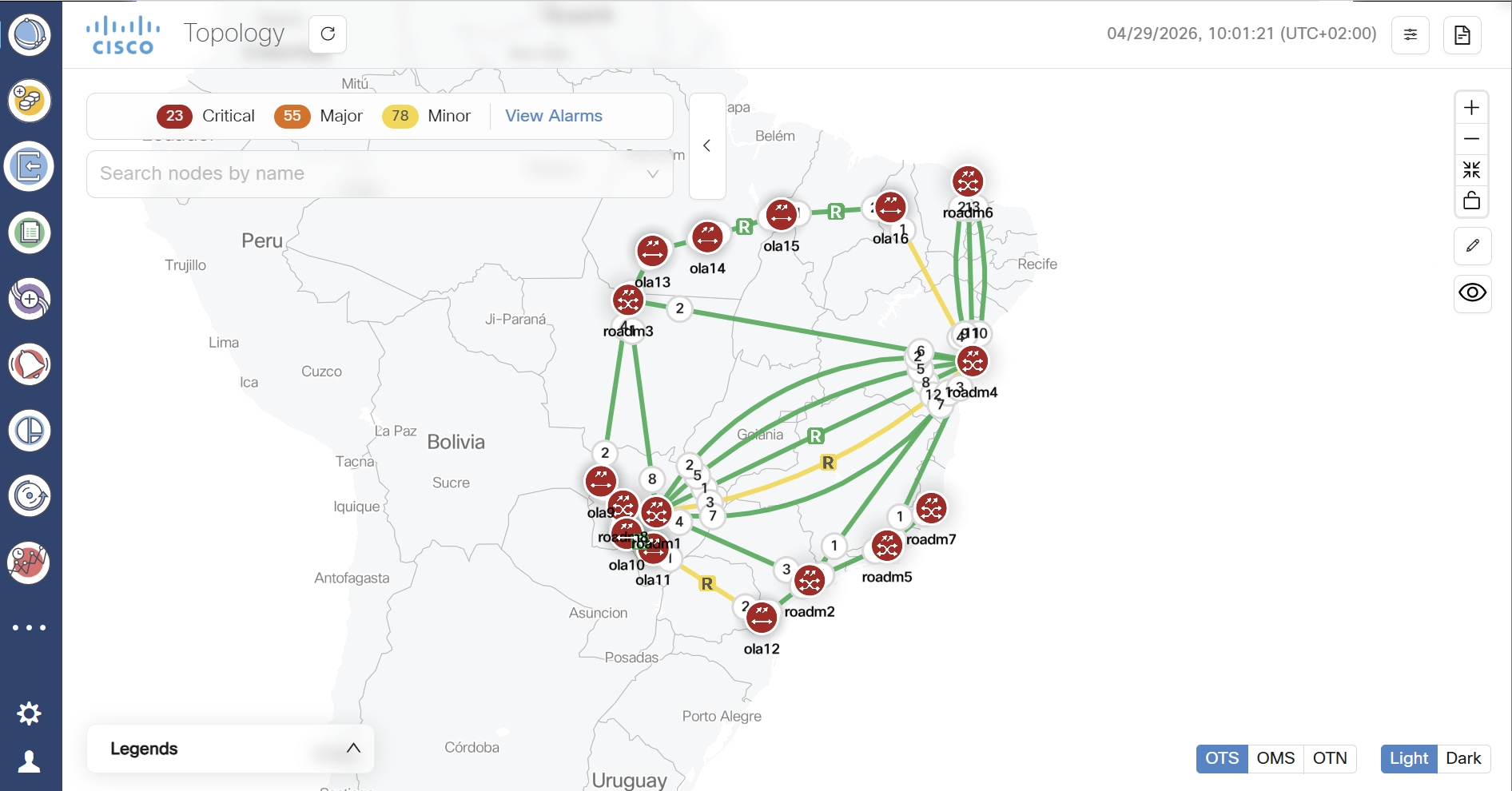
  2. Access the Cisco Optical Network Controller web UI: https://<virtual_ip>:8443.

  3. Verify:

  4. Nodes and sites status.

  5. Topology visualization.

  6. Service availability.

  7. Allow a short stabilization period before resuming operations.

    Figure 1. Cisco Optical Network Controller landing page 25.x/26.x