Installing and removing an SSD module from Cisco C9350.
Procedure
| 1. | Remove the cover on the USB 3.0 SSD slot on the switch and store it for future use. 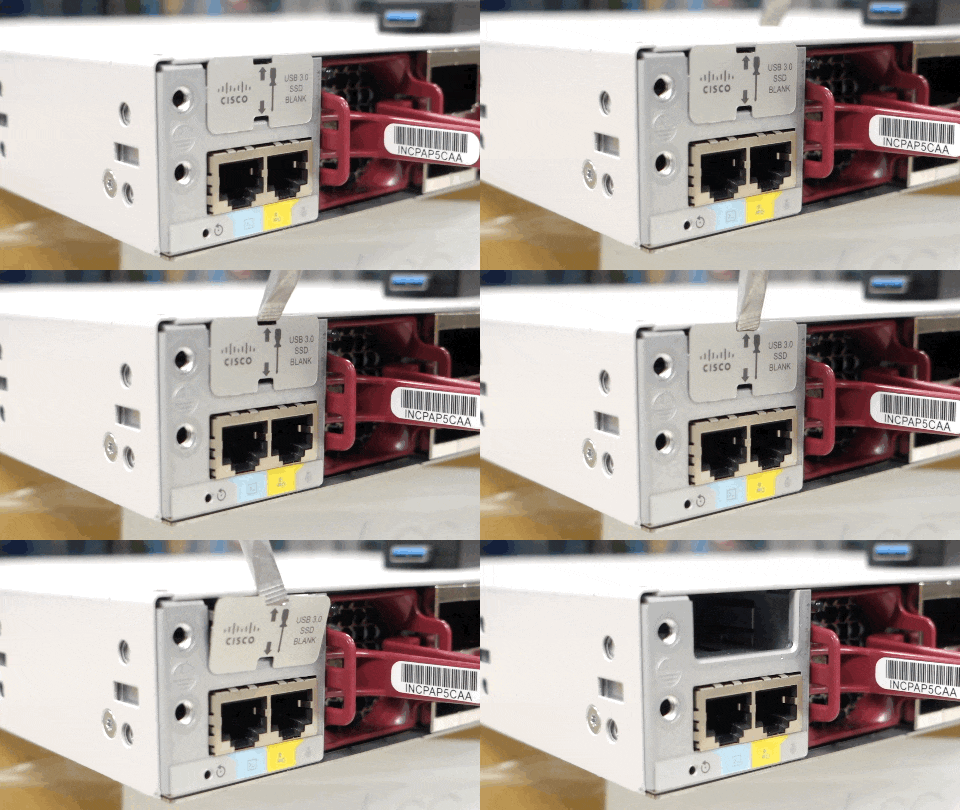
To view the animation in PDF, click this link. |
|
| 2. | Insert the SSD into the module slot, and firmly push it into the slot. Make sure your insert the SSD in such a way that the Cisco label on the drive stays upright. 
To view the animation in PDF, click this link. |
|
| 3. | Verify that the LED on SSD turns solid green. |
|
| 4. | To remove the SSD, hold the SSD on both sides, and slowly pull it out. 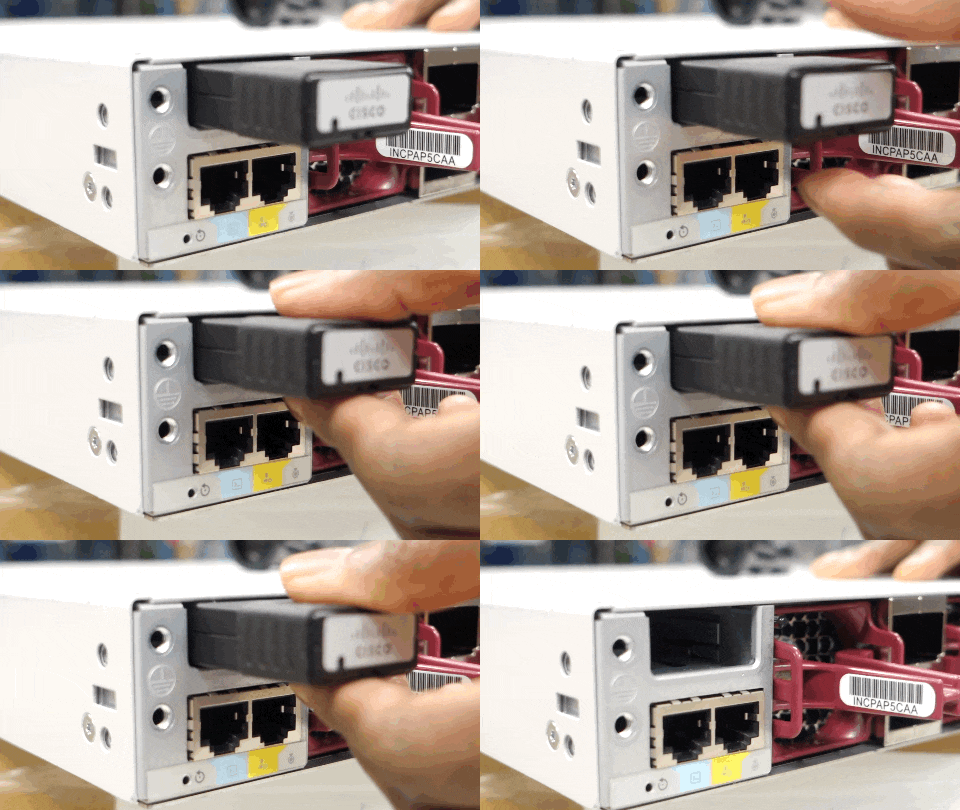
To view the animation in PDF, click this link. |
|
| 5. | Install a replacement SSD or alternatively, if the slot is to remain empty, install the blank cover. |