Describes how to install and remove fan modules on Cisco C9350 series smart switches.
Guidelines to install fans
Adhere to these guidelines when removing or installing a fan module on Cisco C9350 series smart switches.
-
Do not force the fan module into the slot. This can damage the pins on the switch if they are not aligned with the module.
-
A fan module that is only partially connected to the switch can disrupt the system operation.
-
The switch supports hot swapping of the fan module. You can remove and replace the module without interrupting the normal switch operation.
Replace and install a fan module
Procedure
| 1. | Pinch the fan module release handle, and slide the module out. 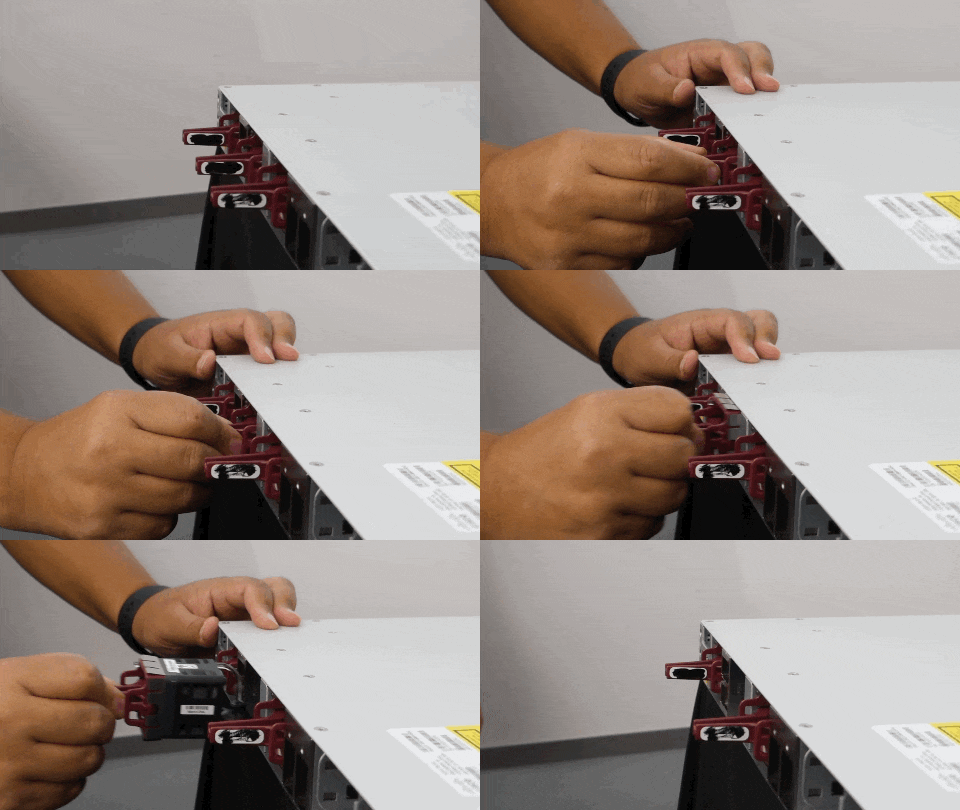
To view the animation in PDF, click this link.
|
|
| 2. | To install the fan module in the fan slot, firmly push it in, applying pressure to the end of the module, not the extraction handles. When correctly inserted, the fan module is flush with the switch rear panel. When the fan is operating, a green LED is on in the top left corner of the fan. 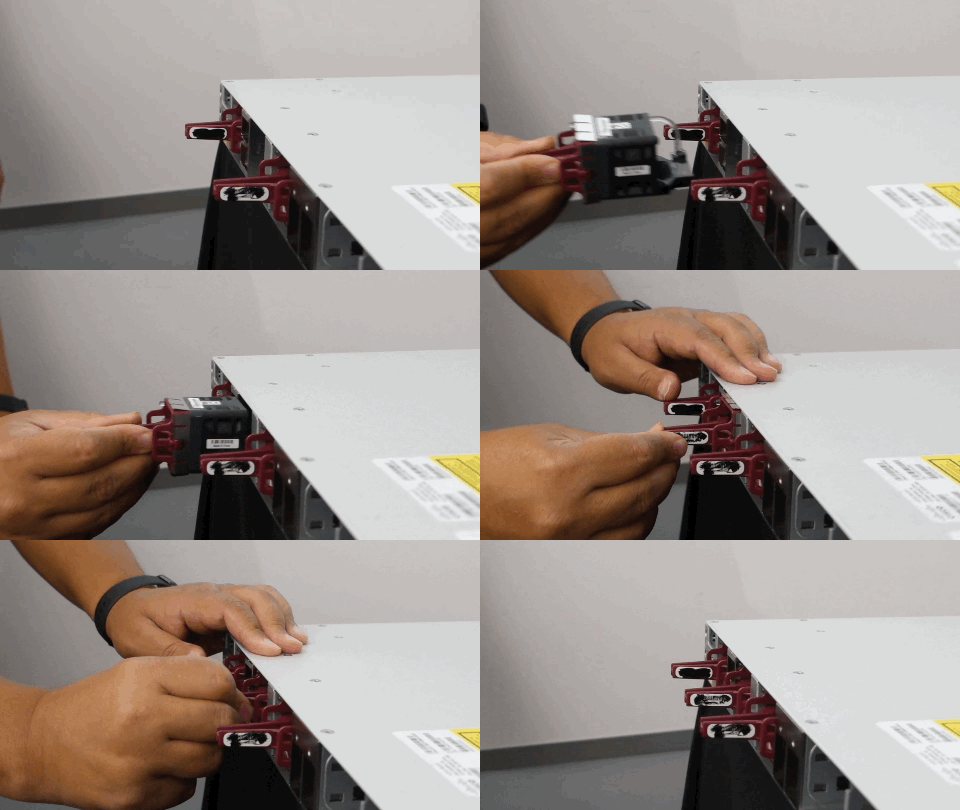
To view the animation in PDF, click this link. |
Find the fan module serial number
To contact Cisco Technical Assistance regarding a fan module, you need to know the fan module serial number. See the following illustration to find the serial number.
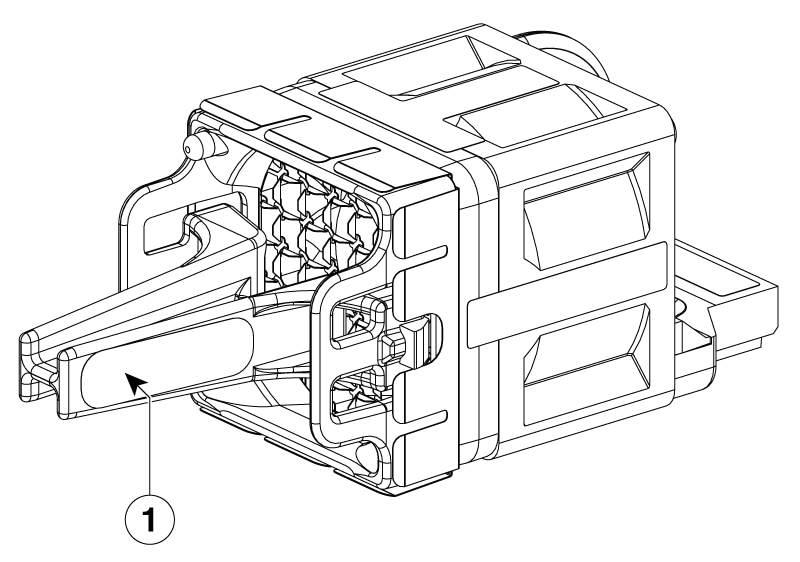
| 1 |
Serial number location |