Describes how to monitor enhanced application-aware routing using Cisco SD-WAN Manager.
Procedure
-
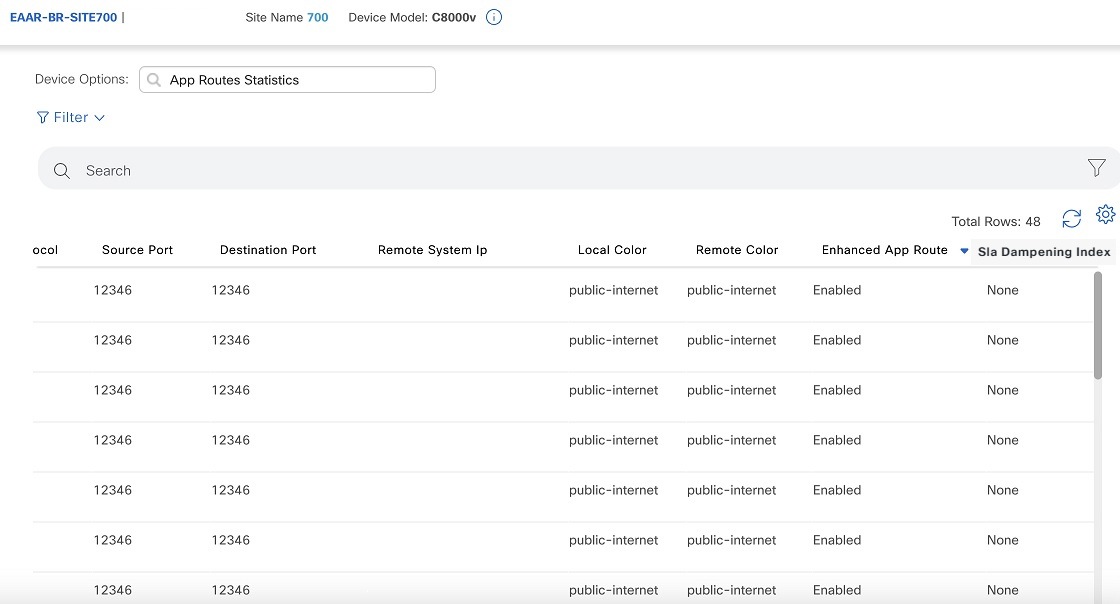
In the Device Options field, choose App Routes Statistics.
The following image shows the App Routes Statistics view:
Cisco Catalyst SD-WAN Policies Configuration Guide, Releases 26.x and Later
Is this content helpful?
Thank you for your feedback. Your response has been recorded.
AI responses are currently only available to logged in users. Log in
Only ask questions about this document. To ask questions about this product as a whole, go to Technical Documentation .
Suggestions
Sorry, we couldn't generate a response for this query.
Cisco Catalyst SD-WAN Policies Configuration Guide, Releases 26.x and Later
Updated: October 21, 2026
Want to summarize with AI?
Log inDescribes how to monitor enhanced application-aware routing using Cisco SD-WAN Manager.
From the Cisco Catalyst SD-WAN Manager menu, choose Monitor > Devices.
Under Devices, choose a device.
Click Real Time in the left pane.
In the Device Options field, choose App Routes Statistics.
The following image shows the App Routes Statistics view:
Need help?
(Requires a Cisco Service Contract)
The documentation set for this product strives to use bias-free language. For the purposes of this documentation set, bias-free is defined as language that does not imply discrimination based on age, disability, gender, racial identity, ethnic identity, sexual orientation, socioeconomic status, and intersectionality. Exceptions may be present in the documentation due to language that is hardcoded in the user interfaces of the product software, language used based on RFP documentation, or language that is used by a referenced third-party product. Learn more about how Cisco is using Inclusive Language.