Connector GUI
The connector GUI allows you to configure the following:
-
Proxy
-
Tokens retrieved from Cisco Spaces
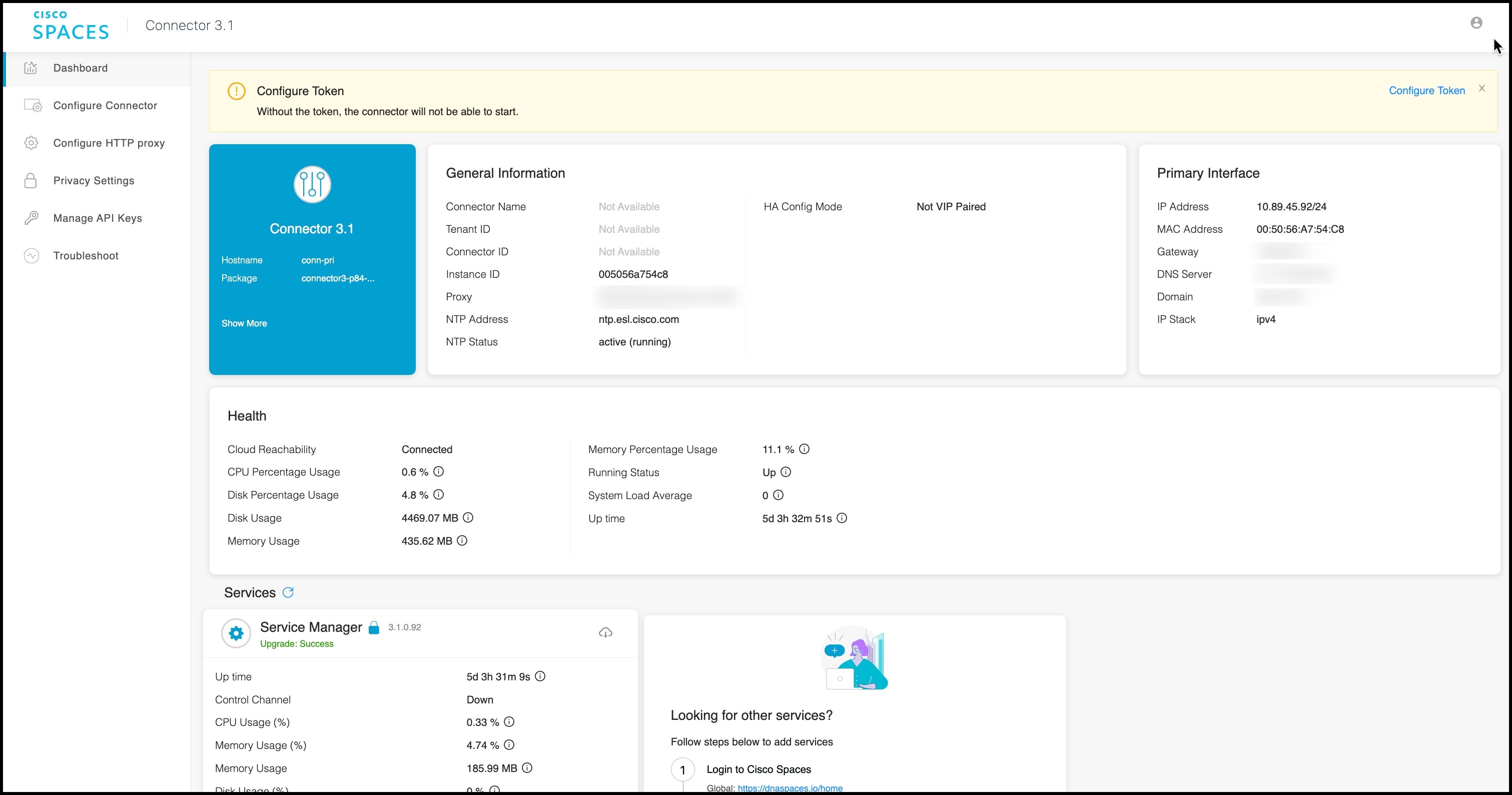
The dashboard is divided into areas that provide you with clear information about the following:
-
Connector-specific configurations
-
Status of connectivity to Cisco Spaces
-
Status of services running on connector. Additional buttons here allow you to navigate away and view more detailed information about each service, such as relevant service configurations and status.
The following are the names of various areas on the dashboard, and a description of the information presented:
-
General Information: This area has information about the configurations that are made on this connector, the tenant ID, and whether the token is configured.
-
Health: This area has information about the health of connector, the connectivity to Cisco Spaces, and other metrics.
-
Services: Separate areas are available for each service. See the respective service section for details of the information displayed here.

 Feedback