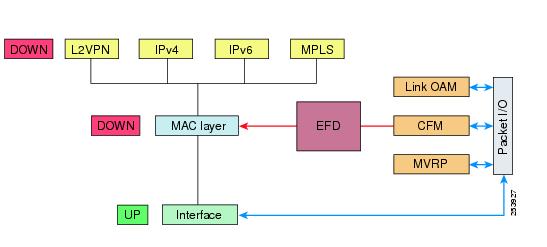
This topic describes how Ethernet Link OAM (IEEE 802.3ah) operates on a single physical link so that service providers can monitor connection quality, watch for specific events, and take actions on those events.
Ethernet as a Metro Area Network (MAN) or a Wide Area Network (WAN) technology benefits greatly from the implementation of Operations, Administration and Maintenance (OAM) features. The Ethernet Link OAM is a management mechanism that
-
allows Service Providers to monitor connection quality on MANs or WANs
-
tracks specific events, and
-
enables event-based actions.
|
Feature Name |
Release Information |
Feature Description |
|---|---|---|
|
Ethernet Link OAM on Physical Interface— (802.3ah) Link Monitoring |
Release 26.1.1 |
Introduced in this release on: Centralized Systems (8400 [ASIC:K100]) )(select variants only*) *This feature is now supported on Cisco 8404-SYS-D routers. |
|
Ethernet Link OAM on Physical Interface— (802.3ah) Link Monitoring |
Release 25.4.1 |
Introduced in this release on: Fixed Systems (8010 [ASIC: A100], 8700 [ASIC: K100])(select variants only*) *This feature is now supported on:
|
|
Ethernet Link OAM support |
Release 25.2.1 |
Introduced in this release on: Fixed Systems (8700 [ASIC:K100]) )(select variants only*) This release supports:
*This feature is now supported on Cisco 8712-MOD-M routers. |
|
Ethernet Link OAM on Physical Interface— (802.3ah) Link Monitoring |
Release 25.1.1 |
Introduced in this release on: Fixed Systems (8010 [ASIC: A100])(select variants only*) *This feature is now supported on Cisco 8011-4G24Y4H-I routers. |
|
Ethernet Link OAM on Physical Interface— (802.3ah) Link Monitoring |
Release 24.4.1 |
Introduced in this release on: Fixed Systems (8200 [ASIC: P100], 8700 [ASIC: P100, K100])(select variants only*); Modular Systems (8800 [LC ASIC: P100])(select variants only*) Ethernet link OAM operates on a single, physical link and it can be configured to monitor either side or both sides of that link. Ethernet OAM supports link monitoring: *This feature is now supported on:
|
|
Ethernet Link OAM |
Release 7.3.1 |
This feature allows service providers to monitor the quality of the connections on a MAN or WAN. Service providers can monitor specific events, and take actions on events. Ethernet link OAM operates on a single, physical link and it can be configured to monitor either side or both sides of that link. |
You can configure Ethernet link OAM in these ways:
-
A Link OAM profile can be configured, and this profile can be used to set the parameters for multiple interfaces.
-
Link OAM can be configured directly on an interface.
When an interface is also using a link OAM profile, specific parameters that are set in the profile can be overridden by configuring a different value directly on the interface.
An Ethernet Link OAM profile simplifies the configuration process for EOAM features across multiple interfaces. An Ethernet OAM profile and its features allow other interfaces to reference and inherit the defined settings. You can configure individual Ethernet link OAM features on specific interfaces without using a profile, and these individual configurations always override the profile features. The preferred method for configuring custom EOAM settings involves creating an EOAM profile in Ethernet configuration mode and attaching it to one or more interfaces. These standard Ethernet Link OAM features are supported on the router.
These standard Ethernet Link OAM features are supported on the router:
-
Neighbor Discovery
-
Ethernet Fault Detection
-
MIB Retrieval
-
Miswiring Detection
-
SNMP Traps
-
Link Monitoring
-
Remote Loopback