Use this procedure to change the standby APIC type using the Cisco APIC GUI.
Use this procedure to change the standby APIC type using the Cisco APIC GUI.
Complete this procedure to change the standby type on Cisco APIC.
Before you begin
Ensure you have administrator access to the Cisco APIC interface.
Procedure
| 1. | Navigate to the System > System Settings sub menu. |
|
| 2. | In the Fabric Wide Settings Policy page, select Warm or Cold as the Standby Type. 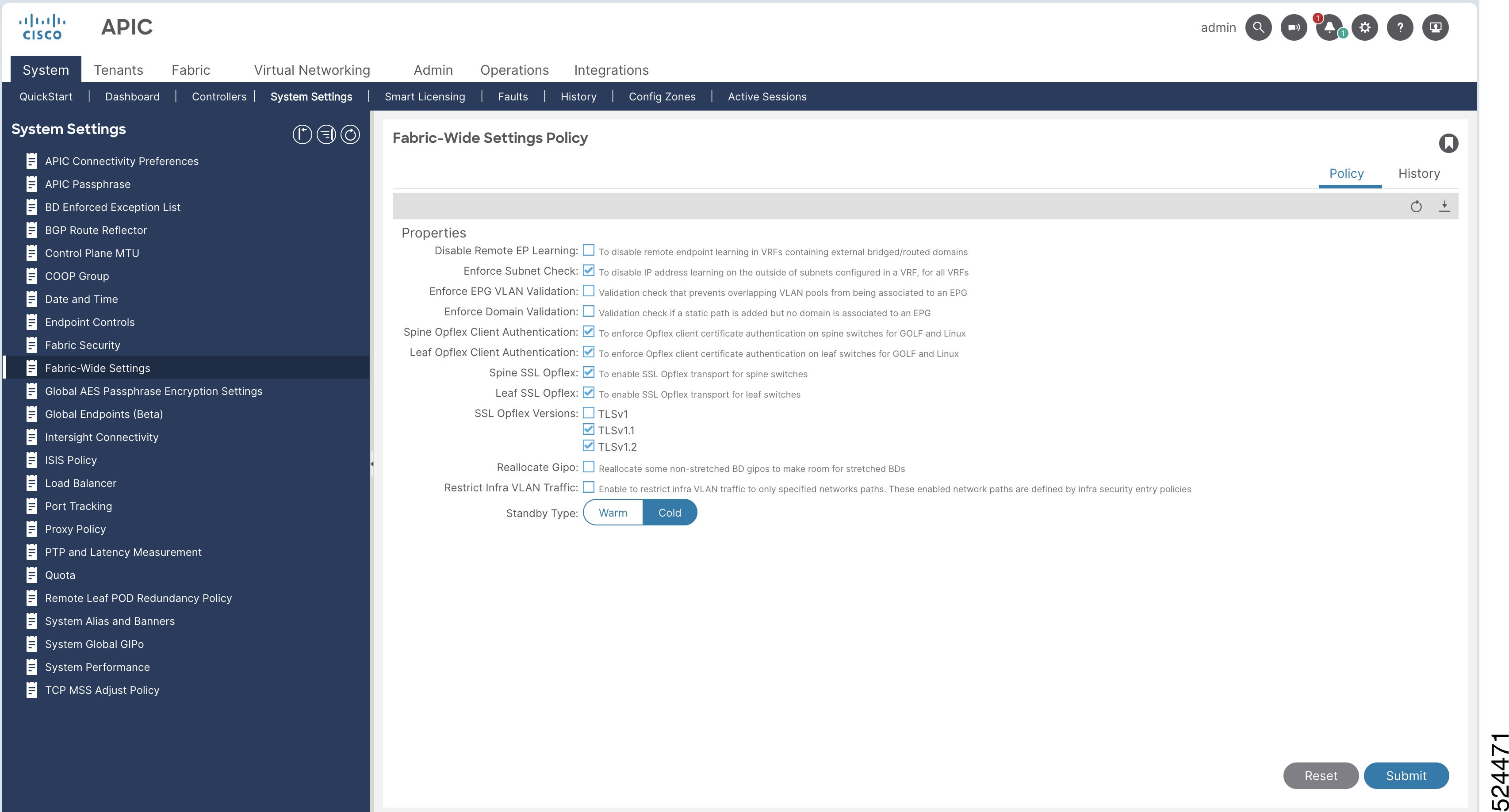
|
|
| 3. | Click Submit . |
|
| 4. | To verify the Warm Standby status:
|
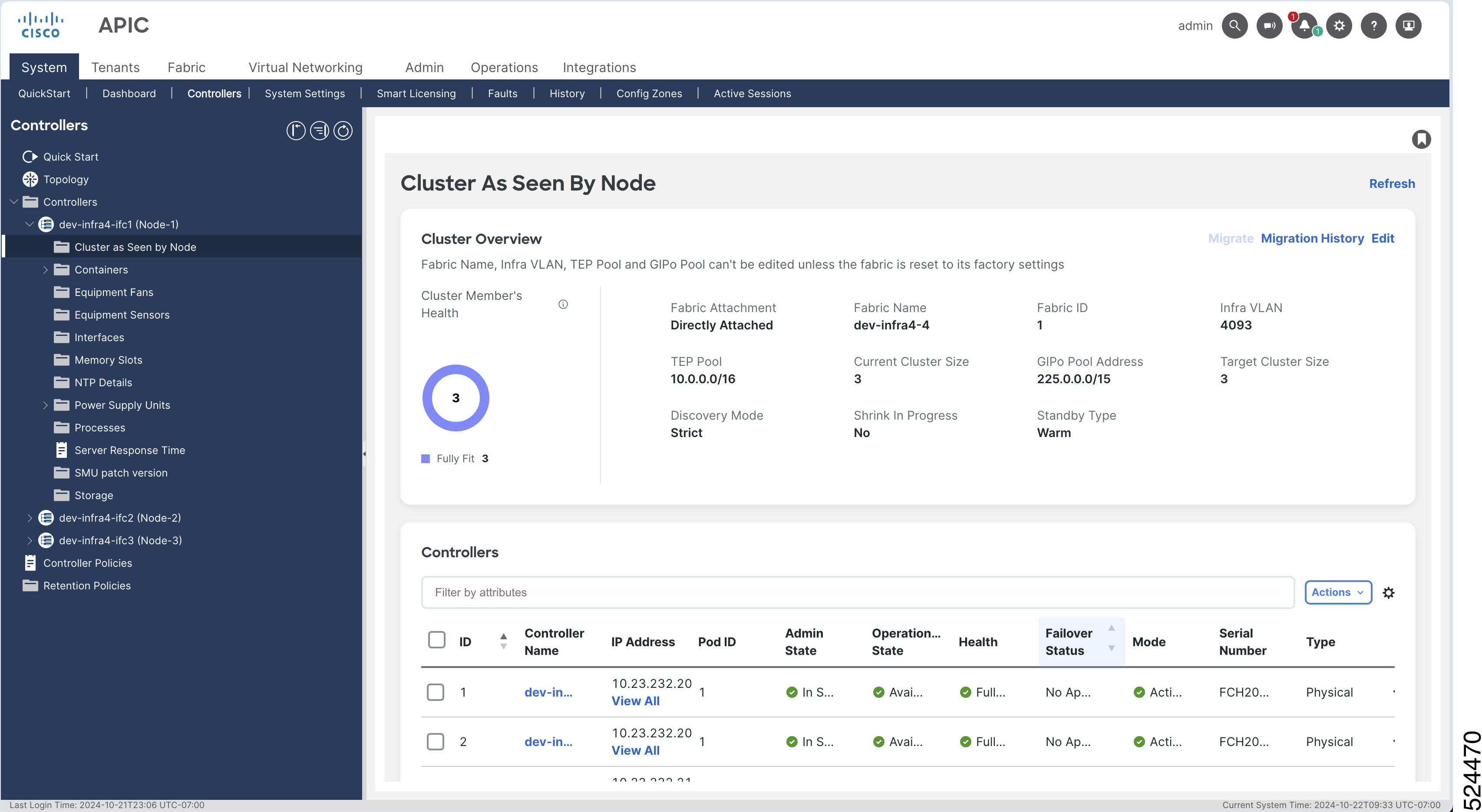
The selected standby APIC type is changed and the status is confirmed in the controllers view.