Overview
Steps to remove a transceiver module.
The transceiver module is a static-sensitive device. Always use an ESD wrist strap or similar individual grounding device when handling transceiver modules or coming into contact with modules.
To remove a transceiver module, follow these steps.
Procedure
| 1. | Disconnect the network interface cable from the transceiver connector. |
|
| 2. | Install the dust plug immediately into the transceiver’s optical bore. |
|
| 3. | Grasp the pull-tab and gently pull to release the transceiver from the socket. 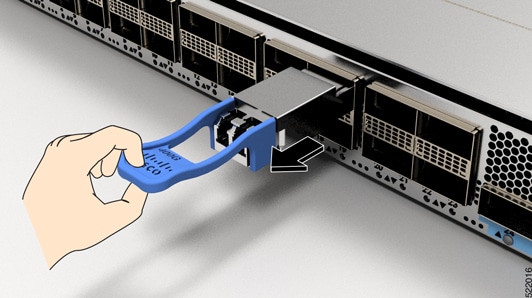
|
|
| 4. | Slide the transceiver out of the socket. |
|
| 5. | Place the transceiver module into an antistatic bag. |