Start Upgrade, generates your new Secure Access organization and copies your Umbrella policies and configurations.
Before you begin
In this step you are creating a new Secure Access dashboard and transferring your existing Umbrella policies and policy components.
Any Umbrella DNS policies, Web policy, and Firewall policy, created after the upgrade will not sync to Secure Access.
We recommend making all policy component changes in your new Secure Access dashboard. Changes made in Umbrella after the upgrade may not appear in Secure Access, and changes in Secure Access may not reflect in Umbrella. For details on which component changes are shared between Secure Access and Umbrella, refer to the Guidelines and Limitations.
Procedure
-
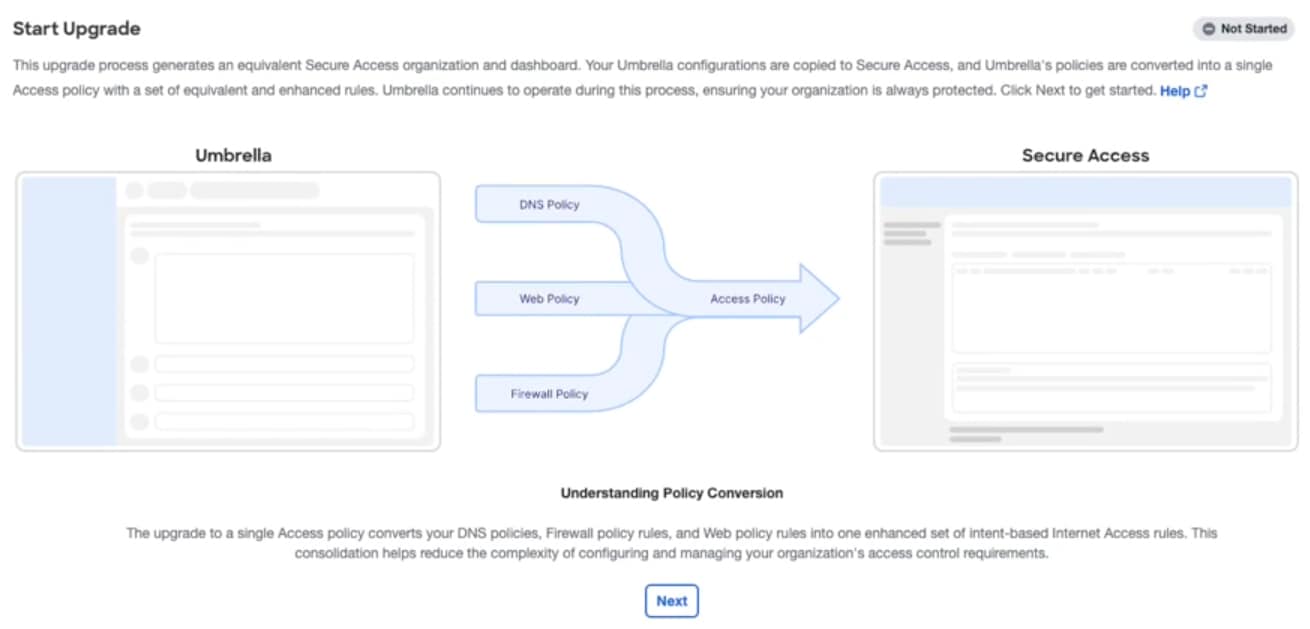
Navigate to Upgrade Manager > Start Upgrade > Click Next.
-
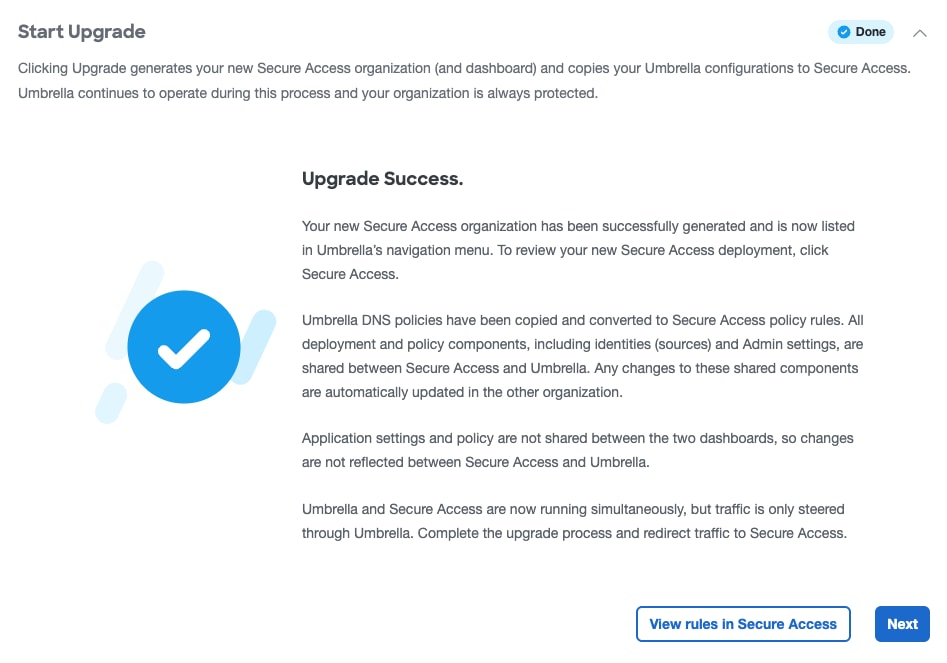
Upgrade Success appears once the upgrade is complete. Your new Secure Access organization is now successfully generated.
-
Click View rules in Secure Access to navigate to your new Secure Access dashboard or click Next to go to Redirect Traffic.
Secure Access shortcut appears in the left-hand navigation next time you login to Umbrella.
Check that your Umbrella policies have copied over as rules in Secure Access. To learn more about the new mapping, see Internet Access Rules.
For more information on how to create new internet access rules, see Get Started with Internet Access Rules in Cisco Secure Access Help.
What to do next
When you upgrade to Secure Access, you must review your policy rules because Secure Access processes traffic based on the first matching rule in your policy list.
Rules placed higher take precedence, so prioritizing critical allow or block rules ensures your policies are enforced correctly and prevents unintended access or threats.
New allow rules (with destinations as ANY) may be created from the translated stack of rules. This could prevent rules below from being processed. Taking time to review and, if needed, reorder your rules after the upgrade helps ensure they are applied as intended in Secure Access and maintains your expected security outcomes.
Important Login Instructions for Secure Access During Upgrade
While the Upgrade Manager is active, Secure Access is only accessible through your Umbrella dashboard login.
Direct login at Cisco Secure Access may cause redirection loops and is unsupported. Until Step 4: Complete Upgrade and Close Umbrella is finished, the Umbrella dashboard is the only supported login method.