Prerequisite: Enable Cisco Security Cloud Sign On
Cisco Security Cloud Sign On (SCSO) allows you to access Cisco Security products with one set of credentials from any device. Security Cloud Control is the platform where you manage those products and achieve security outcomes through a single integrated interface, while Cisco Security Cloud Sign On provides seamless authentication across them.
As part of the upgrade to Secure Access, Umbrella admins must enable Cisco Security Cloud Sign On and create Security Cloud Control accounts before completing SAML authentication.
This is a required prerequisite for Umbrella admins. Complete this step before the upgrade helps ensure that administrators can access Security Cloud Control while the upgrade is in progress and prevents admin lockout from the Umbrella organization.
If your organization already uses an identity provider (IdP) with Umbrella, Cisco recommends configuring Cisco Security Cloud Sign On to use that same IdP when possible. Do not remove your existing Umbrella IdP configuration unless explicitly required.
Before proceeding, verify that your Umbrella admin accounts also exist in Security Cloud Control, either as manually created users or as users provisioned through your IdP. To avoid access issues, use the same administrator email address in both Umbrella and Security Cloud Control.
For more information, see Overview of Security Cloud Sign On in our Security Cloud Control Getting Started Guide for Existing Customers.
Procedure
-
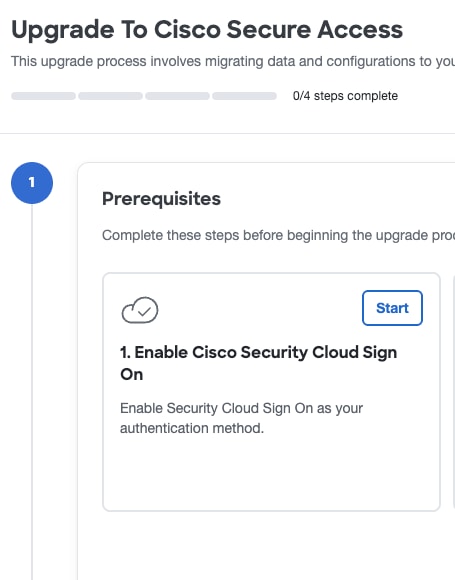
Navigate to Upgrade Manager. Click Start for Enable Cisco Security Cloud Sign On.
-
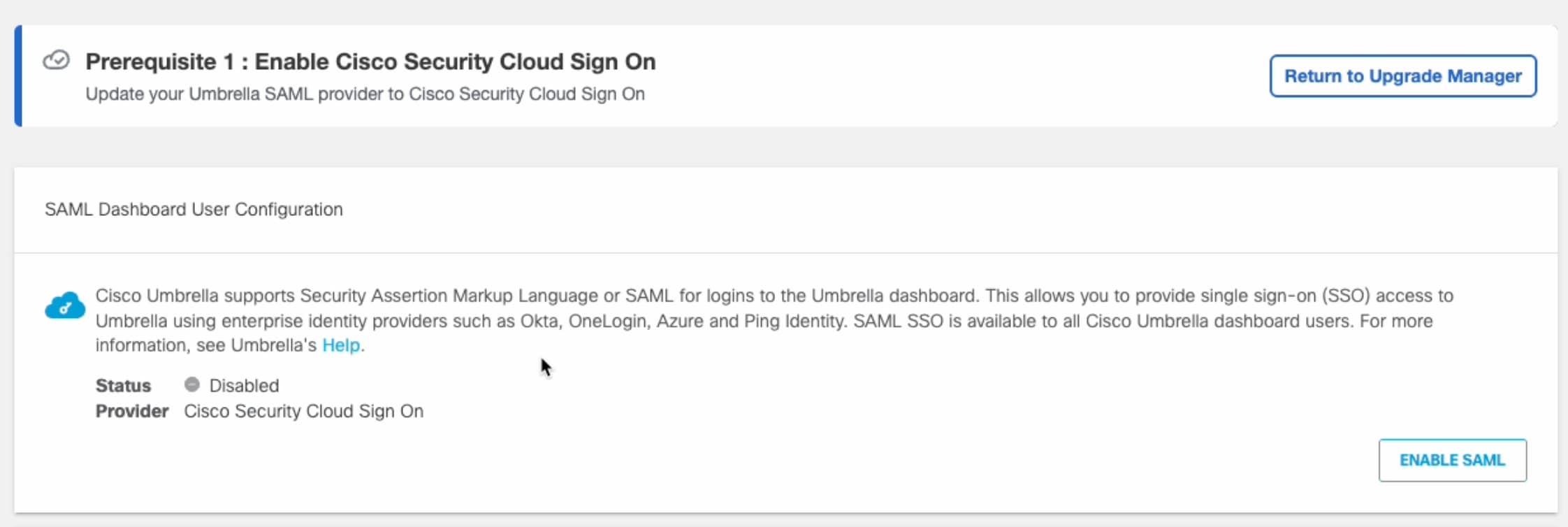
Click Enable SAML.
-
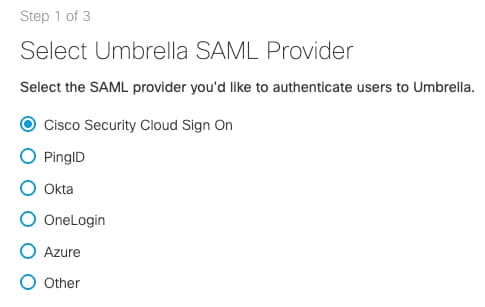
Click Cisco Security Cloud Sign On to create a SCSO account for all users in Umbrella. In the following window click Sign up now. For more information about creating accounts, see Invite a User.
-
After the accounts are created, return to Upgrade Manager > Prerequisite > Enable Cisco Security Cloud Sign On > Start. Click Test Configuration.
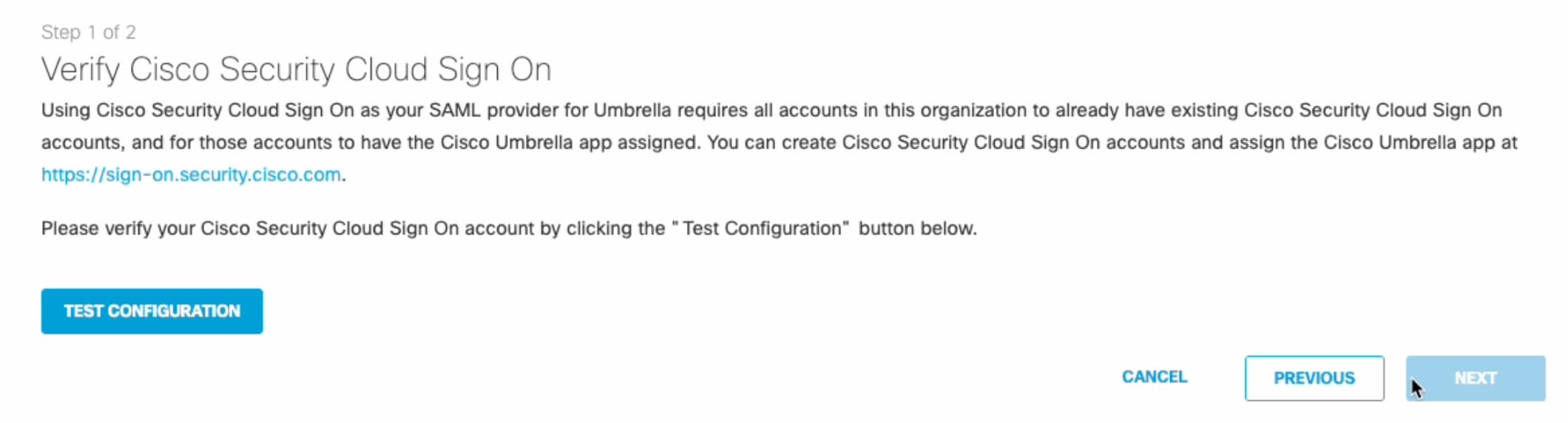
The Test Configuration must be performed and successful for the set-up to complete.
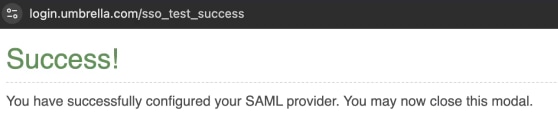
Once the authentication is complete, a success modal appears.
-
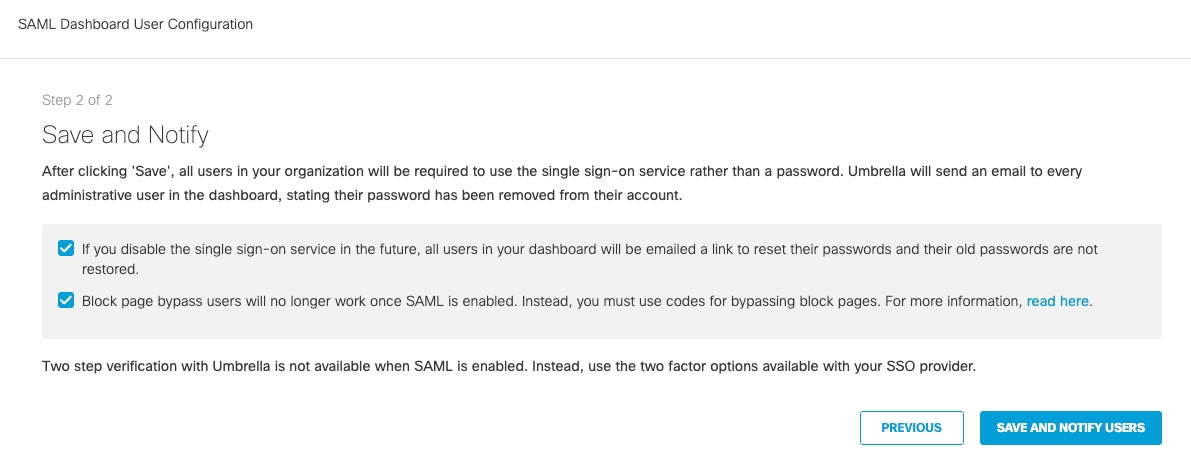
Click Next. Check both boxes to acknowledge the information and click Save and Notify Users.
-
This single sign-on service will now be required going forward.
-
Umbrella will send an email to all dashboard users (not end-users) and a message to all admins in the dashboard to inform them of the mandatory single sign-on (SSO) and that passwords are no longer accepted.
-
If SSO is disabled in the future all users will be emailed a link to reset their passwords as old passwords will not be accepted.
-
Block page bypass users will no longer function once SAML is enabled.
-
-
Click Return to Upgrade Manager and Enable Cisco Security Cloud Sign On step will change from Start to Done.
What to do next
Follow the next steps to check that your Virtual Appliances and Active Directory connectors are up to date.
After you enabled Cisco Security Cloud Sign On:
-
Cisco Security Cloud Sign On becomes the required sign-in method for Umbrella dashboard users going forward.
-
Umbrella sends an email to all dashboard users (not end-users) to inform them of the mandatory single sign-on (SSO) and that passwords are no longer accepted.
-
If SSO is disabled later, all users will receive an email with a link to reset their passwords because previous passwords are no longer valid.
-
Block page bypass users no longer function once SAML is enabled.