Provides instructions for installing a Nano-SIM card into the router, covering proper placement and integration to enable device connectivity and functionality.
This section describes how to install a nano-SIM card into embedded cellular systems. Install a nano-SIM card into the router using these instructions:
Procedure
-
Press down on the top of the SIM slot cover and pull it away from the router until the top of the cover is free from the chassis.
Example:
Figure 1. Removing the SIM Slot Cover 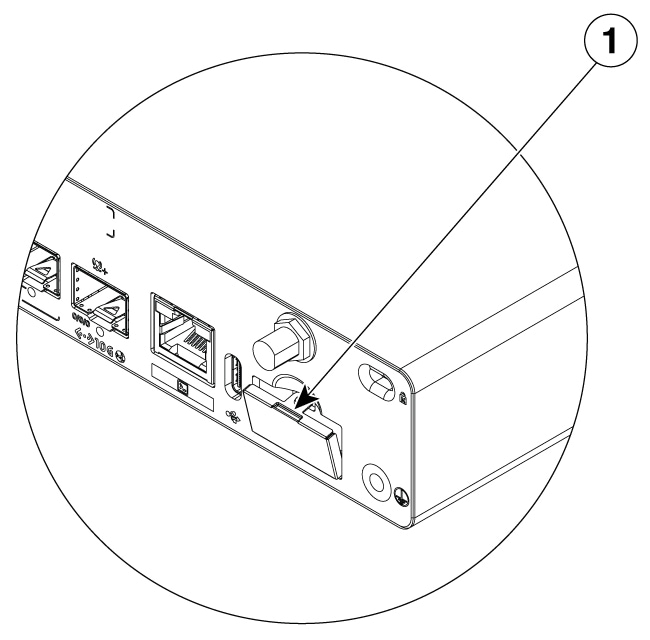
1
SIM Slot Cover
You may use a flat-head screwdriver to press down on the cover; however, ensure the screwdriver does not protrude into the router.
-
Remove the SIM slot cover from the chassis.
Example:
Figure 2. Nano-SIM Slot and Component Identification 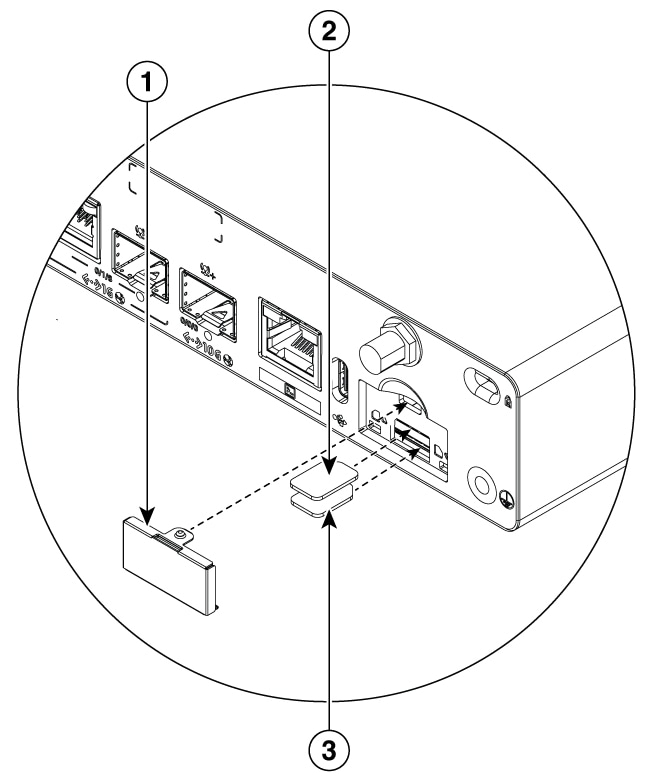
1
SIM Slot Cover
2
Nano SIM 1
3
Nano SIM 0
Do not touch any part of the exposed printed circuit board (PCB) area while the nano-SIM cover is removed.
Ensure the nano-SIM cards are inserted properly into the slot connector and are not wedged between the slot connector and the chassis opening, where they could be inserted incorrectly. Incorrect insertion may cause damage to the board and/or the nano-SIM card.
-
Insert the nano-SIM cards into their respective slots as indicated by the orientation indicators on the chassis. To install a card, insert the nano-SIM card into the slot until it clicks and locks into the push-push connector. To remove the card, press the SIM card further into the slot until it clicks, then release it. The card will partially eject from the slot.
-
SIM 0: Bottom slot
-
SIM 1: Top slot
Example:
Figure 3. SIM Slot and Orientation Indicators 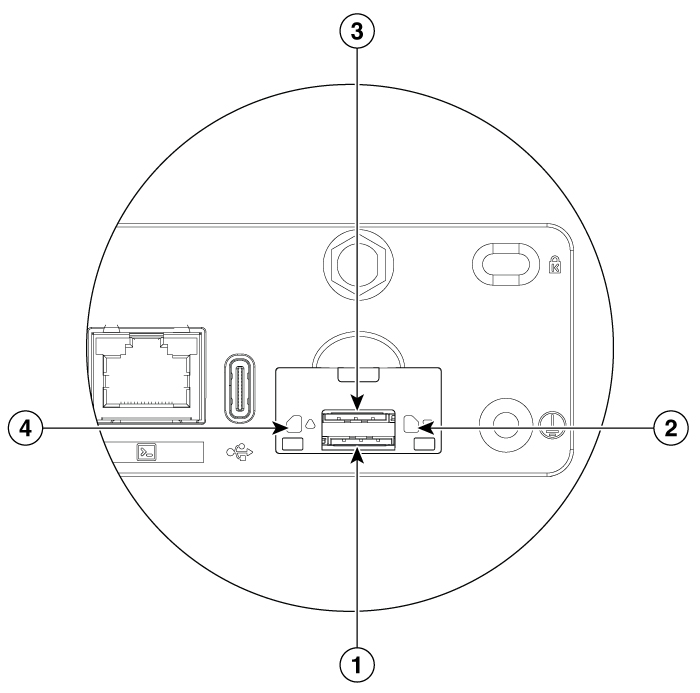
1
Nano SIM slot 0
2
Nano SIM 0 orientation indicator
3
Nano SIM slot 1
4
Nano SIM 1 orientation indicator
It is recommended to use industrial-grade SIM cards for these routers.
-
The nano-SIM card is installed, and the router is ready for operation.